
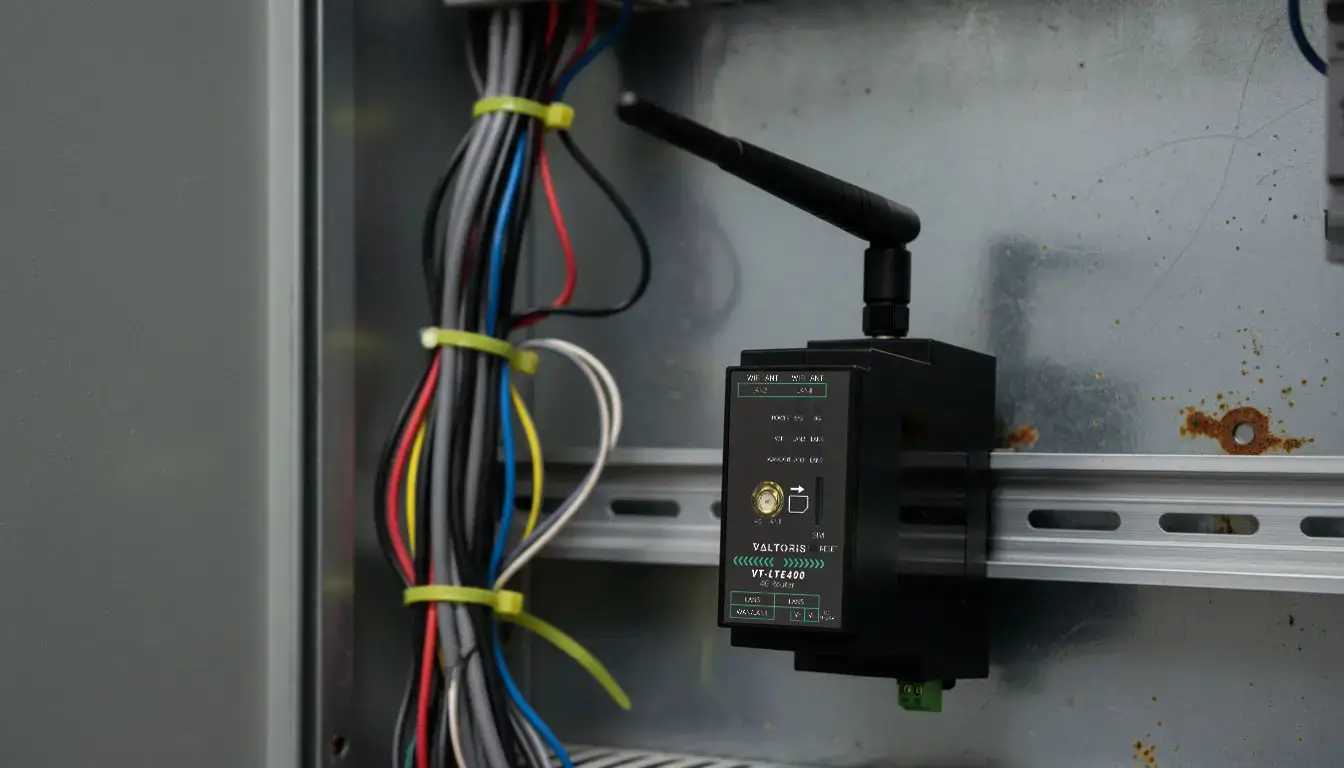
When a primary wired link fails, relying on standard link-state detection often results in a critical SCADA dropping connection WAN failure. Because basic routers take minutes to detect logical internet outages, your remote telemetry times out and drops active TCP sockets. The only real solution to get rid of these massive delays is to deploy an industrial router for SCADA with active ICMP protocol tracking. In this guide, we’ll explore the sub-5-second mechanics of cellular failover, why zombie connections happen, and how to ensure your Modbus or DNP3 polling is always on.
Check the symptoms you experience during a primary network outage:
Having a backup SIM card is entirely useless if the routing engine managing it is reactionary. In the world of industrial automation, a network handover that takes three minutes is effectively a complete outage.
- 1. The “Zombie Connection”: Why Basic Failover Fails
- 2. The SCADA Timeout Trap: Why Milliseconds Matter
- 3. The Technical Solution: Active Protocol Tracking
- 4. Fail-Back: Preventing Cellular Data Overage Disasters
- 5. Configuring Smart Failover on the VT-LTE400
- 6. Advanced Tuning: Preventing Route Flapping
- 7. Frequently Asked Questions (Cellular Failover)
The “Zombie Connection”: Why Basic Failover Fails
To understand why your SCADA system alarms are triggering, we must examine how standard, consumer-grade routers determine if an internet connection is “alive.” Most basic routers use a mechanism called Link-State Polling (Layer 1/Layer 2).
This means the router only checks if there is electrical voltage or a physical link on the WAN (Wide Area Network) Ethernet port. If the cable is plugged in and the upstream modem on the other end is powered on, the router blindly assumes the internet is perfectly fine.
However, industrial outages rarely happen by cleanly unplugging a cable from the back of the router. Usually, an excavator cuts a fiber trunk two miles down the road, or the ISP’s regional DNS server crashes. In these highly common scenarios, the physical cable plugged into your router’s WAN port still has power, but the data cannot reach the public internet. This creates a “Zombie Connection”—the link is physically up, but logically dead.
The SCADA Timeout Trap: Why Milliseconds Matter
Because the physical link is still “up,” a standard router refuses to switch over to the cellular backup. It stubbornly continues routing your critical SCADA telemetry into the dead wired connection.
🚨 The TCP Timeout Cascade
By the time the standard router’s internal TCP timeouts finally expire and it realizes the path is dead (which often takes 2 to 5 minutes), it is already too late. Industrial protocols like Modbus TCP and DNP3 operate on strict timing. If a remote RTU does not answer to a master poll within 3,000 ms (3 seconds), the SCADA master marks the node dead, disconnects it and raises an emergency alarm for the entire facility.
You cannot rely on physical link status when supervising high-stakes automation. The failover decision must be made at Layer 3 (Network Layer) based on actual end-to-end reachability.
The Technical Solution: Active Protocol Tracking (ICMP Watchdog)
To eliminate these catastrophic delays, industrial network architects rely on Active Protocol Tracking, commonly implemented as an ICMP (Internet Control Message Protocol) Watchdog, defined under IETF RFC 792.
Instead of just looking at the physical port light, an industrial router actively interrogates the internet backbone. It works by continuously sending a tiny “ping” packet (e.g., to Google’s 8.8.8.8 or your corporate VPN endpoint) every few seconds through the primary wired WAN connection.
| Mechanism | Detection Method | Average Switchover Time | Susceptible to Zombie Connections? |
|---|---|---|---|
| Link-State (Standard) | Physical Port Voltage (Layer 1) | 2 to 5 Minutes | Yes. Highly vulnerable. |
| ICMP Tracking (Smart Failover) | End-to-End Ping Replies (Layer 3) | < 5 Seconds | No. Detects logical failures instantly. |
If the ping fails to return after a specified number of retries—even if the physical cable is perfectly intact—the router instantly declares the route logically dead. It immediately rewrites the routing table, forcing all SCADA traffic over the secondary 4G/LTE cellular interface.
Visualizing Smart Failover (Active ICMP Tracking)
(Cloud)
PLC
Watch the animation: When the primary wired WAN drops packets (red), the VT-LTE400 detects the failure instantly via ICMP, activates the dormant 4G link (orange), and seamlessly resumes PLC polling.
Fail-Back: Preventing Cellular Data Overage Disasters
Achieving a fast failover is only half the battle. A truly robust cellular failover router must possess intelligent Fail-Back logic.
Industrial IoT cellular data plans are typically limited in volume (e.g. 500MB to 1GB/month). If your router falls back to the cellular network during an outage but never falls back to the cheap wired network when it is fixed, your SCADA system will burn thru your cellular data allowance in days, resulting in massive overage charges or sudden disconnection by the carrier.
“A robust failover mechanism must be bi-directional. The router must continually ping the primary wired interface in the background even while running on cellular. The moment the wired connection proves it is stable for a sustained period, the router must proactively tear down the 4G session and return to the primary path to protect operational budgets.”
Configuring Smart Failover on the VT-LTE400
Other devices usually require complex command-line scripting to implement enterprise-grade redundancy. However, with an industrial gateway like the Valtoris VT-LTE400, the active tracking and fail-back algorithms are embedded in the firmware. You do not need to write custom Ping watchdogs, the logic is built into the router.
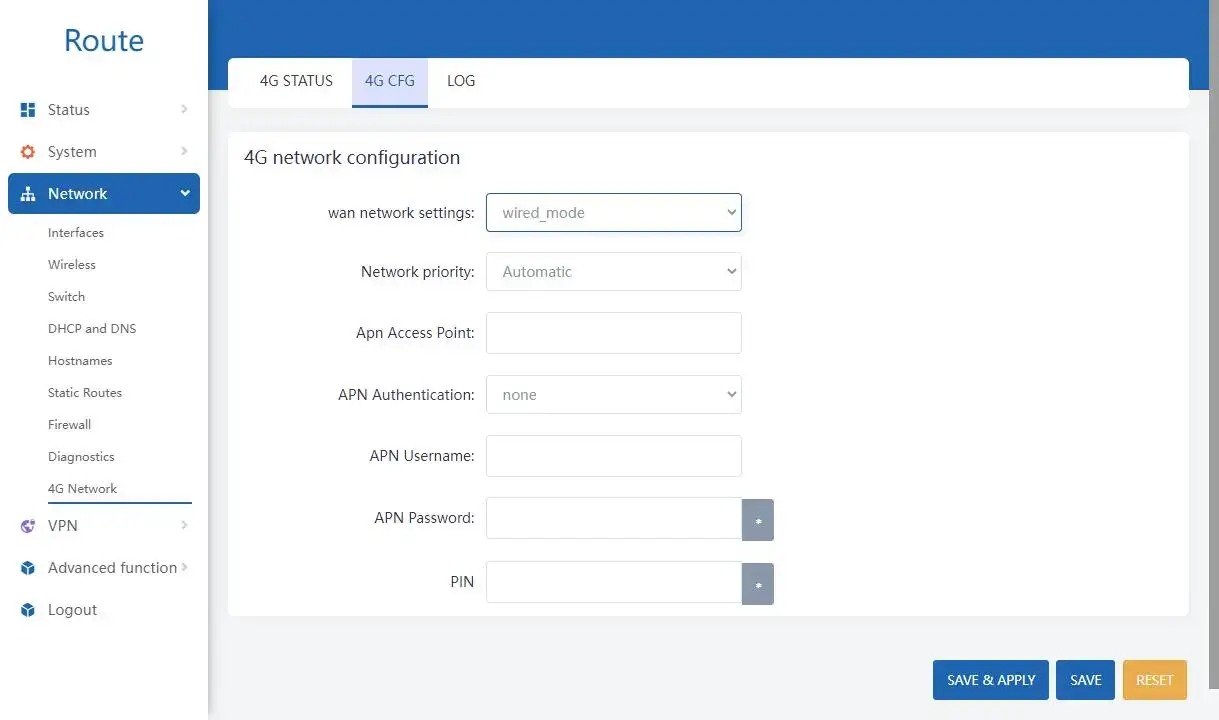
- Physical Connection: Ensure your primary internet source is connected to the WAN port, and your backup 4G SIM card is securely inserted.
- Access 4G Settings: Log into the VT-LTE400 UI and navigate to the Network > 4G Network > 4G CFG section.
- Enable Wired Priority: Locate the
wan network settingsdropdown. Change it from standard routing toWired priority. - Set Automation: Ensure the
Network priorityis set toAutomatic. - Apply Configuration: Click ‘Save & Apply’ in the lower right corner. The router will now actively monitor the wired WAN link.
By saving this simple configuration, you have established a self-healing network. The next time an excavator cuts your fiber line, the VT-LTE400 will sense the logical failure, activate the 4G radio, and route your critical Modbus traffic before the central SCADA server even registers a timeout alarm. Once the physical cable is repaired and logical connection is verified, it will seamlessly fall back to the wired connection, protecting your cellular data cap.
Advanced Tuning: Preventing Route Flapping
A common issue when configuring aggressive failover is Route Flapping. If your wired ISP connection is degraded—meaning it drops connection for 5 seconds, comes back for 10 seconds, then drops again—your router might rapidly switch back and forth between Wired and 4G. This constant routing table recalculation will severely disrupt SCADA polling.
⚙️ The Hysteresis Fix (Zero-Touch Configuration)
To prevent flapping, industrial routers use Hysteresis (delay timers) in their fail-back logic. While traditional routers require writing complex scripts to define these parameters, the VT-LTE400 hardcodes the optimal industrial hysteresis logic directly into its firmware. By simply setting the Network priority to “Automatic”, the router silently handles the ping verifications and wait-timers in the background—ensuring the wired line is absolutely stable before tearing down the 4G connection, eliminating the risk of human configuration errors.
🛡️ Expert Pro Tip: The “Changing IP” Problem in SCADA Polling
A fast physical failover is useless if your central SCADA master cannot find the remote site. When the VT-LTE400 switches from a wired ISP to a 4G network, the external IP address changes (and often falls behind a cellular Carrier-Grade NAT). If your SCADA actively polls the remote site via a static IP, the telemetry will still fail.
The Ultimate Fix: Implement an Overlay VPN.
- Configure an IPsec, WireGuard tunnel between the VT-LTE400 and your SCADA central server. (The VT-LTE400 natively supports these protocols under the VPN menu—view the step-by-step VPN setup guide here).
- Program your SCADA software to poll the router’s static Virtual VPN IP (e.g.,
10.8.0.5) rather than its public ISP address. - Targeted Tracking: Always set your ICMP Watchdog ping target to the IP of the central SCADA server, not a public DNS like
8.8.8.8, to guarantee true end-to-end telemetry reachability.
Frequently Asked Questions (Cellular Failover)
💡 Looking for a comprehensive architecture? To explore our complete distributed modular design and learn how to decouple networks for maximum resilience, please visit our PLC Remote Access Solutions.
Stop the 3:00 AM Callouts
Don’t let reactionary routing protocols jeopardize your remote telemetry. Secure your edge infrastructure with the VT-LTE400’s proactive Smart Backup engine today.
Active ICMP Tracking • Sub-5-Second Switchover • Direct Technical Support