
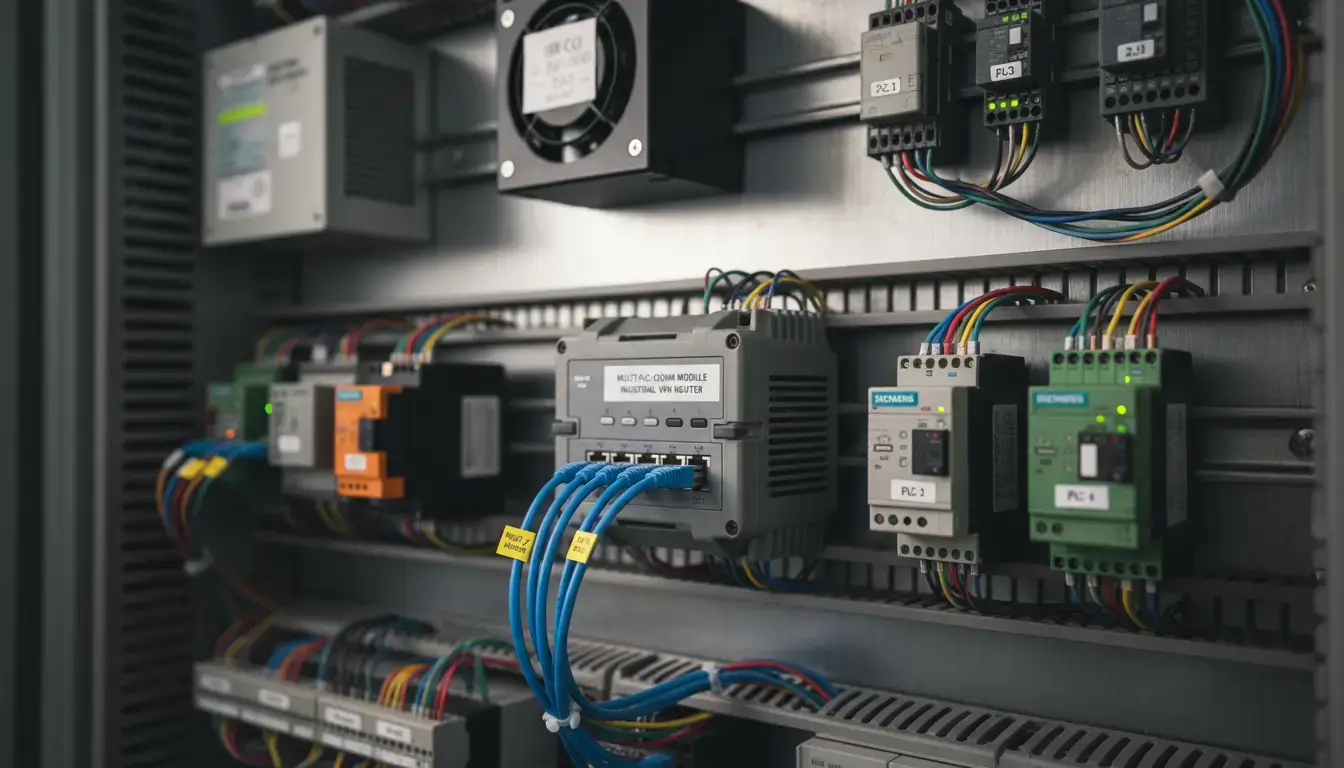
Connecting a remote manufacturing site, municipal water lift station, or utility substation to your centralized SCADA system is usually straightforward—until you run out of IP addresses or realize you are exposing critical infrastructure to the open web. If you’ve been trying to establish secure remote plc access for multiple controllers without waking up your corporate IT department, you’ve probably hit a frustrating roadblock.
Imagine this common scenario: You have a remote cabinet with three different Ethernet PLCs, a variable frequency drive (VFD), and an HMI. Your cellular provider only gave you one 4G SIM card equipped with a single IP address (or worse, a private CGNAT address). While you are trying to figure out how to route the traffic so you can update logic blocks remotely, malicious automated scanners are actively probing your gateway. You need a robust remote access plc solution that is invisible to hackers, instantly responsive to your engineering team, and highly scalable.
- 1. The Core Challenge: Why Remote PLC Access Fails on Cellular
- 2. Hardware vs. Software: Choosing the Best Secure Remote Access for OT Networks
- 3. The Legacy Risk: Why Public Port Forwarding Fails IEC 62443 Standards
- 4. The Solution: Outbound VPN Tunnels Explained
- 5. Routing Inside the Tunnel: Safely Multiplexing a PLC Remote Access Router
- 6. Protocol Specifics: Siemens TIA Portal & Rockwell Studio 5000
- 7. Commercial Cloud vs. DIY VPN: The Hidden Costs
- 8. Checklist: Selecting the Right Cellular Router for Your PLC
1. The Core Challenge: Why Remote PLC Access Fails on Cellular
Deploying a remote wide-area network (WAN) is fundamentally different from setting up an office LAN. Industrial environments face two massive IP routing hurdles that prevent engineers from simply “pinging” their remote machinery.
The CGNAT Trap: Why You Can’t Ping Your Remote PLC
To understand the primary problem, we must look at the mathematical limitation of IPv4. Because the global internet has essentially run out of traditional IPv4 addresses, cellular carriers (like AT&T, Verizon, or Vodafone) rarely hand out true, public IP addresses to standard M2M IoT SIM cards.
Instead, they implement Carrier-Grade NAT (CGNAT). They assign your SIM card a “private” IP address (typically starting with 10.x.x.x or 100.64.x.x) and share one real public IP among thousands of modems. If your cellular IP is private, incoming requests from your central SCADA server will hit the ISP’s massive firewall and be dropped immediately. You cannot connect to the PLC because the public internet simply does not know how to route traffic to a private CGNAT address.
The Overlapping Subnet Nightmare (192.168.1.x Conflict)
For Original Equipment Manufacturers (OEMs) building identical machines, a secondary nightmare arises: overlapping subnets. An OEM might build 50 packaging machines, and to standardize their codebase and electrical schematics, they hardcode every internal PLC to 192.168.1.10.
When the OEM tries to monitor all 50 machines remotely from a central control room, traditional routing collapses. You cannot have 50 different remote devices on the same overarching VPN network claiming to be 192.168.1.10. This creates massive IP conflicts, forcing engineers to rewrite PLC code and HMI tags for every single deployment—a severely costly and error-prone process.
2. Hardware vs. Software: Choosing the Best Secure Remote Access for OT Networks
When searching for the best secure remote access software for ot networks, many IT professionals default to what they know: standard PC-based software VPN clients or desktop sharing applications (like TeamViewer or AnyDesk) installed directly on an Industrial PC (IPC) sitting next to the PLC. While software appears cheaper upfront, it is inherently flawed for mission-critical Operations Technology (OT).
The Fragility of PC-Based Software Clients
Software VPN clients rely entirely on the health of the host operating system. If Windows decides to run a mandatory update at 3:00 AM, if the IPC suffers a Blue Screen of Death (BSOD), or if a background process consumes 100% of the CPU, the software VPN client drops. You instantly lose total visibility of your remote site. Furthermore, software clients sit at the Application layer (Layer 7) of the OSI model. If the underlying network adapter hangs or the USB cellular modem locks up, the software is absolutely powerless to physically reboot the hardware.
Why Industrial Remote Access Routers Win (Always-On Hardware)
This critical vulnerability is why top-tier system integrators mandate the deployment of an industrial remote access router. A hardware-based gateway operates at the Network layer (Layer 3) and runs a stripped-down, deterministic embedded Linux OS (such as OpenWRT) dedicated entirely to routing and cryptographic encryption.
| Capability Feature | Software VPN Client (PC-Based) | Hardware Industrial VPN Router |
|---|---|---|
| OS Dependency | High. Fails if Windows/Linux host crashes or updates. | None. Runs a dedicated, immutable embedded OS. |
| Automated Watchdog | Poor. PC software crashes silently if the host OS freezes. | Yes. Embedded OS automatically restarts the modem connection if pings fail. |
| Network Isolation | Poor. The IPC acts as a bridge, increasing malware risk. | Excellent. Built-in SPI Firewalls and VLAN segmentation. |
Crucially, industrial routers feature Advanced Software Watchdogs. The router continuously sends ICMP ping requests to global DNS servers. If the ping fails and the system detects a carrier level network stall, the embedded OS watchdog will automatically restart the cellular dial process and reregister with the cell tower. This self-healing logic provides 24×7 reliability without having to dispatch a maintenance truck to the site.
3. The Legacy Risk: Why Public Port Forwarding Fails IEC 62443 Standards
Before cheap edge cryptography, automation engineers wanting to work around the single IP limitation would use plain old Port Forwarding (Port Address Translation). The router would be a simple traffic cop translating a custom external port to the standard internal port for the PLC.
Visualizing Legacy Port Forwarding Logic
(Internet)
The router inspects the incoming port. Port 5020 is translated and sent to PLC 1. Port 5021 is translated and sent to PLC 2.
Select the practices currently active in your OT network to generate your risk score:
The port forwarding routing logic is mathematically correct. Running it on the public internet is catastrophic. Exposing native, unencrypted industrial protocols like Modbus TCP (Port 502) or EtherNet/IP (Port 44818) to the public web makes your physical machinery an easy target for automated botnets, state-sponsored actors, and ransomware.
The U.S. Cybersecurity and Infrastructure Security Agency (CISA) regularly issues severe warnings regarding internet-accessible ICS (Industrial Control Systems). Furthermore, under the internationally recognized ISA/IEC 62443 standard for Industrial Communication Networks, plain-text routing of OT protocols over unsecured WAN links directly violates the “Zones and Conduits” isolation principles. Port forwarding must never be used on a raw public connection; it must be shielded by cryptography.
4. The Solution: Outbound VPN Tunnels Explained
To achieve genuine cybersecurity and bypass CGNAT restrictions simultaneously, modern network architecture mandates the use of an outbound Virtual Private Network (VPN). An industrial VPN will wrap your SCADA packets in an encrypted envelope . These are 100 % unreadable and invisible to outside Shodan scanners.
Reversing the Connection to Pierce CGNAT
If the ISP’s CGNAT firewall drops all incoming connections, how do you reach the PLC? You reverse the flow. Instead of the central SCADA server trying to dial into the remote router, you configure the edge router to act as a VPN Client. The router dials out to your central VPN server (which resides on a static, known IP address). Because stateful firewalls universally allow outbound traffic and keep the return path open, the router effortlessly pierces the CGNAT wall, establishing a persistent two-way tunnel.
Keeping IT Happy (Zero Inbound Firewall Rules)
Bridging the gap between OT and IT is often a bureaucratic nightmare. Corporate IT departments despise opening inbound firewall ports because every open port increases their attack surface. By utilizing an outbound VPN client architecture, the remote edge router only requires standard outbound internet access (usually over UDP port 51820 for WireGuard or UDP 500/4500 for IPsec). You do not need to ask the IT department to modify their strict inbound firewall policies, dramatically speeding up your deployment timeline.
Raw Port Forwarding vs. WireGuard VPN Tunnel
Exposed Modbus packets (red) are intercepted by scanners. WireGuard (blue) encapsulates the traffic, making it mathematically invisible to the public internet.
5. Routing Inside the Tunnel: Safely Multiplexing a PLC Remote Access Router
This is the ultimate, secure solution. Once your secure remote access router establishes the encrypted tunnel to your central SCADA server, your remote site is effectively a secure extension of your corporate LAN. You can now safely implement multiplexing logic inside the encrypted tunnel to support multiple devices or overlapping subnets without violating IEC 62443.
Using Internal Port Forwarding (For Multiple PLCs on One Site)
If you have three PLCs at a single remote site and only one virtual IP address assigned to the router’s VPN tunnel interface, you utilize internal Port Forwarding (PAT). Because the traffic is already encrypted by the outer VPN layer, this internal translation is 100% secure.
- Establish the VPN: The edge gateway dials into the central VPN server, securing the link.
- Configure Internal PAT: Inside the router’s firewall, map incoming VPN tunnel traffic on Port
5020to the internal IP192.168.1.10(PLC 1) on Port502. - Map PLC 2: Map VPN tunnel traffic on Port
5021to internal IP192.168.1.11(PLC 2) on Port502. - Crucial Gateway Step: Ensure that inside your PLC’s network configuration, the Default Gateway is set to the internal LAN IP of the edge router. If the PLC lacks a gateway address, it cannot reply back through the VPN.
Your SCADA software simply polls the VPN interface IP using ports 5020 and 5021. The router seamlessly translates and delivers the traffic.
Using 1:1 NAT Mapping (For Overlapping Subnets Across Sites)
To solve the OEM overlapping subnet nightmare (where 50 sites all use 192.168.1.10), you use 1:1 NAT mapping inside the VPN.
The router at Site A is configured to map a unique virtual subnet (e.g., 10.50.1.x) to its physical LAN subnet (192.168.1.x). The router at Site B maps 10.50.2.x to its local 192.168.1.x. Your central SCADA server sends a data request to 10.50.1.10. The VPN routes it to Site A, and the router instantly translates the IP to 192.168.1.10 before delivering it to the PLC. You completely eliminate IP conflicts without modifying a single line of legacy PLC code.
6. Protocol Specifics: Siemens TIA Portal & Rockwell Studio 5000
Establishing the VPN is only half the battle. Automation engineers must understand how their specific PLC programming software behaves over routed Layer 3 cellular networks.
Siemens (Profinet / Step7 / TIA Portal)
Siemens PLCs communicate natively over TCP Port 102 (ISO-on-TCP). When going online with TIA Portal remotely, the software often attempts a Layer 2 MAC address discovery broadcast (DCP protocol) to “find” the PLC. Because VPNs and cellular networks are routed at Layer 3, these Layer 2 broadcasts will be dropped. You cannot use the “Accessible Devices” scan. Instead, you must manually type the IP address of the remote PLC into TIA Portal’s “Extended download to device” dialog box. Additionally, you may need to increase the communication timeout limits in the PG/PC interface settings to accommodate cellular latency fluctuations.
Allen-Bradley / Rockwell Automation (Studio 5000)
Rockwell hardware utilizes the EtherNet/IP protocol. You must account for two distinct traffic types traversing the VPN: explicit messaging (TCP Port 44818) used for Studio 5000 programming and HMI data reads, and implicit I/O messaging (UDP Port 2222) used for high-speed, deterministic control. Make sure that your VPN tunnel and internal NAT rules allow for both TCP and UDP payloads. Using the default “EtherNet/IP Driver” (which depends on local broadcasts) you cannot find a PLC in RSLinx or FactoryTalk Linx over a VPN. You should install the “Ethernet Devices” driver and manually map the IP addresses to target.
7. Commercial Cloud vs. DIY VPN: The Hidden Costs
With the increased need for secure remote connectivity, the industrial networking market has diverged down two different paths – fully managed commercial cloud solutions and standard VPN hardware. System Integrators need to know about Total Cost of Ownership (TCO).
The Rise of Subscription Fatigue
Many major industrial automation brands offer “plug-and-play” remote access portals (such as Ewon’s Talk2M or Secomea LinkManager). These solutions route your traffic through their proprietary, managed cloud servers. While exceptionally easy to set up for IT novices, they suffer from extreme Subscription Fatigue.
You pay a premium for the initial gateway hardware, and then you are forced to pay ongoing monthly or annual licensing fees for concurrent user connections, monthly data volume limits, or advanced VPN features. Over a 5-year deployment lifecycle across 100 machines, these recurring cloud fees can cripple an OEM’s service margins.
| Architecture Model | Hardware Cost (Est.) | Annual Cloud / License Fees | 5-Year TCO (Per Router) | Data Sovereignty |
|---|---|---|---|---|
| Proprietary Cloud VPN (e.g. Talk2M/Secomea) | $600 – $900 | $300 – $600 (Depending on data/users) | $2,100 – $3,900 | Low. Traffic passes through 3rd-party servers. |
| Standard VPN Router (WireGuard / IPsec) | $200 – $400 | $0 (Self-hosted central server) | $200 – $400 | High. Direct end-to-end encryption. |
Deploying a standard industrial vpn router equipped with native IPsec or WireGuard provides total ownership of your data path. By avoiding proprietary cloud lock-in, you eliminate hidden recurring fees, maintain strict data sovereignty, and drastically lower the TCO of your telemetry infrastructure.
8. Checklist: Selecting the Right Cellular Router for Your PLC
To successfully execute the secure, CGNAT-bypassing architecture outlined in this technical guide, your edge hardware must be purpose-built for the task. Consumer-grade or basic enterprise routers will fail rapidly in harsh control cabinets. Ensure your specification sheet includes the following absolute necessities:
- Native VPN Kernel Support: Needs to have native WireGuard support for high-speed, low-latency encryption that doesn’t burden the CPU when uploading PLC code.
- Automated ICMP Watchdog: Should be able to automatically restart the cellular connection if carrier packet loss exceeds thresholds, to prevent the dreaded “3 AM maintenance drive.”
- Integrated LAN Switch: The integrated 4-Port Ethernet switch takes away the need to purchase and power a bulky industrial switch inside tight control panels.
- DIN-Rail & Extreme Armor: Must natively snap onto standard 35mm DIN-rails and feature corrugated metal housing rated for -40°C to +85°C ambient temperatures.
- Zero Recurring Cloud Fees: Must allow you to configure standard, open-source VPN protocols without forcing you into mandatory monthly cloud subscriptions.
Frequently Asked Questions (Remote PLC Access)
Deploy Secure, Unbreakable PLC Connectivity Today
Don’t let CGNAT lock you out, and stop risking your production lines on exposed public ports. Equip your edge panels with advanced NAT, WireGuard VPNs, and automated connection watchdogs.
