
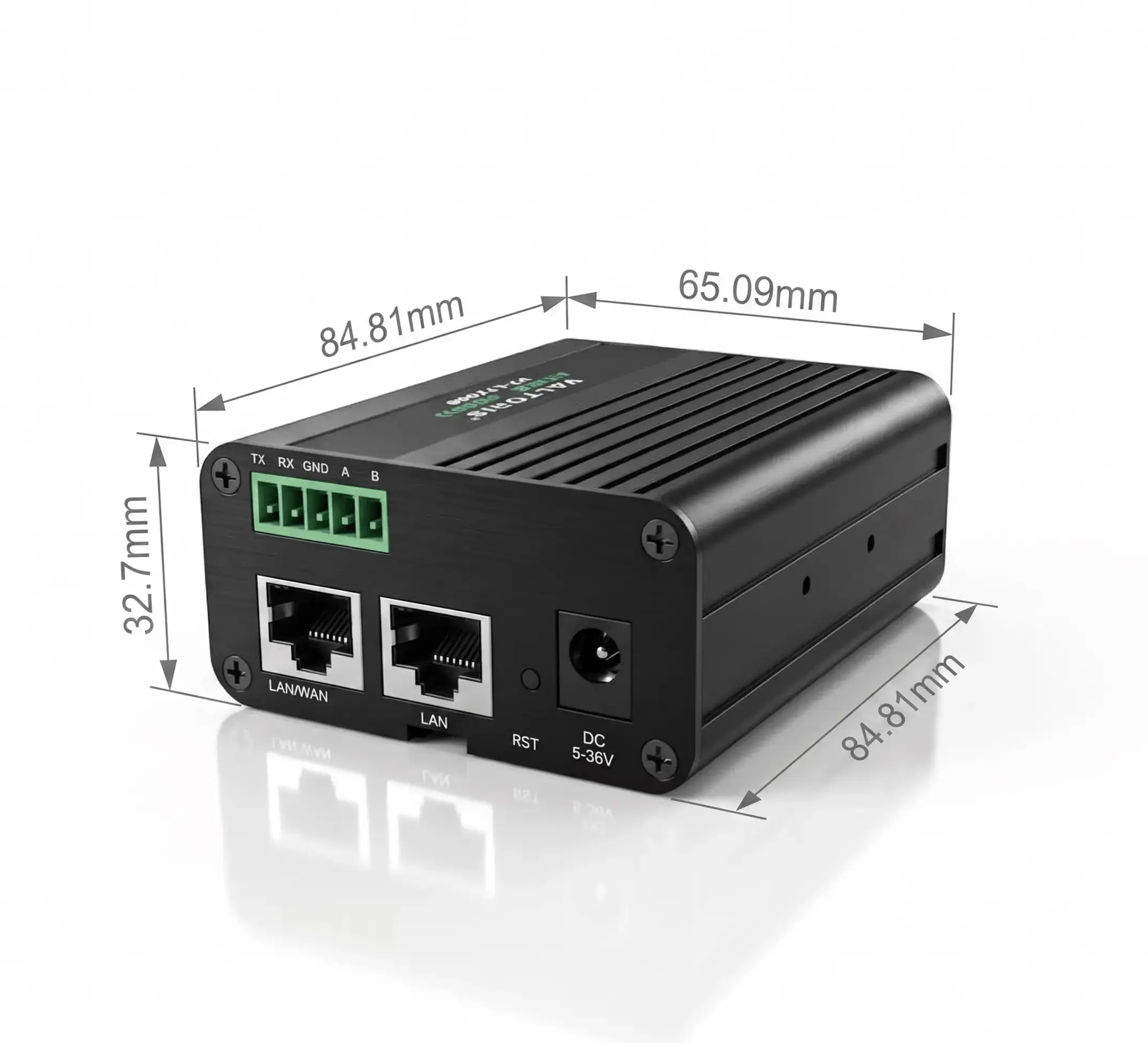
The Foundational Gap in OT Networking
Let us be entirely candid: when you first hear the term “router,” a very specific image comes to mind. You probably think of the little plastic box of Wi-Fi in your living room, or maybe a battery-powered mobile hotspot to check e-mail on the road.
As the global cellular router and cellular gateway market is growing at a rapid pace in manufacturing and energy sectors, it’s now more important than ever to understand what this hardware is actually for.
If you apply this consumer-grade logic to mission-critical Operational Technology (OT), you are preparing for a catastrophic network failure. In the industrial sector, terminology alone causes massive procurement errors. Integrating programmable logic controllers (PLCs), Remote Terminal Units (RTUs) and SCADA systems over cellular networks requires a deep, uncompromising understanding of the differences between a modem vs router vs gateway.
But before we get deeper into the complicated engineering topologies, we need to ask a fundamental question: what is a cellular router when built specifically for OT environments?
- The Foundational Gap in OT Networking
- Gateway vs Router vs Modem: The Definitional Guide
- The Consumer vs. Industrial Trap
- Inside the Box: Industrial Router Architecture Explained
- Overcoming Major Deployment Pain Points
- Deep Dive: Step-by-Step Security and VPN Deployment
- Industry-Specific SCADA Topologies
- Frequently Asked Questions
Before diving into the technical definitions, select your specific field requirements below to instantly determine the correct hardware category for your project.
You need special Edge Computing Gateway because you need application layer (Layer 7) translation from legacy serial protocols to cloud formats. An IP router will not translate Modbus into MQTT. Explore our dedicated Protocol Gateways for legacy serial integration here.
Because your devices already speak Ethernet/IP, you do not need expensive protocol translation. You need a rugged Layer 3 IP router to act as a secure VPN client, handle LAN switching, and provide automated 4G failover. See the Valtoris VT-LTE500 Series.
Your topology requires both Layer 7 protocol translation AND Layer 3 VPN routing. You need an advanced device like the VT-LTE500 that combines serial Edge Computing with native IPsec/OpenVPN tunneling. View our advanced LTE Router & Gateway hybrids.
In this definitive guide we’re going to cut thru the marketing hype and break down the hardware. We will define what truly makes a cellular router “industrial,” dissect its internal architecture based on the OSI model, address the real-world deployment headaches engineers face (such as CGNAT, VPN MTU fragmentation, and subscription fatigue), and provide a clear category comparison to ensure you specify the exact right hardware for your topology.
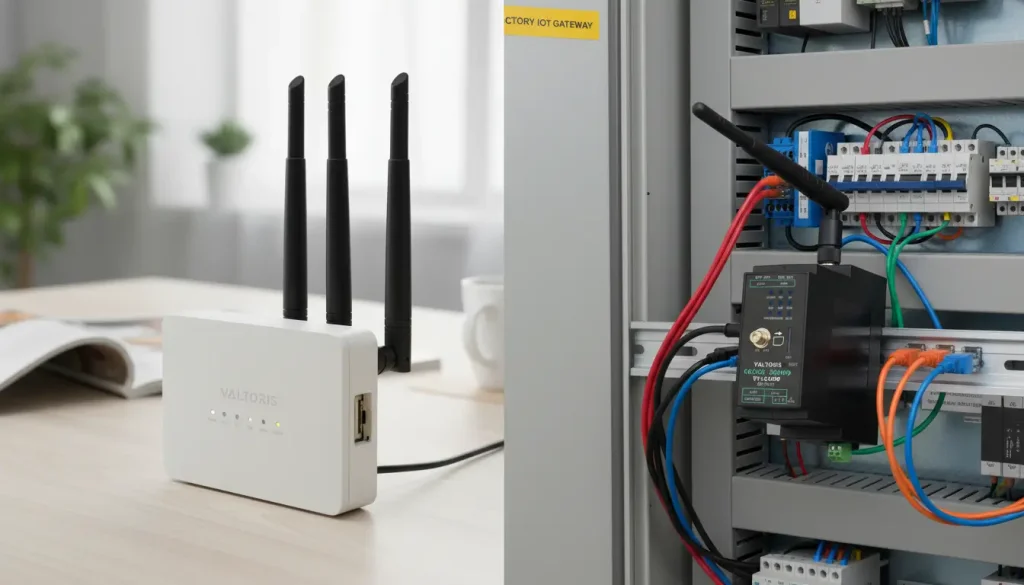
Gateway vs Router vs Modem: The Definitional Guide
To dispel the fog of confusion, consider your industrial network as a city’s traffic and transportation system. Confusion of these three terms often leads integrators to buy devices that have no security, cause mass network collisions or over complicate the architecture with superfluous software licensing.
1. The Industrial Modem (The Raw Pipe)
The Cellular Modem is simply the on-ramp. A pure modem operates at Layer 1 ( Physical ) and Layer 2 ( Data Link ) in the OSI ( Open Systems Interconnection ) model. Its sole function is to establish a raw, dumb data pipe with the carrier’s network by modulating and demodulating radio waves (LTE/5G). It does not manage traffic, it does not assign local IP addresses (DHCP), and it provides absolutely zero security firewalling. It merely translates cellular radio signals into a digital format that a single connected edge computer or firewall can process.
2. The Protocol Gateway (The Simultaneous Translator)
The Gateway is the simultaneous interpreter at the border crossing. Operating at the very top of the OSI model—Layer 7 (Application Layer)—true Protocol Gateways are highly complex mini-computers. Many legacy factory machines speak ancient industrial dialects like Modbus RTU (serial), DF1, or proprietary bus protocols. Modern cloud IT platforms (AWS, Azure) only understand languages like MQTT, HTTPS, or REST APIs. A Protocol Gateway intercepts the raw serial data, unpacks the holding registers, translates them into a JSON/MQTT payload and performs edge computing logic before transmission.
3. The Industrial Router (The Secure Traffic Director)
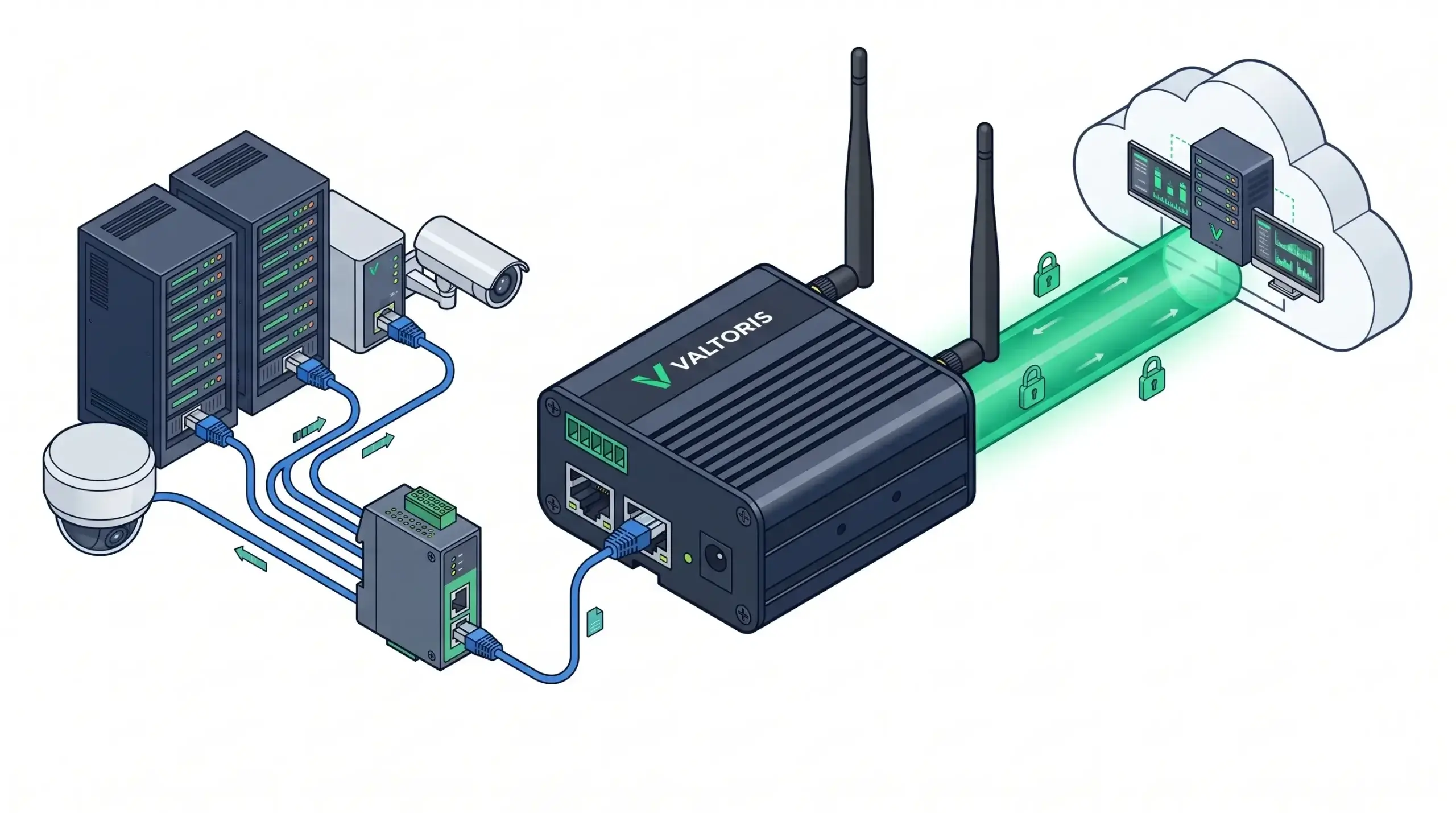
The Industrial Router is the traffic cop and intersection light. Operating at Layer 3 (Network Layer), the router is arguably the most critical piece of modern OT infrastructure. When you have multiple modern IP-based devices (Ethernet PLCs, IP cameras, variable frequency drives) attempting to send data simultaneously, the router assigns them local IP addresses, routes packets between subnets, prevents broadcast storms, and decides which data packets have priority (QoS).
| Networking Device | OSI Model Layer | Core Functionality | Security Capabilities |
|---|---|---|---|
| Cellular Modem | Layer 2 (Data Link) | Radio frequency modulation; simple bridge to carrier. | None. Relies entirely on downstream devices. |
| Industrial Router | Layer 3 (Network) | IP addressing, subnet routing, VLANs, auto-failover. | High. Stateful Firewalls (SPI), IPsec/WireGuard VPN tunneling. |
| Protocol Gateway | Layer 7 (Application) | Payload translation (e.g., Modbus RTU to MQTT), edge logic. | Variable. Often requires mandatory cloud platform integrations. |
⚠️ The Architectural Sweet Spot: If your field devices already communicate via standard IP/Ethernet (e.g., Modbus TCP, PROFINET, or raw TCP/UDP), you do not need an expensive Protocol Gateway to perform data translation. You need an Industrial Cellular Router to securely route those IP packets, establish VPN tunnels, and provide robust failover. For 90% of modern SCADA telemetry, a secure Layer 3 industry router gateway is the most reliable and cost-effective topology.
The Consumer vs. Industrial Trap: Why Hotspots Fail in OT
One of the most frequent mistakes engineering teams make when attempting to cut project budgets is deploying consumer-grade gear in industrial environments. A consumer hotspot (MiFi) is designed for temporary convenience—to let you check emails at a coffee shop. An industrial cellular router is engineered for permanent, deterministic reliability in hostile environments.
| Critical Specification | Consumer Hotspot (MiFi) | Industrial Cellular Router |
|---|---|---|
| Thermal Tolerance | 0°C to +40°C. Commercial silicon fails rapidly in extreme heat. | -40°C to +85°C. Thrives in unventilated outdoor metal cabinets. |
| Power Source | Lithium-ion battery (severe explosion/fire hazard in high heat) or fragile USB. | 9-24V / 9-36V DC Wide-Range Input via secure screw-terminal blocks. |
| Connection Recovery | Manual. Requires a human to physically press a button when frozen. | Automated ICMP Watchdog. Autonomously restarts the dialing sequence if pings fail. |
| Antenna Connectors | Internal only. Useless inside shielded metal control panels. | External SMA connectors. Allows high-gain antennas to be mounted on the cabinet roof. |
Inside the Box: Industrial Router Architecture Explained
A true industrial router is built upon strict physical and logical pillars to survive where consumer gear dies.
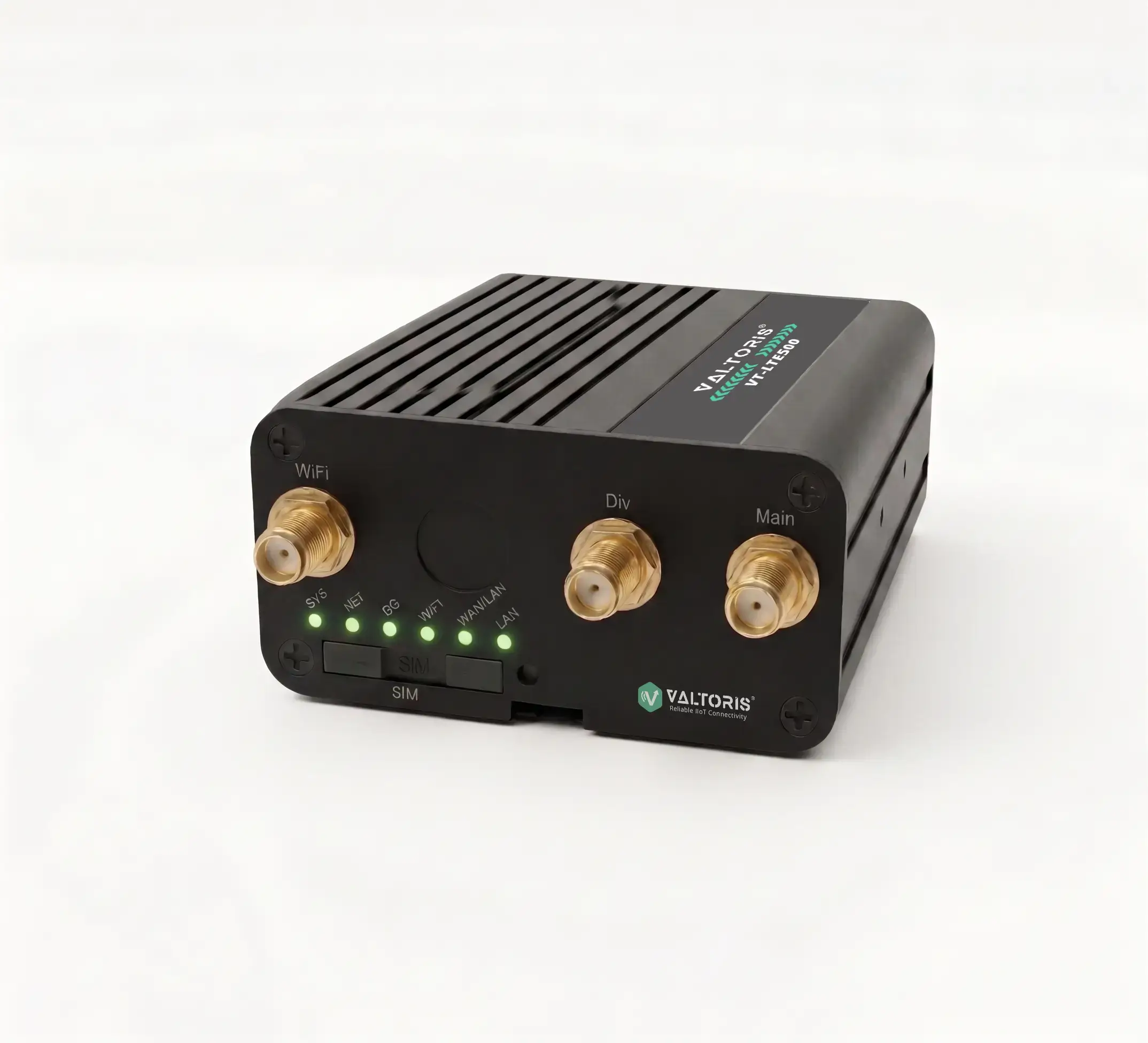
The Physical Layer: Built for the Control Panel
Industrial enclosures are designed for survival. Industrial routers utilize passively cooled extruded aluminum chassis to safely dissipate heat without relying on moving fans (which inevitably draw in dust and fail). Furthermore, native 35mm DIN-rail mounting brackets, and it can withstand heavy mechanical vibration from nearby machinery without popping cables loose.
The Interface Layer: Modern LAN Switching at the Edge
As OT networks rapidly converge with IT standards, reliance on legacy serial cables is declining. Modern industrial routers are oriented mainly on LAN Switching. The router is a consolidated network switch with multiple shielded RJ45 Ethernet ports (e.g., 1x WAN, 4x LAN). This enables engineers to connect multiple PLCs, HMIs and VFDs directly to the router inside a tight cabinet, eliminating the need to purchase, mount and power a separate switch for your cell router network.
The Antenna & Signal Layer: RSRP vs. SINR
An industrial router is only as good as its RF (Radio Frequency) signal. Consumer devices rely on generic “Signal Bars,” which is a wildly inaccurate metric in industrial settings. Industrial routers provide diagnostic interfaces displaying RSRP (Reference Signal Received Power) and, more importantly, SINR (Signal-to-Interference-plus-Noise Ratio). High gain external antennas on a router enable engineers to optimize the SINR in a factory with high electrical noise such that telemetry packets can penetrate the noise floor without retransmission delay.
The Elephant in the Room: Overcoming Major Deployment Pain Points
Hardware specifications mean nothing if the deployment is blocked by network architecture or bureaucratic IT policies. Here is how modern industrial routers solve the biggest headaches in the field.
Bypassing CGNAT and Strict IT Firewalls
If you insert a standard M2M SIM card into a router, the carrier will almost certainly issue it a private, non-routable IP address (e.g., 10.x.x.x)—a mechanism known as Carrier-Grade NAT (CGNAT). Because the IP is private, you cannot use simple Port Forwarding to dial into the PLC from the outside world; the carrier’s massive internal firewall will drop the inbound request.
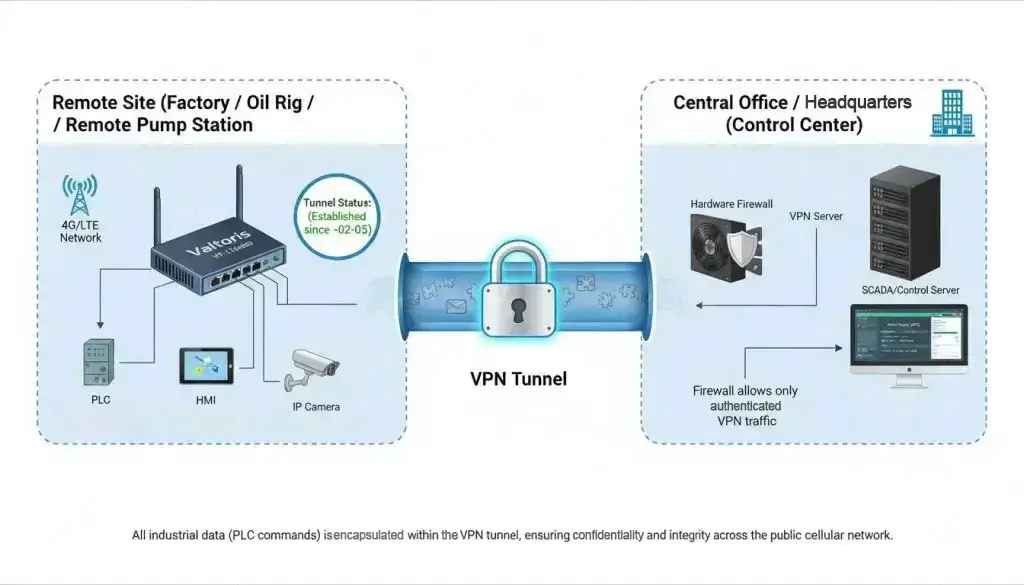
Industrial routers solve this by acting as Outbound VPN Clients. Instead of the SCADA server trying to penetrate the carrier’s firewall, the remote router dials out to the central SCADA VPN server. Because stateful firewalls (both carrier and corporate IT) universally allow outbound traffic and keep the return path open, the router effortlessly pierces the CGNAT wall. This “outbound-only” approach also keeps corporate IT security teams happy, as it requires Zero Inbound Firewall Rules to be opened on the enterprise side, strictly adhering to the isolation principles outlined in the CISA Industrial Control Systems Security Advisories.
The “Subscription Fatigue” Epidemic
A growing irritant in the System Integrator (SI) community is the push for mandated cloud platforms. Many legacy industrial networking brands now sell hardware as a “loss leader,” forcing customers to pay heavy recurring annual subscription fees just to route data through their proprietary cloud servers.
Independent industrial routers combat this Subscription Fatigue by leveraging open-standard protocols. By providing native WireGuard and IPsec (IKEv2) capabilities, engineers can build direct, self-hosted VPN tunnels from the edge router directly to their own corporate firewalls. This restores complete data sovereignty (your packets never pass through a third-party vendor’s server) and eliminates hidden recurring cloud fees, drastically lowering the Total Cost of Ownership (TCO) across a 10-year deployment lifecycle.
Deep Dive: Step-by-Step Security and VPN Deployment
To fully explain the safety protocols in setting up industrial routers, we must look beyond basic passwords. For proper deployment of the router, you need to build a hardened SPI firewall perimeter, and configure advanced VPN parameters to prevent catastrophic latency issues.
Curing VPN Latency: MTU and MSS Clamping
This is the most critical and frequently overlooked configuration step in cellular engineering. When engineers complain that their IPsec VPN is “too slow” or that their PLC polling software throws “timeout” errors, the issue is rarely bandwidth—it is packet fragmentation.
According to 3GPP cellular network specifications, LTE networks natively have a lower Maximum Transmission Unit (MTU) than standard wired Ethernet due to internal GTP tunneling at the carrier level. When you take a standard 1500-byte Ethernet frame and add the heavy cryptographic headers of an IPsec VPN, the packet becomes too large. The modem is forced to fragment the packet into two pieces, drastically increasing CPU load, doubling the latency, and causing TCP timeouts.
| Network / Protocol Interface | Standard Ethernet Default | Recommended Cellular Setting | Reasoning |
|---|---|---|---|
| Standard LAN / WAN Interface | MTU = 1500 bytes | MTU = 1500 bytes | Standard IEEE 802.3 frame size. |
| Cellular LTE Interface (wwan) | Auto (Usually ~1428) | MTU = 1420 bytes | Accounts for carrier GTP tunneling overhead. |
| IPsec / WireGuard VPN Interface | MTU = 1500 bytes | MTU = 1350 to 1400 bytes | Prevents fragmentation caused by cryptographic headers. |
| TCP MSS Clamping (Firewall) | Disabled | Enabled (MSS = MTU – 40) | Forces endpoints to negotiate smaller segment sizes automatically. |
The Engineering Fix: Inside the router’s advanced network settings, engineers must manually lower the MTU of the VPN interface (typically to 1350 or 1400 bytes) and adjust the TCP MSS (Maximum Segment Size) clamping to match. This ensures that the encrypted payload fits neatly inside a single cellular frame, avoiding fragmentation and restoring the lightning-fast PLC response times.
Industry-Specific SCADA Topologies
To help differentiate these hardware types, let’s look at why a Layer 3 Industrial Router is in fact specified over a Protocol Gateway or Modem in real-world verticals.
1. Municipal Water and Wastewater Treatment
Pump stations are often located in damp, isolated geographical areas. The PLCs controlling the pumps generally communicate via standard Ethernet IP. Using a basic Modem here offers no security, and a Protocol Gateway is an unnecessary expense since no serial-to-MQTT translation is required. An Industrial Router is deployed here to act as a secure VPN client, encapsulating the raw water telemetry data and transmitting it securely back to the municipal IT center.
2. Solar Farm Energy Monitoring
Solar arrays extend over miles of open, unshaded terrain, with control cabinets exposed to brutal internal temperatures. Consumer hotspots will melt in these environments. Inside these cabinets, industrial cellular routers are mounted on DIN-rails and with a thermal tolerance of -40°C to +85°C they can safely transmit string inverter IP data over 4G LTE without degrading in the heat.
3. Intelligent Traffic Systems (ITS)
Traffic light controllers require absolute determinism. A split-second delay cannot be tolerated. In roadside cabinets, Industrial Routers are utilized not just for 4G connectivity, but for their Wired-to-4G Smart Failover logic. If the primary municipal fiber optic line is severed by construction, the router’s ICMP watchdog detects the drop and instantly shifts the traffic light control data to the 4G LTE network, preventing traffic gridlock.
Secure Your SCADA Backhaul (Without the Cloud Tax)
Standard Ethernet PLCs don’t require a costly protocol gateway, and you can’t afford consumer hotspots in a control cabinet at 75°C. Deploy a pure Layer 3 industrial router built for the extremes. Featuring native IPsec/OpenVPN tunneling, SPI Firewalls (DDoS & IP Spoofing defense), automated ICMP watchdogs, and absolute data sovereignty with zero recurring subscription fees.
Explore the VT-LTE500 SeriesFrequently Asked Questions (Industrial Connectivity)
Can I use a high-speed consumer 5G hotspot instead of an industrial 4G router if I need more bandwidth?
For SCADA and OT environments, absolute reliability trumps peak bandwidth. Consumer 5G hotspots lack automated software watchdogs, meaning if the carrier connection stalls, the device will hang until a human physically restarts it. Furthermore, consumer hotspots utilize lithium-ion batteries that pose severe fire risks in high-temperature control cabinets. Industrial 4G routers provide more than enough bandwidth for telemetry while ensuring 24/7 deterministic uptime via direct DC power, passive cooling, and auto-reboot logic.
Why does my cellular connection seemingly drop at the exact same time every day or week?
This is a known behavior of cellular carrier networks. To manage IP address pools and prevent network congestion, carriers enforce “forced disconnects” or lease expirations—often every 12, 24, or 48 hours. If you are using a basic modem, this drops your link indefinitely. True industrial cellular routers use ICMP Keep-Alive pings to detect this carrier-initiated drop and autonomously restart the dialing sequence to re-establish the connection within seconds.
What is the difference between Bridge Mode and IP Passthrough on an industrial cellular router?
Both methods are used to avoid “Double NAT” when placing a cellular router in front of a corporate IT firewall (like Cisco or Fortinet). True Bridge Mode disables the router’s Layer 3 routing entirely, turning it into a transparent Layer 2 modem. IP Passthrough is more common in cellular gear; the router remains at Layer 3 but automatically forwards the carrier-assigned public IP address directly to the MAC address of your downstream corporate firewall. For integrating 4G backup into IT networks, IP Passthrough functionality is highly recommended.
Will IPsec VPN overhead cause my PLC polling protocols to time out over an LTE network?
It can, if improperly configured. Cellular networks inherently have a lower Maximum Transmission Unit (MTU) than standard wired Ethernet due to the carrier’s internal GTP tunneling. When you add the cryptographic overhead of IPsec or WireGuard, standard 1500-byte packets exceed the MTU and are fragmented, which drastically increases CPU load, latency, and causes PLC timeouts. To fix this, you must manually lower the MTU (typically to 1350 or 1400) and enable TCP MSS clamping inside your industrial router’s VPN settings.
Are there hidden data costs associated with ICMP Keep-Alive pings on M2M data plans?
ICMP pings (Watchdogs) are needed to keep the connection alive and to trigger fail-over routines, but they do use data. Sending a ping to an external server like 8.8.8.8 every 10 seconds can result in around 15MB to 30MB of background data each month. This is important if you are on a tight 50MB M2M data plan. To reduce cellular overhead, engineers need to trade-off reliability for cost, for example by adjusting the ping interval to ping every 60 seconds instead.
