
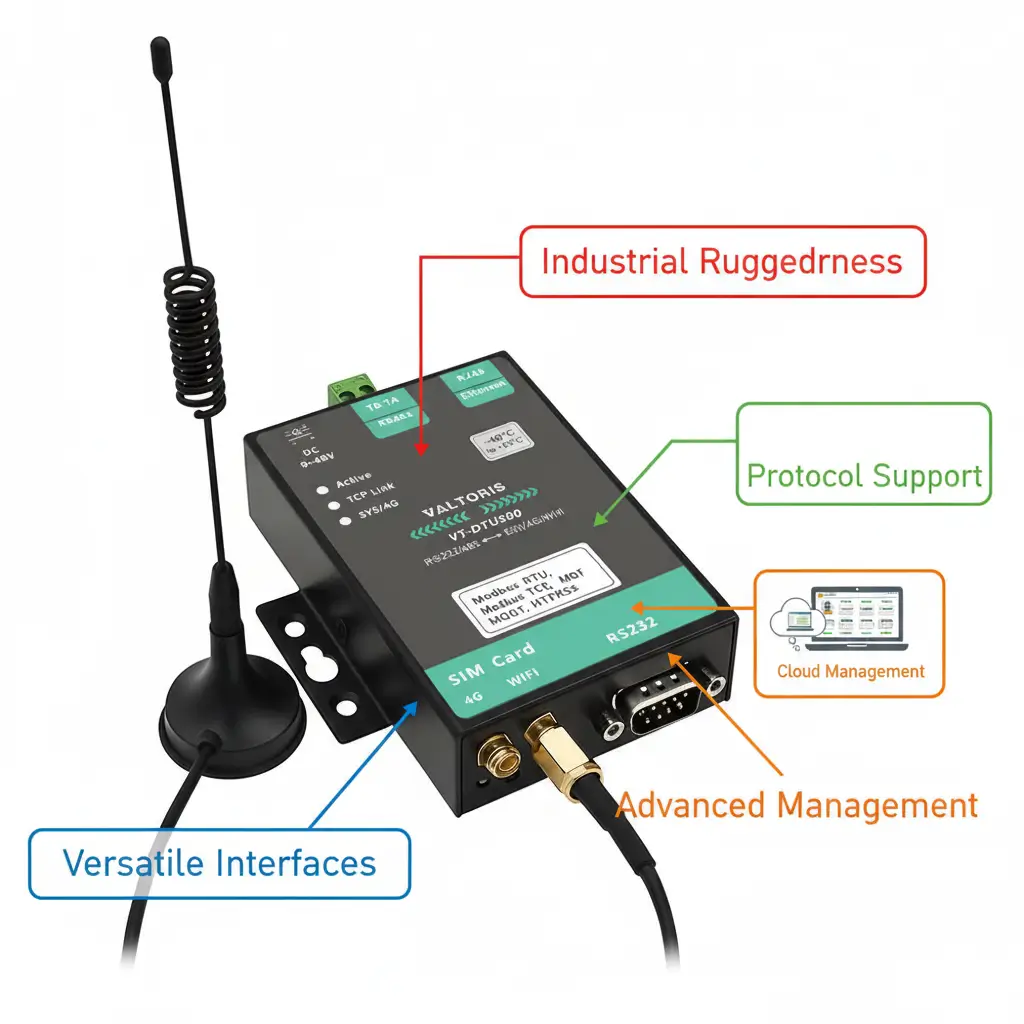
Here’s a number that changes how you should think about cellular connectivity for industrial equipment: 68% .
That’s the share of industrial cellular deployments that now use integrated modem‑router devices—a single box that handles both serial‑to‑cellular conversion and local network routing. In 2020, that figure was 45%. The shift happened fast, and it’s driven by a simple reality: two‑box solutions (a separate modem plus a router) cost more, break more often, and complicate remote management.
If you’re deciding between a cellular modem, a cellular router, or an integrated device for your next project, this guide walks you through what actually works—backed by market data, cost analysis, and real‑world deployment patterns.
What the Data Says About How People Actually Deploy
The numbers tell a clear story about what works in the field.
| Metric | Value | Source |
|---|---|---|
| Global cellular IoT module market (2024) | USD 6.3 billion | IoT Analytics |
| Industrial cellular router/gateway market (2024) | USD 2.1 billion | MarketsandMarkets |
| Share of industrial deployments using integrated modem‑router | 68% (2024) | Up from 45% in 2020 |
| Projects that experienced delays due to incorrect connectivity hardware selection | 47% | 2024 industry survey |
Sources: IoT Analytics, MarketsandMarkets, 2024 Industrial IoT Deployment Survey
The trend is clear: integrated devices are becoming the default. The reason isn’t technical superiority in one feature—it’s about total cost of ownership and operational simplicity.
Where the Confusion Comes From
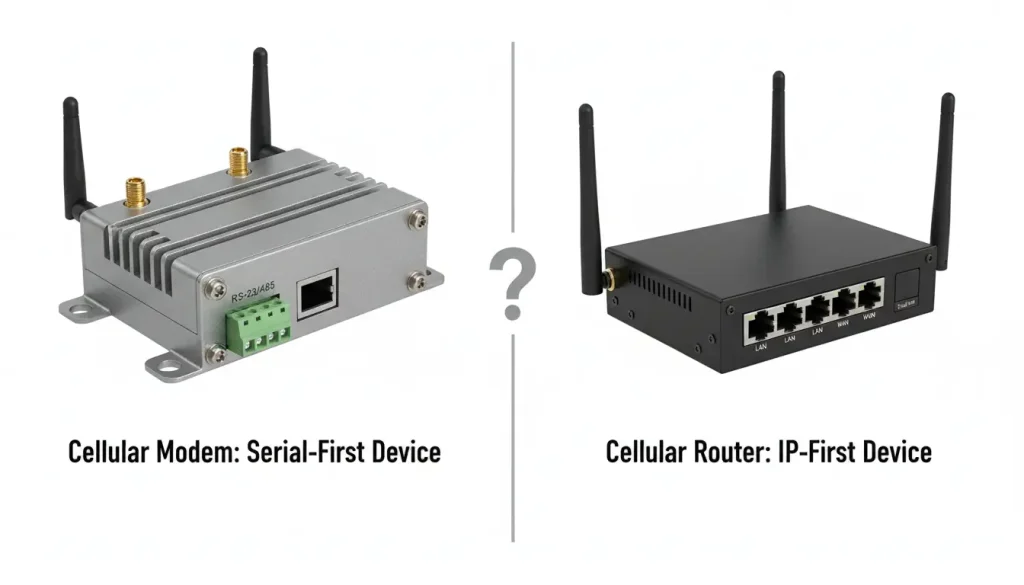
The difference between a modem and a router seems simple on paper:
- A cellular modem takes data from one device and sends it over a cellular network. It’s a translator and dedicated courier.
- A cellular router creates a local network (Ethernet, Wi‑Fi) and manages traffic between multiple devices and the internet.
In real industrial sites things are not so clear. A modem can have an Ethernet port. A router can have a port too.. Now one device can do the job of a modem and a router well enough that having two separate devices does not make sense. The modem and the router can be one device.
Why Two Boxes Cost More Than You Think
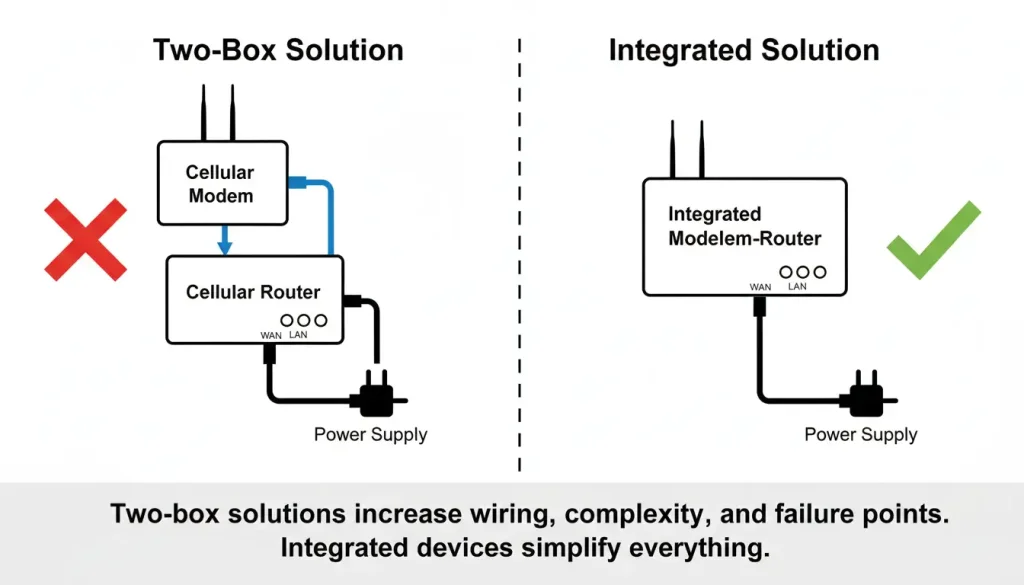
The “two‑box” approach—a separate cellular modem connected to a separate router—looks flexible on paper. In practice, it adds hidden costs.
| Cost Category | Two‑Box Solution | Integrated Modem‑Router |
|---|---|---|
| Hardware purchase | Two devices, two power supplies | One device |
| Installation | More wiring, larger enclosure | Single unit, less labor |
| Configuration | Two interfaces to set up, must be interlinked | One unified interface |
| Failure points | Two potential hardware failures | One point of failure |
| Spare parts inventory | Stock two different units | Stock one unit |
| Remote management | Two separate systems to monitor | Single management view |
| Firmware updates | Two devices to update separately | One update process |
A simple TCO estimate for a 50‑site deployment:
- Two‑box: $250/unit × 2 × 50 = $25,000 hardware + $6,000 extra installation labor + $2,000/year extra management overhead
- Integrated: $350/unit × 50 = $17,500 hardware + $2,000 less labor + $0 extra management
The integrated approach is really good because it saves you a lot of money. You can save around ten thousand to fifteen thousand dollars over five years. This is, for a deployment that’s not too big and not too small. We are not even counting the money you lose when a two box setup stops working. You have to fix two devices at the same time.
Integrated Devices: Why One Box Wins
An integrated cellular modem‑router combines:
- A cellular module for the WAN connection
- Serial ports (RS‑232/485) for legacy equipment
- Ethernet LAN ports and Wi‑Fi for IP devices
- Internal routing to manage all traffic through one uplink
All configuration happens in a single interface. One device to power, one to mount, one to monitor.
What to Check Before You Buy
If you’re evaluating integrated modem‑routers for industrial use, these specifications matter:
| Feature | Why It Matters |
|---|---|
| Temperature range | –40°C to 85°C for outdoor or unconditioned spaces |
| Enclosure | Metal housing for heat dissipation and EMI shielding |
| Mounting | DIN rail for standard industrial panels |
| Serial interfaces | RS‑232 and RS‑485 with configurable baud rates (up to 921600 bps) |
| Ethernet ports | At least 1–2 LAN ports for IP devices |
| Wi‑Fi | Built‑in access point for local configuration or wireless sensors |
| Protocol support | Native Modbus RTU, Modbus TCP, MQTT, HTTPS |
| Cellular bands | Global LTE bands for multi‑country deployment; fallback to 3G/2G |
| Remote management | Cloud platform for monitoring, configuration, and firmware updates |
| Security | VPN support (IPsec, OpenVPN), certificate authentication, secure boot |
According to 3GPP standards , LTE and 5G devices must meet specific performance requirements for industrial use. Devices certified to these standards are more reliable in challenging network conditions.
A Simple Decision Logic (That Works for Most Projects)
Instead of a long “if‑then” list, here’s a quick logic flow:
- Does your site have any serial‑only equipment (RS‑232/485) that needs connectivity?
- Yes → Go to question 2
- No → Go to question 3
- Will you ever add IP devices (Ethernet cameras, Wi‑Fi sensors) later?
- Yes → Integrated modem‑router
- No → Standalone modem
- Do you already have a reliable internet uplink (fiber, existing modem)?
- Yes → Standalone router
- No → Integrated modem‑router
Most of the time when we are talking about monitoring and automation and smart infrastructure projects we end up using an integrated modem router. This is what a lot of people are doing now. The reason is that it works with the market trend. 68 Percent of the projects now use these integrated devices because they can handle different kinds of interfaces and they are good, for the future. This is why people like to use integrated modem routers for these kinds of projects.
What the Surveys Say About Mistakes
A 2024 survey of industrial IoT practitioners found that 47% of projects experienced delays due to incorrect connectivity hardware selection. The most common mistakes:
- Choosing a modem when a router was needed (requiring later add‑ons)
- Choosing a router without built‑in serial support (forcing an external converter)
- Underestimating the cost of managing separate devices across many sites
The integrated approach avoids all three.
Common Questions
Can an integrated modem‑router handle both Modbus RTU and Modbus TCP?
Yes. A good device will natively convert between the two. Sensors using Modbus RTU over RS485 can send data to cloud platforms expecting Modbus TCP without additional gateways.
What if cellular signal is weak?
Look for devices with external antenna ports (SMA connectors). High‑gain antennas can be mounted outside metal enclosures to improve signal. Some devices also support multiple LTE bands and fallback to 3G/2G when needed.
How many devices can connect to one unit?
Industrial models typically support 4–16 Ethernet devices plus dozens of Wi‑Fi clients. The cellular uplink bandwidth is usually the limiting factor.
What about security?
Industrial deployments should use devices with VPN support (IPsec, OpenVPN) to create encrypted tunnels back to corporate networks. Certificate‑based authentication adds another layer of protection against unauthorized devices joining the network.
From Selection to Deployment
The choice between a modem, a router, or an integrated device comes down to what’s actually on site—and what might be added later.
- One serial device, no future expansion → standalone modem
- Multiple IP devices, existing uplink → standalone router
- Mixed serial/IP devices, or uncertain future needs → integrated modem‑router
For industrial Internet of Things projects the integrated option is a good choice. This is because it makes things easier to set up. It also reduces the chance that something will go wrong.. It gives us the freedom to make changes in the future without having to replace the hardware of the industrial Internet of Things projects.
Start with one site. Test the setup. Then scale across the fleet.
