
When evaluating network architectures, the debate of Distributed I/O vs Remote I/O is a familiar scenario on any factory floor: your main PLC is sitting safely in the clean, climate-controlled control room, but your sensors, valves, and actuators are scattered everywhere—across the dirty plant floor, stretching down a long pipeline, or wrapping around a massive tank farm. At the end of the day, you need to get those hundreds of disparate signals back to the central brain.
There have been traditionally two ways to do this. Distributed I/O lets you use very smart modules that sit right next to field devices and have local processing power. Or, you can use Remote I/O, where “dumb” modules are located in a panel somewhere between your main PLC and the actual field devices, acting as a simple extension cord. (If you’re new to this concept, start with our complete foundation guide: What is Remote IO? Cut Automation Wiring Costs by Up to 70%).
The problem in today’s automation industry is that these terms get used interchangeably all the time by vendors trying to sell you expensive hardware. However, making the wrong architectural choice drastically affects your project budget, your install time, and ultimately, what breaks down years later when you least expect it.
Let’s strip away the marketing jargon, look at some real numbers, and examine actual field cases to figure out which topology actually saves you money.
⚡ Distributed vs. Remote I/O Decision Engine
Input your project’s physical and operational constraints to determine which I/O architecture is mathematically and operationally optimal.
- Decoding the Jargon: Is There a Real Difference?
- The Jargon Trap: When “Remote” Becomes “Distributed”
- Surviving Network Drops: Edge Logic & DO Hold Times
- Bypassing the PLC: Peer-to-Peer I/O Communication
- Killing Latency: Active Reporting vs. Traditional Polling
- The Cost Analysis: Hardware Premium vs. Long-Term Efficiency
- Maximizing Cabinet Space: The Case for DIN-Rail Density
- Making the Call: Which Architecture is Right for Your Next Project?
- Frequently Asked Questions: Field Deployments & Troubleshooting
Decoding the Jargon: Is There a Real Difference?
(Long Distance)
At their core, Distributed I/O nodes are smart because they think for themselves. They have local microprocessors that can do functions like scaling signals , setting alarms , and even simple PID loops without having to keep asking to get permission from the main Programmable Logic Controller ( PLC ) .
Remote I/O is in essence a long digital extension cord, by way of comparison. It takes a 4-20mA signal, digitizes it and sends it off blindly to the PLC. It depends entirely on the PLC to figure out the data and what to do next..
| Feature | Distributed I/O | Remote I/O |
|---|---|---|
| Location | Mounted directly near or on field devices. | Housed in a centralized remote panel, away from PLC. |
| The “Brain” | Contains a local CPU; can execute logic autonomously. | Just signal digitization; completely reliant on main PLC. |
| Communication | Industrial Ethernet (Profinet, EtherNet/IP). | Fieldbus (RS485/Modbus RTU) or standard Ethernet. |
| Best For | Large spread-out processes, modular machines. | Shorter distances, retrofits within existing cabinets. |
The Jargon Trap: When “Remote” Becomes “Distributed”
Here is where legacy automation giants trap you: they try to convince you that if you want any level of reliability or safety at the edge, you must purchase their extremely expensive Distributed I/O blocks featuring full-blown CPUs.
However, the line between distributed and remote I/O is blurring rapidly. You no longer need to spend $2,000 on a distributed block just to get basic fault tolerance. A new class of Advanced Remote I/O has emerged that incorporates lightweight edge computing capabilities directly into cost-effective modules.
These advanced modules bridge the gap by offering:
- Local data scaling and filtering to clean noisy signals.
- Threshold alarms that trigger without PLC involvement.
- On-board protocol conversion (e.g., Modbus RTU translated instantly to JSON/MQTT for the cloud).
For example, industrial edge nodes like the Valtoris 8CH-IO-ETH provide this exact hybrid capability. They are priced like traditional Remote I/O but contain the local processing power to handle advanced data formatting and safety overrides autonomously.
Beyond Modbus: IT/OT Protocol Scalability
When selecting an architecture, engineers frequently ask: “What about EtherNet/IP or PROFINET?” Traditional Distributed I/O heavily pushes these high-speed deterministic protocols. While mandatory for multi-axis motion control, they are massive overkill for standard telemetry and often force you into expensive PLC module upgrades. Advanced Remote I/O circumvents this vendor lock-in by bridging the IT/OT gap directly at the edge. For instance, the Valtoris 8CH series not only supports standard Modbus TCP/RTU for PLC polling, but it also functions as a native MQTT Gateway. It can automatically collect serial device data from the plant floor and periodically publish it directly to public clouds in pure JSON format. This allows your IT department to harvest massive amounts of IIoT data without ever burdening your OT network or requiring custom PLC string-parsing logic.
Surviving Network Drops: Edge Logic & DO Hold Times
When you are designing a system, a massive concern keeps plant managers awake at night: what happens if the main Ethernet network link severs? Will the machinery run wild? Customers constantly worry about field devices losing control, valves remaining open, and tanks overflowing if the main SCADA connection drops.
With traditional “dumb” Remote I/O, a severed cable means the module freezes in its last known state. A single cut cable on the factory floor can lead to catastrophic physical damage.
This is where Advanced Remote I/O enters the Distributed arena. Modern modules have a very important safety feature called the DO Data Retention Function (DO Hold Time). You can explicitly configure the module to automatically and autonomously disconnect the Digital Outputs (DO) if the remote node does not receive a Modbus TCP polling instruction from the master PLC within a defined timeframe (e.g. 3 seconds).
Also, these modules support DI Control DO logic. This means that an emergency stop button connected to a Digital Input (DI) can be hardcoded to kill a specific Relay Output (DO) directly inside the module. The local edge logic ensures that if the Ethernet backbone for the whole plant is destroyed, pressing the E-stop immediately stops the local motor.
| Failure Scenario | Traditional Remote I/O | Advanced Remote / Distributed I/O |
|---|---|---|
| Severed Ethernet Cable | Outputs freeze in last known state; potential machine damage. | Triggers “DO Hold Time” timeout; automatically drops relays to a safe state. |
| PLC CPU Crashes | Remote nodes blind; entire system halts ungracefully. | Edge nodes continue localized safety interlocking (DI to DO) independently. |
| Blast Radius | One fieldbus trunk failure takes down 30-50 nodes instantly. | Network is segmented; independent nodes isolate failures to 5-8 local points. |
(Single Trunk Failure)
PLC
Head
(Isolated Node Failure)
PLC
Bypassing the PLC: Peer-to-Peer I/O Communication
In traditional topologies, if a sensor at the north end of your plant needs to open a valve at the south end, the signal must travel from the sensor, across the network to the main PLC, be processed by the PLC’s logic cycle, and then be sent back across the network to the remote valve. This introduces massive latency and wastes expensive PLC processing cycles.
What if you could bypass the PLC entirely?
Advanced modules allow for Pair-connection (Peer-to-Peer) control. Two remote I/O nodes can be connected directly via the Ethernet network. The DI (Digital Input) of Device A can be configured to directly trigger the DO (Digital Output) of Device B.
For instance, if a high-level float switch triggers DI1 on DevA, it instantly shoots an Ethernet command to DevB to open the drain valve on DO1. Because this operates independently of the PLC’s scan cycle, the relay transmission response time is astonishingly fast—typically less than 30 milliseconds. This completely offloads simple interlocking logic from your central processor.
Killing Latency: Active Reporting vs. Traditional Polling
A major headache for engineers is dealing with limited network bandwidth. Traditional SCADA systems rely on Modbus Polling—the PLC constantly asks every single Remote I/O node, “Has anything changed? How about now? How about now?” If you have hundreds of I/O points all screaming for attention on the exact same bus, your network congests, PLC scan times inflate, and machine response gets sluggish.
According to recent industrial IoT trends analyzed by Gartner and industry experts, moving data filtering and processing to the edge significantly reduces bandwidth costs, capable of cutting required network traffic by up to 95 percent.
Instead of endless polling, modern modules employ Active Reporting (Active Uploads). The node sits quietly on the network until a Digital Input actually changes state (a door opens, a pump trips). Once that change happens, the module proactively pushes the data back to the server. Analog Inputs (AI) Analog Inputs (AI) may also be configured to report its value automatically periodically (e.g. every 1000ms). This cuts down on network traffic and cuts latency dramatically.
| Architecture | Typical Latency | What You Can Control |
|---|---|---|
| Local I/O (PLC Backplane) | <1 ms | High-speed safety interlocks, multi-axis servo motion control. |
| Distributed I/O (Profinet IRT) | 1-5 ms | High-speed discrete manufacturing, packaging lines. |
| Peer-to-Peer Remote I/O | <30 ms | Direct relay interlocking, valve control bypassing the PLC. |
| Remote I/O (Traditional Polling) | 50-500 ms | Slow process monitoring, tank levels, temperature data. |
The Cost Analysis: Hardware Premium vs. Long-Term Efficiency
Customers know that nodes with built-in control capabilities are more expensive, and they struggle to justify this premium to their finance departments. Let’s break down wiring costs to see where the money actually goes.
Installed cable isn’t cheap. Standard instrumentation cable runs $2 to $5 per foot installed—more for intrinsically safe circuits. According to the Industrial Automation Cable Market Outlook by Research and Markets, copper is an expensive commodity, and the skilled union labor required to pull it through conduit is even more costly. The math flips dramatically once your sensors are more than 400 feet from the control room:
- One sensor, moderate distance: Just run the wire. Maybe $1,500 installed.
- 64 points in one remote building: Remote I/O wins heavily. A full rack runs $6,000-$18,000 depending on environmental ratings, whereas pulling 64 individual pairs of copper would cost exponentially more.
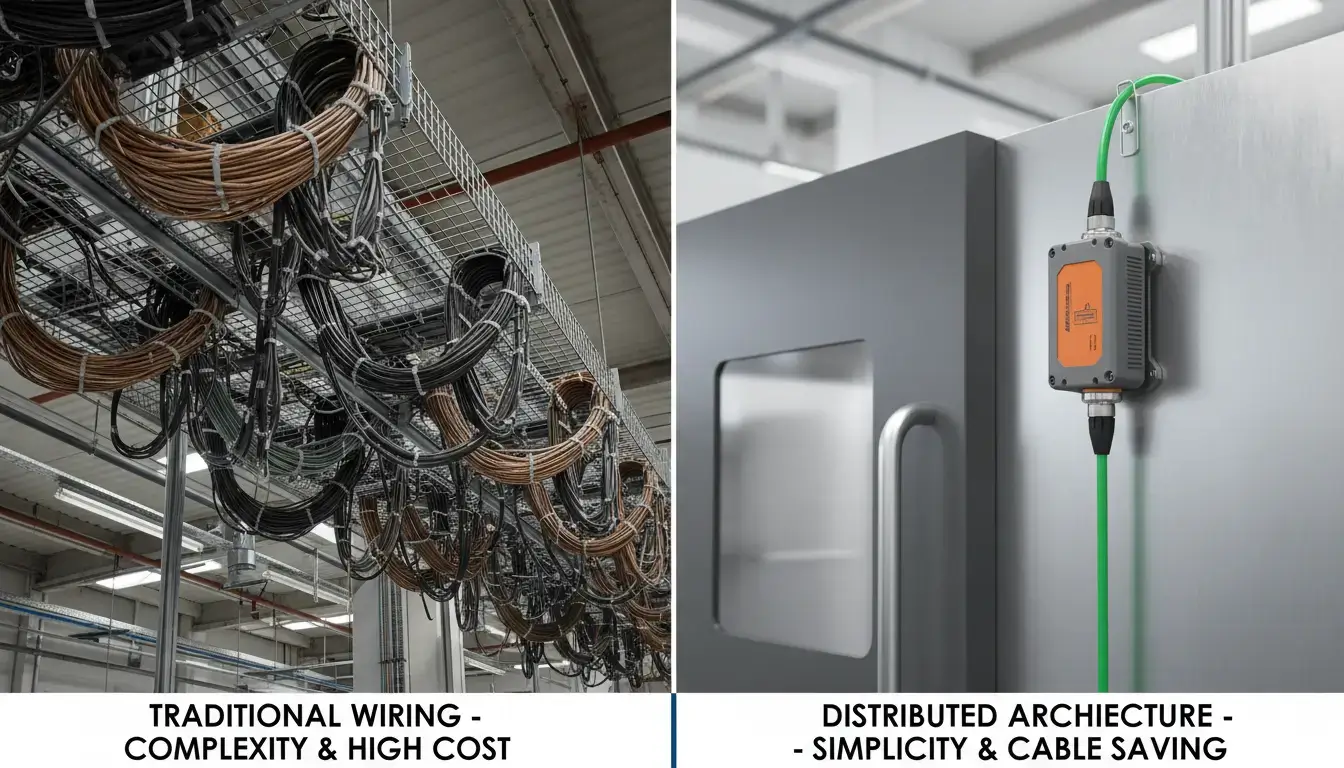
 The massive cost savings of Remote I/O come entirely from eliminating hundreds of individual copper cable runs across the factory.
Real numbers from the field prove this. A Jiangxi chemical plant tracked their project numbers carefully. By transitioning to an Ethernet-based remote I/O topology, they cut 10,000 meters of physical cable, dropped total automation costs by 47%, and shortened their project commissioning timeline by 20%. This is real money, not theory.
The Ultimate Wire-Killer: Going Completely Wireless
Replace massive copper bundles with a single Ethernet cable and save 47% . What if you remove the physical network cable ? Wireless architectures are the ultimate budget hack for outdoor applications, remote pump stations, moving AGVs or facilities where trenching conduit is financially impossible.
That’s where advanced wireless nodes, using 4G LTE or plant WiFi networks, completely change the math. These modules have all the edge logic, DO Hold safety features, and Active Reporting capabilities of their Ethernet counterparts, but communicate directly over cellular or wireless networks. Just give it local 9-24V DC power and the node immediately bridges your field signals to your SCADA or public cloud via MQTT/JSON without pulling a single inch of communication wire.
Maximizing Cabinet Space: The Case for DIN-Rail Density
We also have to think about the physical environment. Industrial spaces are rarely kind to sensitive electronics. True Distributed I/O modules are often rated IP67 (dust-tight, water-resistant) so they can be bolted directly to the side of a machine. But IP67 potting and ruggedized M12 connectors carry a massive price premium.
If you already have a protective NEMA or IP20 control cabinet in the field, buying IP67 distributed blocks is a massive waste of money.
Use DIN rail modules with high density instead. The 8CH-IO-ETH and similar devices are very compact ($12.2cm \times 7.2cm \times 3.4cm$) with an integrated slide-rail slot for instant mounting. Their power consumption is extremely low (less than 1.8W in stable state) so you can stack dozens of these modules tightly inside a single, cheap IP20 control cabinet without having to worry about thermal overload, reducing your hardware cost while still achieving remote data aggregation.
| IP Rating | Meaning & Protection Level | Typical Architecture & Application |
|---|---|---|
| IP20 | No water protection; basic dust protection. | Advanced Remote I/O: Stacked densely inside sealed central control room cabinets or remote junction boxes. |
| IP65/67 | Dust-tight, survives heavy water jets/washdowns. | Machine-Mount Distributed I/O: Bolted directly to conveyors in food/beverage or automotive plants. |
| -40°C to 85°C | Extreme industrial wide-temperature rating. | Both: Required for unheated outdoor cabinets, pipelines, and desert installations. |
Making the Call: Which Architecture is Right for Your Next Project?
Distributed I/O and Remote I/O are not mutually exclusive; they are simply different tools in the engineer’s toolbox. If you understand the theory but are struggling to pick an architecture for your current project, utilize this decision framework scoring system.
| Project Constraint / Factor | Favors Distributed I/O | Favors Advanced Remote I/O |
|---|---|---|
| Wiring Distance | Moderate (Machine localized) | Extreme (>400 ft back to main PLC) |
| Response Time Required | Ultra-fast (<10 ms) | Moderate to Slow (>30 ms) |
| I/O Point Density | Spread out (1-4 points per node) | Dense clusters (>8-16 points per panel) |
| Fault Tolerance | Requires independent machine logic | Edge logic (DO Hold / Peer-to-Peer) is sufficient |
| Hardware Budget | High (Can afford IP67 CPUs) | Strict (Needs IP20 DIN-rail density) |
Bottom Line: You do not need to over-engineer your facility. If you need hyper-fast deterministic motion control, pay the premium for true Distributed I/O. But for 80% of industrial monitoring, tank levels, process control, and discrete manufacturing, a high-quality Advanced Remote I/O block utilizing Active Reporting and Peer-to-Peer edge logic will give you the exact same reliability at a fraction of the cost.
Frequently Asked Questions: Field Deployments & Troubleshooting
Beyond the theory, here are the real-world operational questions integrators ask when pushing I/O architectures to their limits.
Q: If the main Ethernet switch loses power, will Peer-to-Peer (Pair-connection) I/O still function?
No. Peer-to-Peer communication (DevA DI triggers DevB DO) requires an active TCP/IP connection over the Ethernet LAN. If the physical switch dies, the network dies. Advanced Remote I/O nodes do this elegantly using DO Hold Time logic. In case of connection loss the receiver module will switch off its relay outputs automatically after your programd timeout (e.g. 3 seconds) in an effort to prevent runaway machines.
Q: In ‘Active Reporting’ mode, what happens if a data packet gets lost on a noisy factory network?
It is contingent upon which protocol you go with. In UDP mode there is no connection, so if a packet is dropped it is just lost. But for critical industrial reporting, you should put the module in TCP Server/Client mode. Since TCP guaranties delivery through acknowledgments, if an Active Report packet is lost on the network, the TCP stack will automatically retransmit it, ensuring that your SCADA system never misses a critical state change.
Q: Can Advanced Remote I/O modules directly bridge third-party Modbus RTU sensors to the network?
Yes. High-end remote modules are serial transparent servers. Wire a third party RS485 device (smart flow meter or VFD for example) into the module’s RS485 port and the module will bridge the Modbus RTU serial data to your Ethernet network without any user intervention. Your main PLC can poll the third party device over Ethernet with integrated Modbus TCP-to-RTU conversion.
Q: Are the Digital Inputs isolated to prevent a field short-circuit from destroying the network module?
Yes, true industrial grade modules will use optocoupler isolation on their Digital Inputs (DI). This ensures that if a large voltage spike or short circuit occurs at the wet-node field sensor, the optical barrier protects the core microprocessor and the Ethernet backplane from electrical damage, with the failure contained to the field wiring.
Q: Is it possible to remotely reconfigure the I/O node’s IP address without physically opening the cabinet?
Yeah. As long as the module is physically connected to the LAN, you can use management software (such as the Vircom utility) to locate the device on the network remotely. You can remotely change its IP Address (Static or DHCP), subnet mask, RS485 baud rates and working modes (TCP Server/Client) without ever opening the sealed NEMA field panel in your control room.
Q: If I use a 4G LTE node to send data via MQTT, what happens to my data if the cellular network temporarily drops?
Data loss is a primary concern with wireless telemetry. High-quality industrial 4G modules solve this by offering an Off-line Storage feature. If the cellular connection to the public cloud or MQTT broker drops, the edge node temporarily caches the JSON payload data locally in its flash memory. Once the 4G connection is re-established, it automatically pushes the buffered data to the server, ensuring zero data loss during network hiccups.
Stop Overpaying for PLC Processing Power at the Edge.
Deploy Advanced Remote I/O with built-in edge logic to cut your automation wiring costs by up to 70%.
Consult an Engineer for Your Topology