
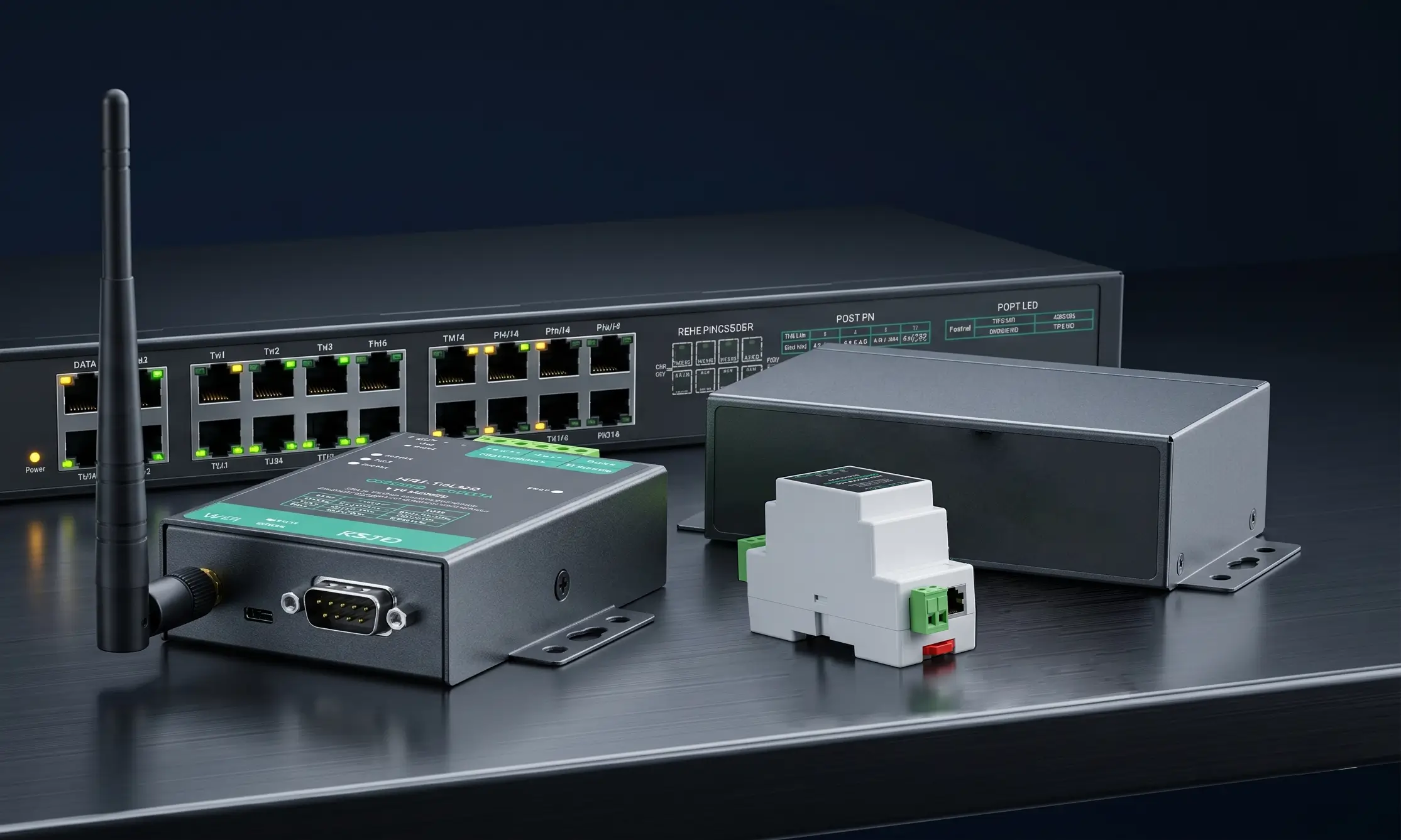
Ever stood in front of a multi-million dollar CNC machine or a high-precision medical analyzer, only to realize that its only communication interface is a legacy 9-pin “D-sub” port? Your modern laptop certainly doesn’t. You’re not alone — this is a daily frustration on factory floors and in hospitals across the globe.
This physical separation leaves many IT and OT professionals wondering about a basic question: What is a serial device server and why is it still the backbone of modern industrial networking in 2026?
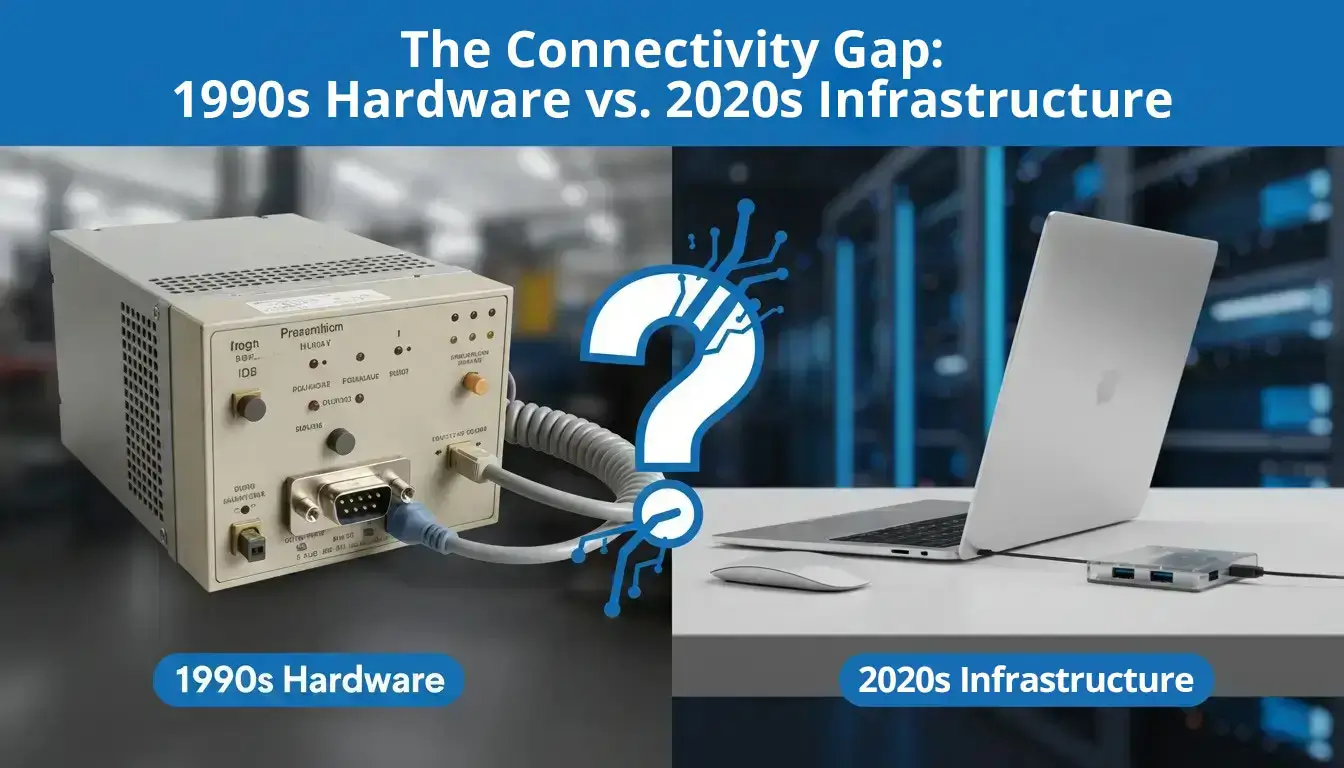
Examples of Common Serial Devices in Use Today
Before diving into the network architecture, let’s verify if you are dealing with serial equipment. Many modern technicians don’t even know they are using serial devices because these machines have been quietly running inside control cabinets for decades. If you are working with any of these you are working with a serial device:
- Industrial Powerhouses: PLCs (Programmable Logic Controllers), VFDs (Variable Frequency Drives), and CNC controllers that orchestrate assembly lines.
- Retail & Logistics: Ultra-reliable warehouse barcode scanners and digital weighing scales.
- Infrastructure Essentials: “Console” management ports on enterprise network switches, datacenter UPS systems, and smart electrical meters.
- Healthcare Technology: Blood gas analyzers, continuous patient monitors in the ICU ward.
If your equipment has a port that looks like a little VGA connector (usually 9 pins, called DB9 ) or a simple screw terminal block then you have a serial port (commonly known as a COM port ).
RS-232, RS-422, and RS-485 Explained Simply
Most network engineers get their first headache with the alphabet soup of serial communication standards. You don’t have to be an electrical engineer, but it is really important to understand the physical layer because all your hardware configuration is based on these standards.
RS-232: The Short-Range King
Imagine RS-232 as a one-to-one conversation in a quiet room. It is simple, direct and has been an industry standard since the 1960s. However, it lacks the electrical differential required to “shout” across long distances or noisy environments.
- Maximum Distance: Officially limited to 15 meters (50 feet).
- Typical Use Case: Connecting a barcode scanner or a lab scale directly to an adjacent PC.
RS-422: The Point-to-Point Sprinter
Think of RS-422 as a dedicated, high-speed megaphone between two specific people. It uses differential signaling (like RS-485) for excellent noise immunity but uses separate pairs of wires for transmitting and receiving (full-duplex).
- Maximum Distance: Up to 1,200 meters.
- Typical Use Case: High-speed, one-way data streaming from a proprietary sensor directly to a display board.
RS-485: The Factory Workhorse
RS-485 is more akin to a local PA system on a noisy factory floor. Differential signaling has great noise immunity . This means you can run data on cables right next to high voltage equipment and still get the data through without corruption.
- Maximum Distance: Up to 1,200 meters (4,000 feet).
- Network Capability: It supports a “multi-drop” topology, allowing up to 32 devices to communicate over a single twisted pair of wires.
RS-232 (Point-to-Point)
1-to-1 Connection
Distance: 15m
RS-485 (Bus Topology)
1-to-Many Connection
Distance: 1200m
How to Connect a Legacy Serial Device to a Modern PC
Your new computer does not have a COM port. How do you close the gap? Usually there are two choices. Using the wrong one is a classic way to crash systems and cause operational downtime.
The “Quick Fix”: USB-to-Serial Adapters
It is a simple dongle that you plug into your USB port and it gives you a 9 pin output.
- The Pain Point: The market is saturated with cheap $5 cables that use fake Prolific chips. These cables tend to lose connection or give you the dreaded “Blue Screen of Death” when Windows updates its background drivers.
- The Pro Advice: If you need to use a USB adapter for temporary local debugging, only buy adapters that use authentic FTDI chipsets.
The “Enterprise Solution”: The Serial Device Server
If your equipment is located across the factory floor, in a different building, or requires 24/7 autonomous monitoring, a USB cable is physically impossible. You need a Serial Device Server. This industrial gateway acts as an intelligent bridge between the legacy serial world and modern Ethernet networks.
What is a Serial Device Server? One Device, Three Jobs
A serial device server is physically a small gateway. One side connects to your legacy equipment (PLC, scale, CNC) with a serial interface. The other side connects to your Local Area Network (LAN) with a standard RJ45 Ethernet cable.
But to get its true value, you have to realize that this single piece of hardware is doing three different jobs at once.
Job 1: Physical Protocol Conversion
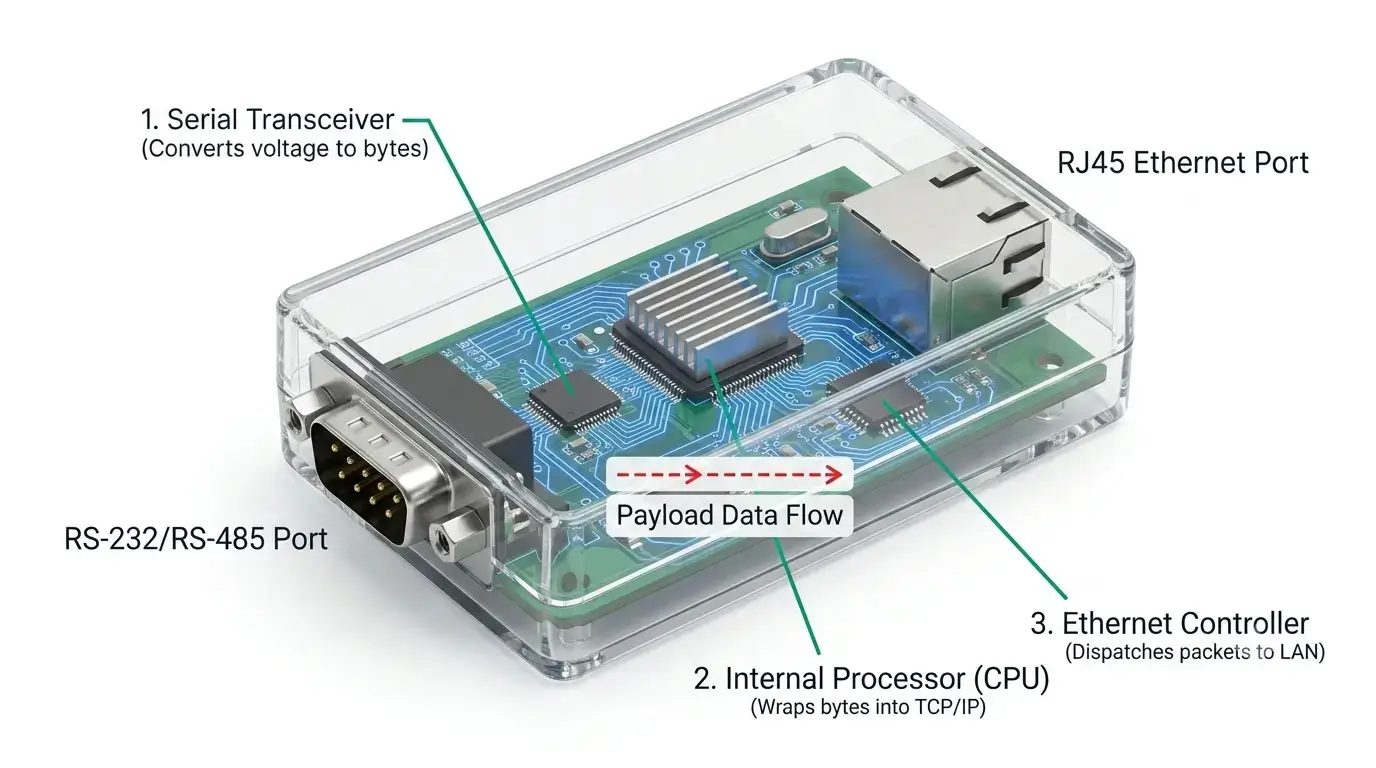
RS-232 and RS-485 send data by changing voltages on copper wires. Ethernet, on the other hand, wraps data in structured TCP/IP frames that contain MAC addresses and checksums. The server is a bilingual translator:
- A serial transceiver converts the raw voltage signals from your device into digital bytes.
- An internal processor buffers those bytes and wraps them securely into TCP/IP packets.
- An Ethernet controller dispatches those packets across your network infrastructure.
Crucially, the payload data remains unaltered. If your PLC transmits the hex sequence 0x01 0x03 0x00, the exact same sequence arrives at your SCADA server. The gateway only modernizes the transport vehicle.
Job 2: IP Network Access
Connecting to the server makes your legacy serial device a first-class citizen on your IP network, with its own unique IP address.
This allows you to:
- Set the serial parameters remotely using a web browser.
- Ping endpoint to confirm network is up.
- Create a direct TCP/IP socket connection (Port 502 for Modbus TCP, Port 23 for Telnet, etc.).
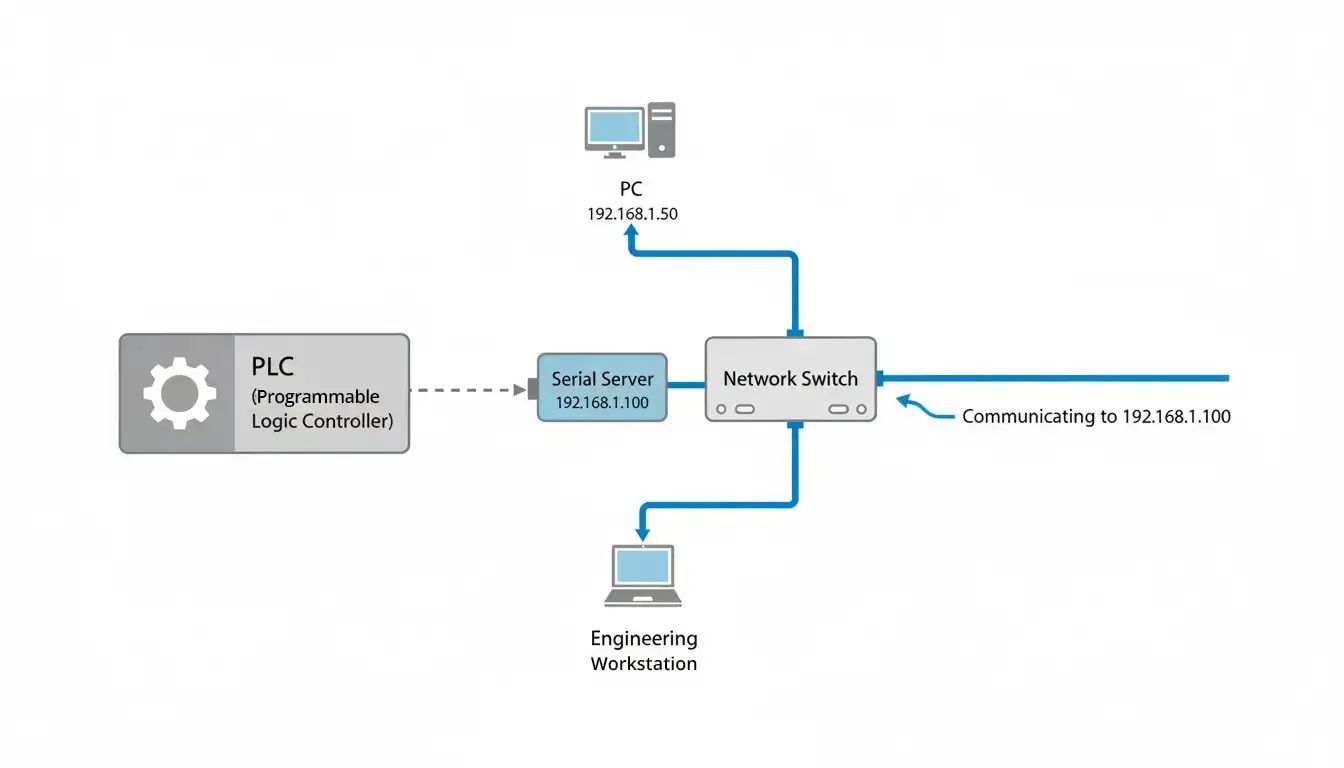
Geography is no longer a constraint. Whether the device is in the adjacent room or across the country via a VPN, if it is on the network, it is fully accessible.
Job 3: Software Integration (Virtual COM)
This feature is the lifesaver for legacy systems.
Your aging proprietary software likely expects to communicate via a hardwired COM port (e.g., COM3). It does not understand IP addresses or TCP sockets. To solve this, manufacturers provide a Virtual COM Port driver (such as Valtoris VirCom).
Here is the workflow:
- The driver is installed on your Windows/Linux server.
- It generates “virtual” COM ports in your operating system (e.g., COM2).
- It seamlessly maps COM2 to the remote Serial Server’s IP address over the network.
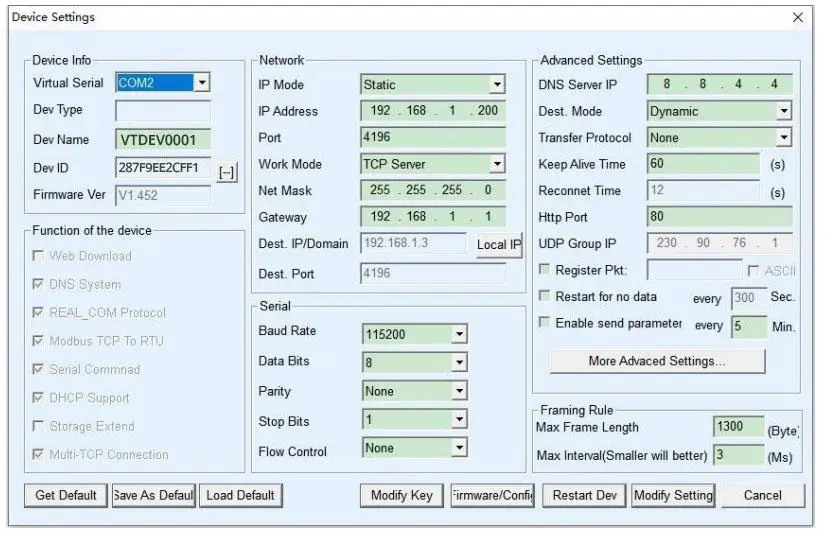
Your legacy software continues to send and receive data via COM2, completely unaware that the physical machine is located miles away. Zero software modification or coding is required.
Summary of the “Three Jobs”
| Job | What It Does | Why It Matters for Engineers |
|---|---|---|
| Physical Conversion | RS232/485 ↔ Ethernet | Bridges incompatible hardware interfaces. |
| Network Access | Assigns an IP Address | Enables remote monitoring and diagnostics. |
| Software Integration | Creates Virtual COM ports | Eliminates the need to rewrite legacy software. |
Understanding Baud Rate, Data Bits, and Parity
If you have connected your hardware but your terminal software is showing you unreadable gibberish ( ) you have made the most common commissioning mistake. In serial communication, the transmitter and receiver have to agree precisely on the timing and format of the data.
- Baud Rate: The traditional industrial standard is 9600 bps, but newer devices often operate at 115200 bps. A mismatch ensures corrupted data.
- Data Bits: Size of the payload per frame. Almost universally set to 8.
- Parity: A legacy error-checking mechanism. Typically disabled (set to “None”).
- Stop Bits: Signals the end of a data frame. Usually set to 1.
Troubleshooting Common Serial Port Errors
If your software cannot open the port or the connection keeps dropping, check the following:
- Check Device Manager: If Windows displays a yellow exclamation mark on the Virtual COM port, your driver has crashed or does not have administrator permissions.
- Verify Port Exclusivity: COM ports are strictly point-to-point. If you have a debugging terminal (like PuTTY) open on COM2, your SCADA software will be locked out and cannot connect simultaneously.
- Check TX/RX Orientation (RS-232 Only): The Transmit (TX) pin of the server must wire into the Receive (RX) pin of the end device. If you are wiring TX to TX, no data will flow. You may require a “Null Modem” crossover cable.
- The “Dead Connection” Syndrome (Virtual COM Freezing): You set up the Virtual COM port, it works perfectly, but the next morning it is disconnected and requires a manual software restart. This happens because standard TCP connections drop silently over time due to router timeouts. To fix this, log in to the web interface of your serial server and set the “Keep Alive Time” and “Heartbeat Packets”. It also causes the device to ping the server constantly so that the Virtual COM driver can detect the drops and auto-reconnect immediately without the need for human intervention.
Beyond a Simple Cable: Advanced Gateway Features
Industrial-grade device servers, often casually called serial to Ethernet converters, provide protocol intelligence beyond simple transparent wire replacement.
A modern edge server also provides:
- Multi-Host Polling: Multiple TCP clients can query a single RS-485 device at the same time, without bus collisions.
- Active Protocol Translation: Works easily as Modbus RTU to Modbus TCP gateway.
- IoT Cloud Integration: Parsing Serial Data to JSON Payloads and Pushing Directly to AWS/Azure via MQTT
- Galvanic Isolation: Defends sensitive IT networks against catastrophic factory floor electrical surges.
- Built-in Ethernet Cascading (Dual RJ45 Ports): A massive headache on factory floors is opening a control cabinet only to find the local Ethernet switch has no empty ports. Advanced serial servers feature dual RJ45 ports with an integrated unmanaged switch. This allows you to “daisy-chain” the network cable directly through the serial server and into your PLC, saving the cost, space, and wiring of installing a secondary industrial switch.
Choosing the Right Model: Industrial vs. Office Grade
Deploying a cheap, consumer-grade plastic converter inside a sweltering, electrically noisy control cabinet is a guaranteed path to network failure.
| Feature | Consumer/Office Grade | Industrial Grade (Valtoris) |
|---|---|---|
| Operating Temp | 0°C to 40°C (Air conditioned) | -40°C to 85°C (Extreme environments) |
| Enclosure | Plastic (Vulnerable to EMI) | Ruggedized Metal Alloy |
| Power Input | Fragile 5V DC barrel jack | 9-36V DC wide-range terminal block |
| Protection | None | Opto-Isolation, Surge, and ESD immunity |
When heavy machinery (like a large VFD pump) starts up, it induces massive transient currents across the facility’s ground plane. Without internal 1500V–3000V optical isolation, this electrical surge will travel straight up the RS-485 copper cable, instantly destroying the serial server, the connected Ethernet switch, and potentially the SCADA server itself.
Problem-Solving Hardware Selection Matrix
Don’t just count ports. Select your hardware based on the actual physical challenges of your industrial environment.
| Your Pain Point / Scenario | Recommended Solution | Key Technology Feature | Model Series |
|---|---|---|---|
| High EMI & Motor Noise: Constant data corruption or fear of ground loops burning the PLC. | Optically Isolated Servers | 1500V ~ 3000V Isolation | 2CH / 4CH / 8CH-RS485-ETH (VI) |
| Complex Topologies: You lack empty switch ports AND need to connect mixed legacy interfaces (RS-232/485/422) in one zone. | Advanced Hybrid Servers | Dual RJ45 (Cascade) + 3-in-1 Ports | 2CH ~ 32CH-RS232/485/422-ETH |
| Desktop / Lab Testing: Need a flexible, single-port converter for engineering desks or clean environments. | Desktop Hybrid Converter | 3-in-1 Port (Desktop) | 1CH-RS232/485/422-ETH (V) |
| Simple Single Device Bridge: Clean environment, just need one Modbus RTU node on the network. | Compact DIN-Rail Basic | RS485 Only | 35mm DIN | 1CH-RS485-ETH |
Want to see these principles in action? Read our deep-dive engineering guide on How to Monitor RS485 Temperature Sensors over Ethernet. We analyze a farm IoT deployment, explain Modbus protocol collisions, and reveal the Hexadecimal Delimiter Trap.
Why Serial Architecture Thrives in Modern IIoT
It’s 2026. Why is the global serial device server market still experiencing robust year-over-year growth? Because in mission-critical environments, the “old” way is often the most secure and reliable way.
- Absolute Determinism: RS-485 has no complex IP stack, no IP conflicts, and no WiFi dropouts. It simply transmits raw electrical bits with near-zero latency.
- Ease of Diagnostics: A technician can troubleshoot a broken serial bus using a standard $20 multimeter. Debugging a degraded wireless mesh network requires highly specialized IT personnel.
- Capital Expenditure (CapEx) Protection: For example, you shouldn’t throw away a perfectly good $250,000 generator just because it doesn’t have an RJ45 port on the control board. That legacy asset instantly becomes a cloud-enabled, IIoT-monitored endpoint with a $150 industrial serial server.
Frequently Asked Technical Questions
Q: Does using a Serial Device Server introduce latency or delay in data transmission?
Q: Can a serial device server provide power to my connected device?
Q: Is serial data transmitted over Ethernet secure from hackers?
Q: Will the Virtual COM Port software work on Virtual Machines (VMs) or modern OS like Windows 11?
Ready to Modernize Your Legacy Equipment?
Don’t let Legacy COM Ports Drive Your Network Architecture. Whether you need to connect a single CNC machine to your local LAN or deploy 100 optically-isolated nodes across a noisy factory floor, the right Serial Device Server is your bridge to the IIoT.
