
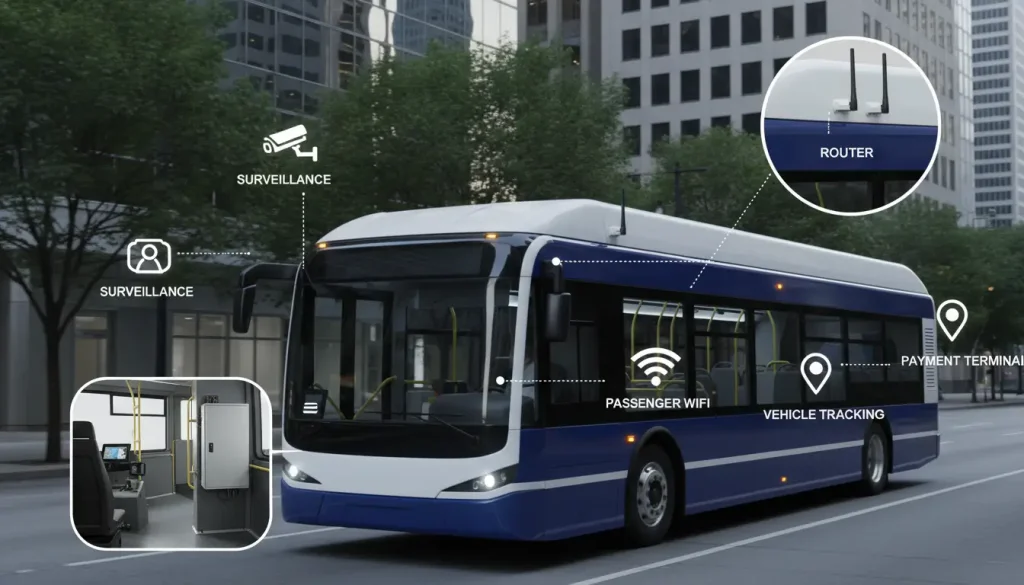
Deploying standard network equipment in a moving bus is a recipe for disaster. Extreme vibration, severe voltage spikes from the alternator, and constant switching between cell towers will destroy consumer-grade routers within weeks.
For transit authorities and fleet integrators, maintaining a stable connection is critical—not just for passenger Wi-Fi, but for mission-critical Operational Technology (OT) like IP cameras, ticketing machines, and CAD/AVL tracking.
📋 What You Will Learn in This Guide:
- Hardware Survival: Why M12 connectors and components that work at a wide range of temperatures are necessary.
- Power Management: How Ignition Sensing (IGN) keeps bus batteries from dying.
- Eliminating Dead Zones: Setting up dual-SIM failover for rural routes.
- Bandwidth Control (QoS): Keeping passenger Wi-Fi from crashing your ticketing system.
- Compliance: Getting through E-Mark and ITxPT certifications.

Surviving the Ride: Anti-Vibration Design and Rugged M12 Connectors
Industrial 4G routers are made in a way than the equipment that people use at home. Industrial 4G routers are designed to be strong. They work reliably in vehicles. Vehicles can be very tough on electronics. Industrial 4G routers can work in cold temperatures and they can also work in very hot temperatures from -40°C, to 85°C. Industrial 4G routers can also withstand vibration.
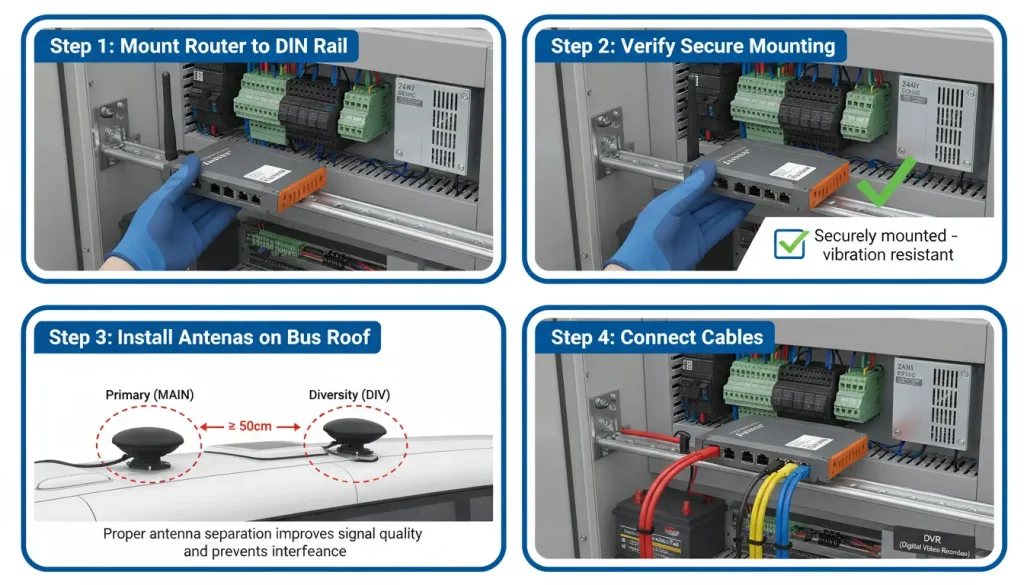
Find a spot in the vehicles control cabinet to begin with. The DIN-rail mounting is a choice because it saves space and keeps the router in place even when the vehicle is moving. The spot you choose should be away from things that get really hot like the engine. It should not get wet easily. The router also needs to be easy to get to so you can do checks on it like looking at the lights, on the router or changing the SIM cards in the router.
Standard RJ45 Ethernet ports are great for an office, but in a bus driving over potholes for ten hours a day, standard plastic clips will inevitably snap. To combat this physical damage, transit-grade industrial routers often utilize rugged M12 aviation connectors. These heavy-duty, screw-on metal connectors lock the cables permanently in place. This ensures that even under severe MIL-STD-810G shock and vibration, the onboard cameras and ticketing machines never lose their physical network connection. When everything is all set up most transit agencies think the system is really good and works well. They like that the hardware is strong and can handle a lot of vibration and big changes, in temperature. The transit agencies find that the system is very stable.
The Ignition Problem: Why Smart Power Management is Non-Negotiable
Buses have notoriously noisy electrical systems. The voltage drops severely when starting the heavy diesel engine and spikes randomly during operation. Using a standard router in this enviroment guarantees it will freeze or restart constantly, forcing the driver to manually unplug and replug the device while driving.
To solve this, you must use the router’s recommended power input range and consider a DC-DC converter if voltage spikes are common. The standard power input of 9-36V DC handles bus electrical system variations perfectly.
🚨 Fleet Integrator Warning: Always Require Ignition Sensing (IGN) Standard routers will immediately lose power the second the driver turns off the engine, corrupting active CCTV video uploads. Conversely, if wired directly to the battery, they will drain the bus dry overnight.
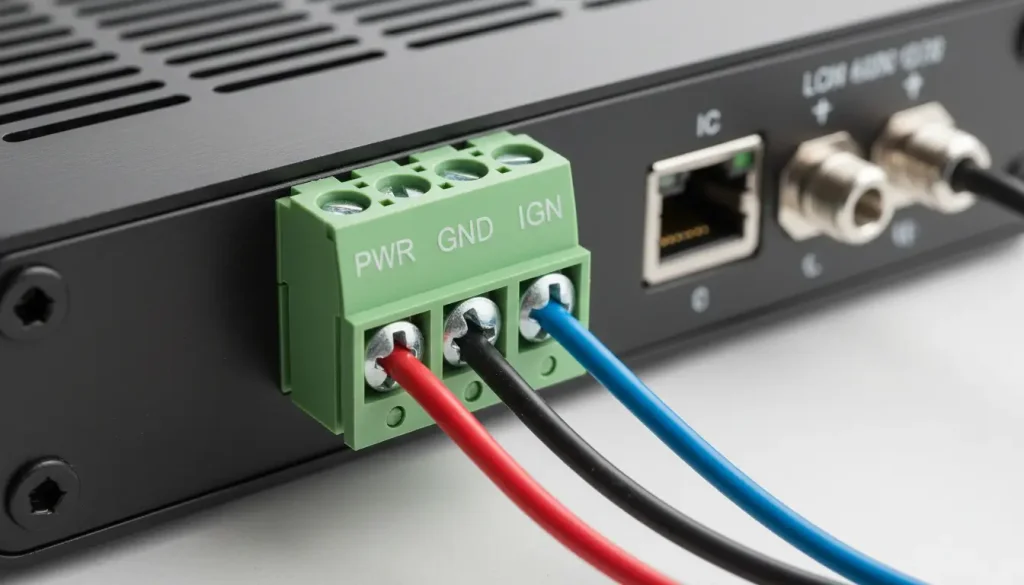
A transit-grade router uses a 3-wire setup (Power, Ground, IGN). It detects the engine shutdown and enters a smart delay phase, keeping the router alive just long enough to upload the day’s ticketing data to the cloud, before safely powering down to protect the vehicle’s battery.
When the engine is turned off a standard router will stop working away. This can really mess up any data transfers that are happening at the time. Purpose-built transit routers feature a 3-wire power setup (Power, Ground, and Ignition). When the driver turns the ignition key off the router does not shut down away. Instead, it enters a smart, delayed shutdown phase. The device stays alive on the vehicles battery long enough to upload the days ticketing data and the high-definition CCTV logs to the central server. Once the data transfer is complete, it powers down safely, ensuring the bus’s battery is never drained overnight.
Eliminating Dead Zones: The Role of Dual SIM and 5G in Moving Vehicles
A bus is always moving, so maintaining a stable cellular connection is trickier than for a fixed site. As the vehicle drives through tunnels, urban canyons, or rural suburbs, single-carrier connections will definately drop.
To combat this, industrial vehicular routers often have dual SIMs for failover. To get started you need to put in SIM cards from two phone companies. The router is really useful because it can switch to the backup network automatically if the main one stops working. Some routers can even divide the work between both internet connections. This means you can use the internet from both SIM cards at the same time and the router will make sure everything runs smoothly.
Getting the best signal requires physical and software optimization:
- Antenna Placement: The antennas and the backup antennas need to be placed far apart. This is so they do not get in the way of the antennas and the backup antennas.Keep them at least 30 cm apart and away from engine compartments. In a bus the roof is usually best, for putting the antennas. This is because it has a view of the cell towers.Keep antenna cables as short as possible to minimize signal loss, and use high-quality, low-loss cable (like RG58 or better) for runs longer than a few meters. If you put the antenna in a spot like right next to another antenna or near something big and metal the signal will be really bad.
- Operator Locking: Some industrial routers allow you to lock onto a specific mobile operator. This is very useful as it prevents the modem from searching for signals and switching base stations when it is not necessary. If you are familiar with a certain route, you can usually determine which mobile operator has the best signal and then lock onto that operator.
- Band Selection: Frequency bands are not all the same. Some frequency bands can go far and get into buildings easily, like the 700 MHz frequency band. Other frequency bands, like the 2600 MHz frequency band, are much faster but they do not go as far. You can set up your router to use frequency bands. This is because you need to cover areas with the router. The router can use frequency bands depending on what you need to cover with the router.
“After we locked the routers to the strongest carrier on each route, our dropped connections dropped by 80%. The passenger WiFi complaints practically vanished.” — Transit IT Manager
According to a FCC report on mobile broadband in transit environments
, consistent connectivity is achievable with proper antenna placement and carrier diversity—exactly the approach these routers enable.
Passenger Wi-Fi vs. Critical Systems: How to Prioritize Bandwidth (QoS)
Modern buses have a lot of things that need to be connected to each other. We are talking about things like surveillance cameras, payment machines, internet for passengers, GPS trackers, and systems that check how the engine is doing.
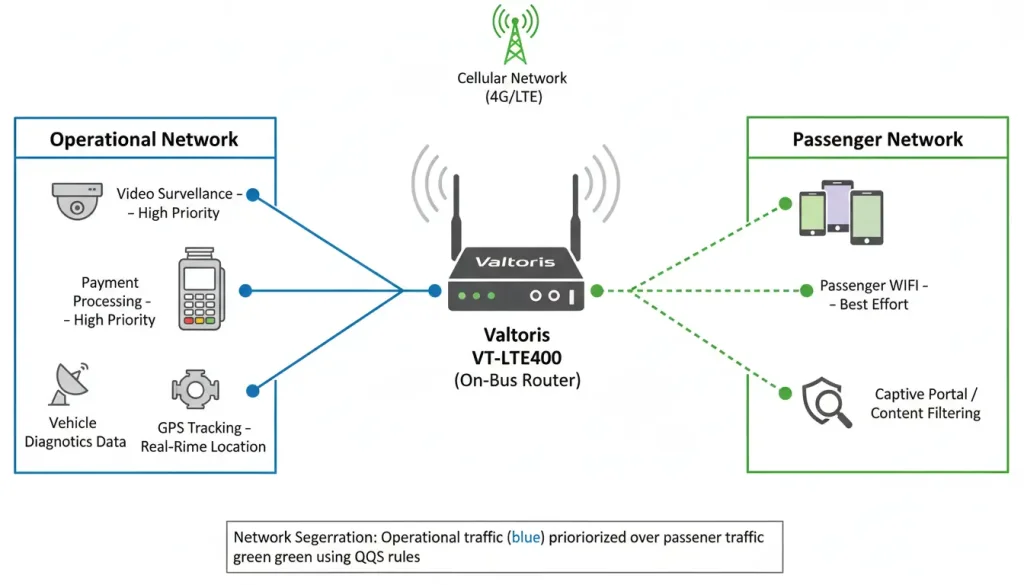
An industrial 4G router typically offers several ways to connect them:
- Gigabit Ethernet ports: For high-bandwidth devices like DVRs and access points.
- RS232/RS485 serial ports: For legacy diagnostic equipment or fare collection systems.
- Dual-band WiFi: For passenger internet access and sometimes for maintenance access.
- 4G LTE with dual SIM: For primary and backup cellular connections.
- WAN failover: Some routers also have a second Ethernet WAN port for wired backup when the bus is in the depot.
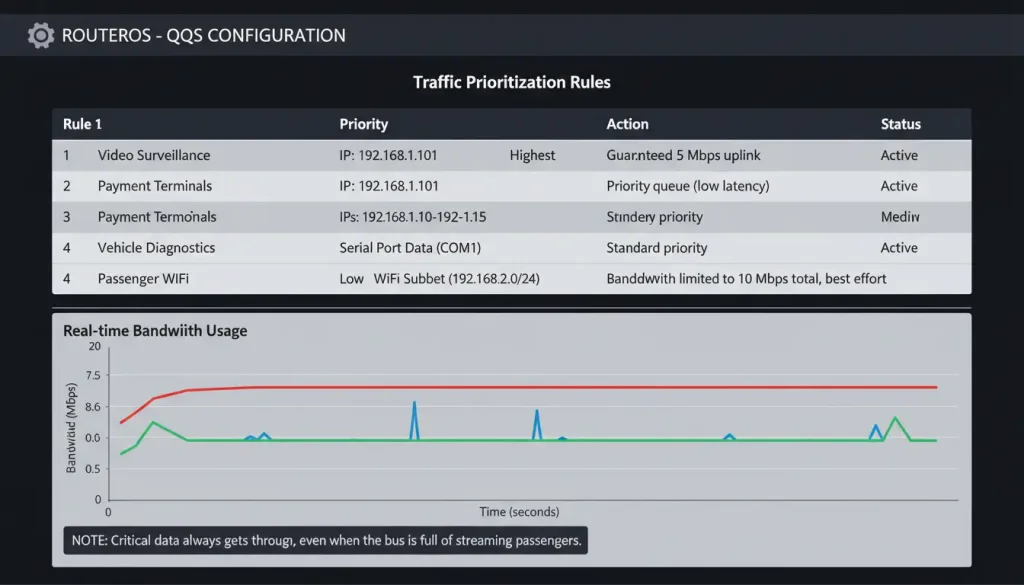
When you are using WiFi for passenger access you should put the WiFi antennas inside the passenger area so that the WiFi signal covers the space. But this introduces a massive operational risk: what happens when fifty passengers board the bus and start streaming video simultaneously? If they consume all the bandwidth, the fare collection machine might time out, or the driver might lose connection to dispatch.
The solution is Traffic Prioritization (QoS – Quality of Service) combined with VLANs (Virtual Local Area Networks). Fleet integrators use VLANs to physically isolate passenger traffic from Operational Technology (OT) traffic so guests cannot access the vehicle’s internal systems. Then, they set up QoS rules to make sure important data gets through even when the connection is congested.
For example, you can configure the router to:
- Give highest priority to real-time surveillance video.
- Give medium priority to payment transactions.
- Give lowest priority to passenger WiFi.
This way, critical operations aren’t affected by passengers streaming video.
Beyond Connectivity: Real-Time GPS Tracking and Remote Fleet Management
Managing two hundred buses is a job. These buses are always on the move, in three cities. It is really hard to keep track of the two hundred buses. The fact that the two hundred buses are moving around in three cities makes it more difficult.. These buses need to have an internet connection all the time. This is so things like the surveillance cameras on the buses and the payment systems on the buses can work properly.If you did not have a way to manage all of this from a distance, you would need a lot of technicians to take care of the buses.
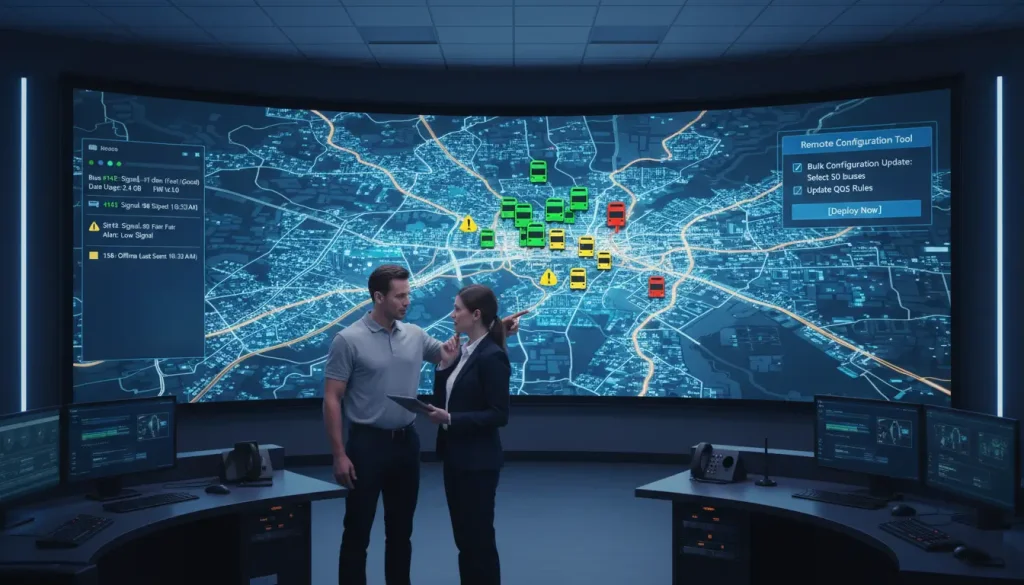
One big advantage of routers is you can manage them from a single place.Most industrial routers support management protocols like SNMP and TR-069, or they come with a dedicated cloud platform. From a dashboard one person can handle the whole fleet of two hundred buses from their desk. From this console you can:
- See the status and real-time GPS location of every router in your fleet.
- Push configuration changes to multiple vehicles at once.
- Reboot a remote router if it gets stuck.
- Monitor signal strength and data usage.
- Get alerts when a router goes offline.
This centralized approach saves hours of maintenance time compared to visiting each bus individually. It also prevents common installation pitfalls like skipping firmware updates. Industrial routers receive updates that improve stability and security, so IT teams can schedule these OTA (Over-The-Air) updates during depot downtime at 3:00 AM without deploying a single mechanic.
As one agency noted: “The web interface could be easier for non-tech staff to use, but the documentation is thorough, and support is responsive. We now have far fewer maintenance calls than with our old setup.”
Securing the Moving Network
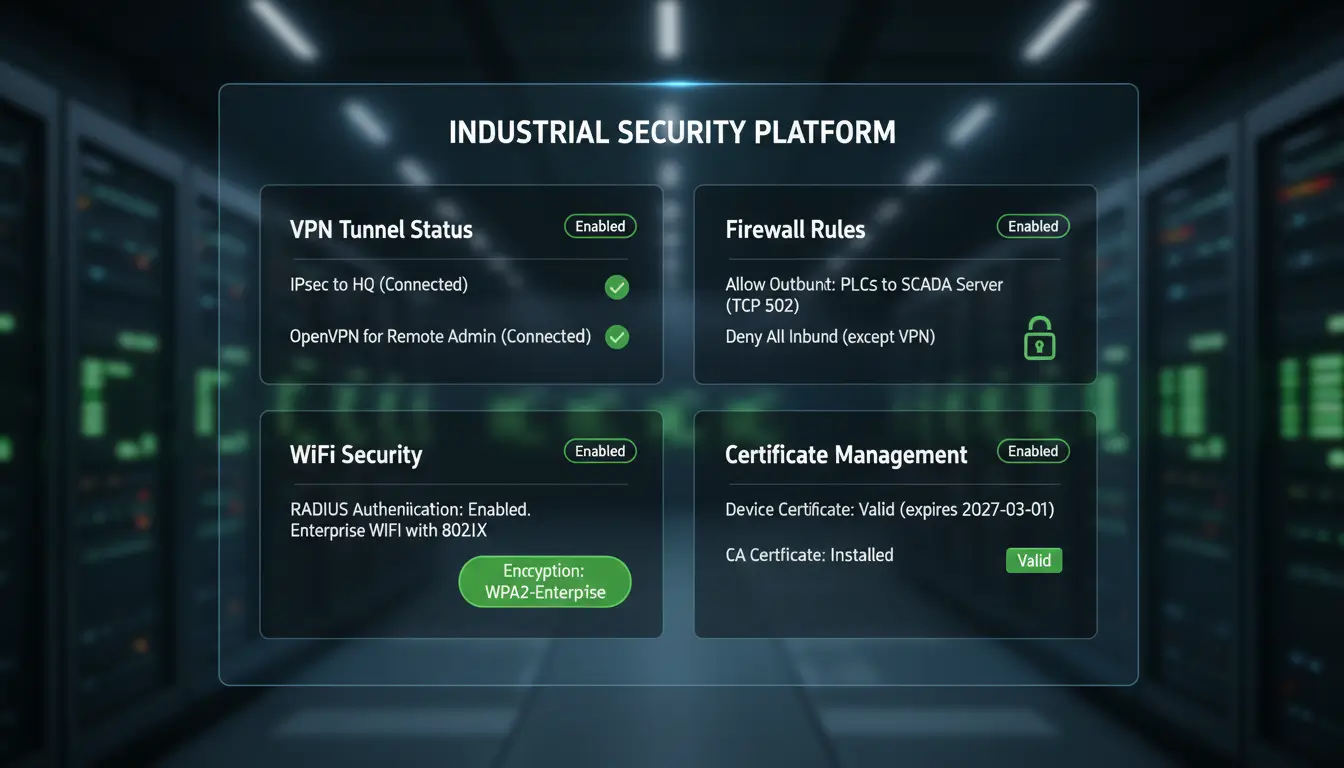
Security is non-negotiable when you’re connecting vehicle systems to the internet. Industrial routers typically support enterprise-grade features to lock down the fleet:
- VPN tunnels (IPsec, OpenVPN): Encrypt all data between the bus and your control center, which prevents eavesdropping on public cellular networks.
- Firewall rules: Segment the vehicle’s networks and block unwanted traffic.
- RADIUS authentication: For passenger WiFi, you can require users to log in with credentials.
- Certificate-based authentication: More secure than passwords for VPN connections.
Navigating Transit Standards: What Are E-Mark and ITxPT Certifications?
In the transit sector, having robust hardware with a metal shell is not enough to win a city contract; compliance is the ultimate ticket to entry. Public transit authorities and Department of Transportation (DOT) bids require specific, strict certifications to ensure that adding a high-powered network router won’t accidentally interfere with the bus’s own electronic control units (ECUs) or braking systems.
- E-Mark Certification: This is the recognized European standard for vehicle electronics. If a router carries an E-Mark, it signifies that it has passed rigorous electromagnetic compatibility (EMC) testing. The router is designed so that it does not send out signals, like Electromagnetic Interference that could mess with the vehicles sensors. This is important because the vehicles sensors need to work. At the time the router is made to withstand the big power surges that come from the vehicles alternator.
- ITxPT (Information Technology for Public Transport): This is the gold standard for public transit interoperability. An ITxPT-labeled router ensures an open, plug-and-play architecture. Instead of dealing with proprietary coding, the GPS location data collected by the router’s antenna can be universally and instantly shared with the onboard ticketing machine, the passenger information displays, and the remote CAD/AVL (Computer-Aided Dispatch) software.
Key Specifications to Compare
Not all industrial routers are created equal. Here are the specs to look at when evaluating options:
| Feature | Why It Matters |
| Operating temperature | -40°C to 85°C ensures reliability in all climates |
| Vibration/shock rating | MIL-STD-810G or similar means it won’t shake loose |
| Dual SIM with failover | Keeps connection alive if one carrier fails |
| WiFi standards | 802.11ac Wave 2 gives better passenger experience |
| VPN throughput | At least 50 Mbps for surveillance video |
| Serial ports | Needed for legacy diagnostic equipment |
| Power input | 9-36V DC handles bus electrical system variations |
| Mounting | DIN rail preferred for secure installation |
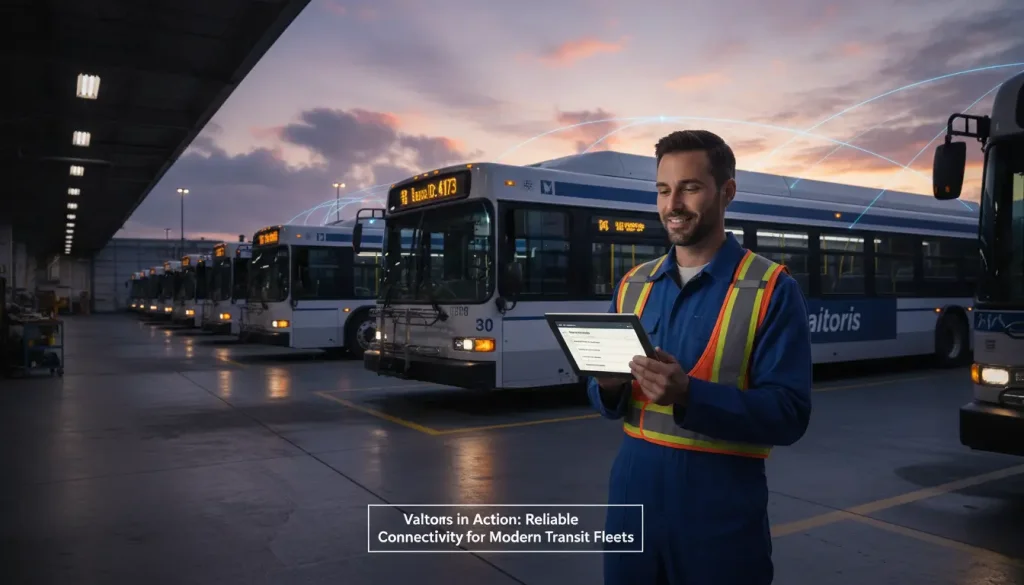
Building a reliable network for a bus fleet comes down to three things: Hardware that’s built for the job (rugged, wide temperature, vibration-resistant), proper installation (good antenna placement, secure mounting, clean power), and centralized management (remote monitoring and configuration save time and prevent issues).
If you’re planning a fleet upgrade or starting from scratch, take time to map out your requirements. How many buses? What onboard systems need connectivity? Do you need passenger WiFi? The answers will guide your choice.
Upgrade Your Fleet’s Connectivity with Valtoris
Stop sending technicians to reboot frozen routers. Valtoris offers purpose-built In-Vehicle 4G LTE Routers engineered specifically for the harsh demands of public transit.
Why Fleet Managers Choose Our Routers:
- Certified Reliability: E-Mark certified for automotive compliance.
- Ruggedized Connections: Anti-vibration M12 aviation connectors and DIN-rail mounting.
- Uninterruptible Power: Built-in IGN power management to protect vehicle batteries.
- Seamless Failover: Dual-SIM architecture for zero-downtime routing.
📚 Related Resource: For a deeper dive into cellular architectures and hardware selection across different industries, read our [Complete Guide to Industrial Cellular Modems & Routers].
Frequently Ask Questions
Q1: Will constant bus vibration loosen standard RJ45 Ethernet cables?
A: Yes. Over time, the continuous shock and vibration (common on city roads) will break the plastic locking tabs on standard RJ45 connectors, causing intermittent disconnects. For mission-critical onboard systems like IP surveillance, always select an industrial router equipped with threaded, metal M12 aviation connectors to physically lock the cables in place.
Q2: How do I stop passengers from consuming all the bandwidth and crashing our ticketing system?
A: You must utilize QoS (Quality of Service) and VLANs. By separating the network, you can throttle the passenger Wi-Fi VLAN to a strict bandwidth limit (e.g., 20%), while reserving the remaining bandwidth and giving the highest priority to your fare collection and CAD/AVL tracking networks.
Q3: Does an industrial bus router need a special power converter?
A: No, as long as you choose a real transit-grade router. Heavy vehicles, like buses, often have huge voltage changes, especially when the engine is cranking. Industrial vehicular routers have ultra-wide voltage inputs (usually 9-36V DC) built in so that they can handle these spikes without needing external DC-DC converters, which can fail.
