
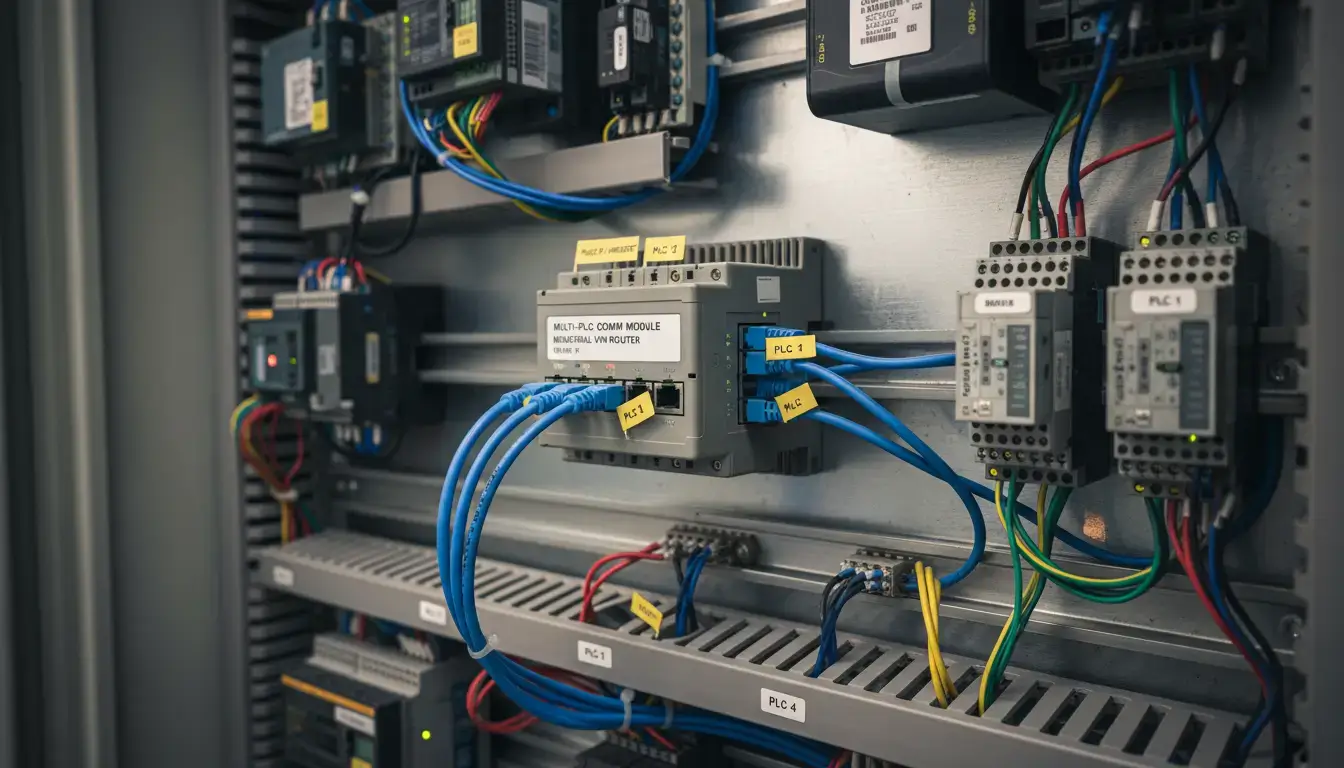
Connecting a remote site to your centralized SCADA system is usually straightforward—until you run out of IP addresses. If you are trying to establish multiple PLCs single public IP remote access, you have likely hit a frustrating roadblock. You have a pump station with 3 different ethernet PLCs, 2 HMIs and an IP camera. But your cellular provider only gave you one 4G SIM card with one public IP address.
Check the symptoms you are experiencing during commissioning:
Do not order extra SIM cards or pay exorbitant monthly fees for multiple cellular data plans. The hardware you need to solve this is already standard in enterprise networking. In this comprehensive guide we will detail the engineering logic to map a full local subnet of industrial devices through a single WAN bottleneck using an industrial cellular NAT router.
- 1. The Nightmare of Remote Access: The Single IP Bottleneck
- 2. Why Standard VPNs Fail When Connecting Multiple PLCs
- 3. Port Forwarding vs. 1:1 NAT: Which Do You Need?
- 4. The Ultimate Fix: Access Multiple PLCs on a Single Public IP
- 5. Step-by-Step: Configuring Port Forwarding on the VT-LTE400
- 6. Troubleshooting: Overcoming the Carrier-Grade NAT (CGNAT) Trap
- 7. Security Warning: Securing Exposed PLC Ports
- 8. Frequently Asked Questions (Remote Access)
The Nightmare of Remote Access: The Single IP Bottleneck
To understand the problem, we must look at the mathematical limitation of IPv4. Your cellular Internet Service Provider (ISP) assigns exactly one Wide Area Network (WAN) IP address to your modem. Let’s say it is 82.14.55.102.
Inside your control cabinet, you have created a Local Area Network (LAN). You assigned your Siemens S7-1200 the IP 192.168.1.10, your Allen-Bradley CompactLogix the IP 192.168.1.11, and your HMI the IP 192.168.1.12. These are private IPs; they are unroutable on the public internet. If a SCADA server in a different city tries to send a Modbus TCP request directly to 192.168.1.10, the internet backbone simply drops the packet.
Therefore, the remote SCADA server must send the request to your single public IP: 82.14.55.102. But when that packet arrives at your remote site, the basic unmanaged modem doesn’t know which internal device the packet is meant for. Does it go to the Siemens PLC? The Allen-Bradley? The HMI? Without instructions, the modem drops the packet, and your connection fails.
Why Standard VPNs Sometimes Fail When Connecting Multiple PLCs
The standard IT department response is “Just use an IPsec or OpenVPN tunnel.” A VPN is great for encrypting data but doesn’t necessarily solve the routing logic if you have overlapping subnets or if your central SCADA server is on a totally different network segment that doesn’t have the ability to add static routes.
Furthermore, if you are an OEM machine builder maintaining machines across 50 different customer factories, and every customer uses the default 192.168.1.x subnet, a standard VPN will instantly crash due to IP subnet conflicts. You cannot have 50 different devices all claiming to be 192.168.1.10 on the same VPN server. This is where Network Address Translation (NAT) becomes mandatory.
Port Forwarding vs. 1:1 NAT: Which Do You Need?
When you need to funnel multiple local devices through a restricted IP space, industrial routers offer two primary tools. Understanding the difference is critical for automation engineers.
| Feature | Port Forwarding (PAT / Port Address Translation) | 1:1 NAT (Network Address Translation) |
|---|---|---|
| How it works | Maps specific Port Numbers on the Public IP to different Internal IPs. | Maps an entire Virtual IP to a specific Internal IP. |
| IP Requirements | Requires only ONE Public IP. | Requires a block of multiple Public/Virtual IPs from your ISP/VPN. |
| Best Use Case | Remote access over a cellular connection with a single SIM card. | Integrating an OEM machine into a massive factory network without changing PLC code. |
Because you only have one cellular SIM card and one public IP, 1:1 NAT is mathematically impossible for you. Your only option to achieve multiple PLCs single public IP remote access is Port Forwarding.
Quick Decision: Which mode is right for you?
- 🔹 Standard SIM card + 1 public IP? ➔ Use Port Forwarding.
- 🔹 Enterprise private network + IP pool? ➔ Use 1:1 NAT.
- 🔹 Stuck behind CGNAT (Private IP)? ➔ Scroll down to Section 6 (VPN Bypass).
The Ultimate Fix: Access Multiple PLCs on a Single Public IP
Port Forwarding utilizes the transport layer (Layer 4) of the TCP/IP model. Every network request includes an IP address and a destination Port Number (like an apartment number in a building). Instead of sending SCADA requests to the default PLC port, you send them to unique, custom ports on your public IP. The router then acts as a traffic cop, translating the port and forwarding the packet to the correct internal device.
Visualizing Port Forwarding (PAT) Logic
(Internet)
The router inspects the incoming port. Port 5020 is translated and sent to PLC 1. Port 5021 is translated and sent to PLC 2. Both share the same public IP.
For example, standard Modbus TCP operates on Port 502.
In your SCADA software, you configure Node 1 to connect to 82.14.55.102 : Port 5020.
You configure Node 2 to connect to 82.14.55.102 : Port 5021.
The industrial router receives both requests, changes the port back to 502, and delivers them to the respective PLCs seamlessly.
Step-by-Step: Configuring Port Forwarding on the VT-LTE400
Consumer routers lack the robust NAT traversal logic required for industrial protocols. If you are deploying an industrial gateway like the Valtoris VT-LTE400, setting this up takes less than five minutes.
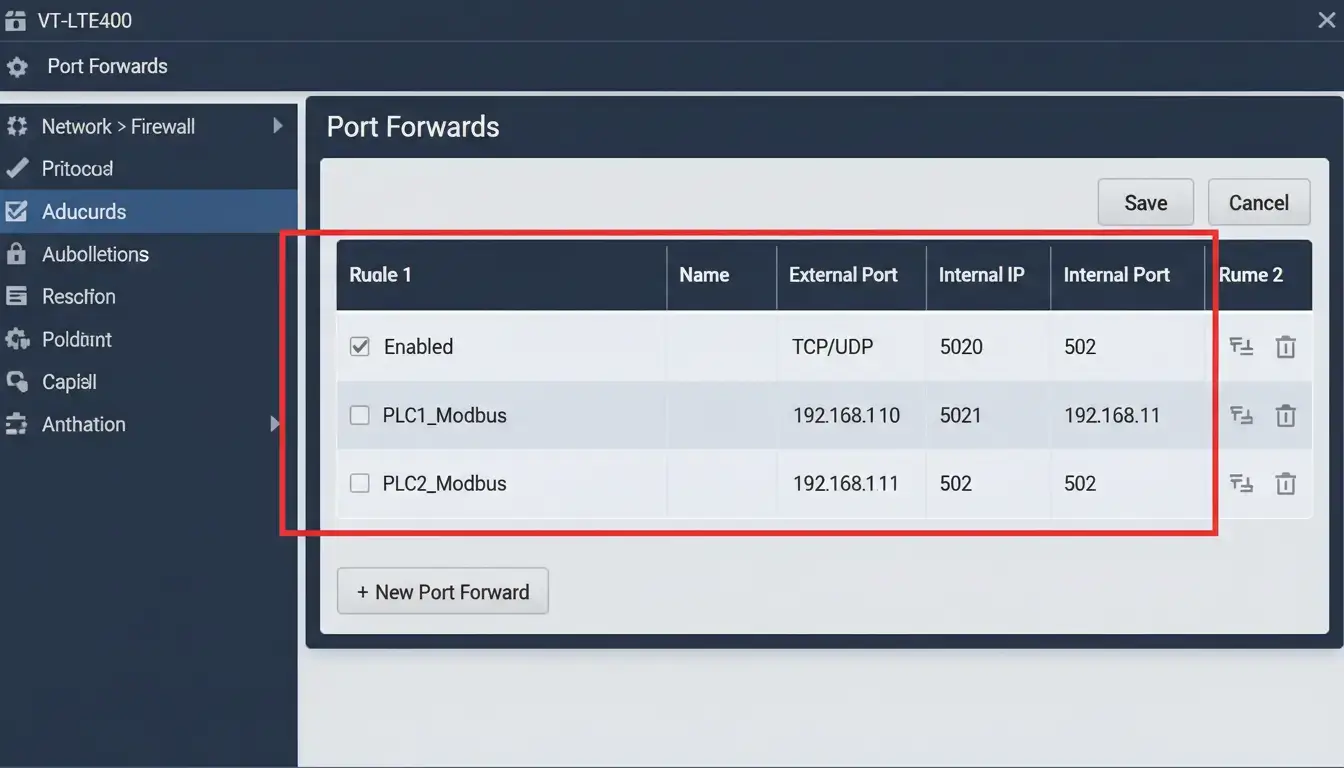
- Access the Firewall: Log into the VT-LTE400 UI and navigate to Network > Firewall > Port Forwards.
- Create PLC 1 Rule: Name it
PLC_1. Set the Protocol toTCP/UDP. Set External Zone toWAN(your 4G connection) and External Port to5020. - Map to Internal IP: Set Internal Zone to
LAN, Internal IP Address to192.168.1.10, and Internal Port to502. - Create PLC 2 Rule: Repeat the process. Set External Port to
5021, map it to Internal IP192.168.1.11, and keep the Internal Port as502. - Verify PLC Gateway: Crucial step! Ensure that inside your actual PLC network configuration (via TIA Portal or Studio 5000), the Default Gateway is set to the internal LAN IP of the VT-LTE400 (e.g.,
192.168.1.1). If the PLC has no gateway configured, it cannot reply to the external internet.
Troubleshooting: Overcoming the Carrier-Grade NAT (CGNAT) Trap
Many engineers execute the port forwarding steps flawlessly, yet the remote connection still fails. In cellular IoT deployments, the most common culprit is Carrier-Grade NAT (CGNAT).
Because the world has run out of IPv4 addresses, cellular carriers like AT&T, Verizon, or Vodafone often assign your SIM card a “private” IP address (typically starting with 10.x.x.x or 100.x.x.x) and share one real public IP among thousands of smartphones and modems. If your cellular IP is private, incoming requests from the internet will hit the ISP’s massive firewall and be dropped long before they ever reach your Valtoris router. Port forwarding cannot pierce a CGNAT wall.
🛠️ How to bypass CGNAT for remote PLC access:
- Option A (Costly): Call your cellular provider and request a “Static Public IP” provisioned on a custom APN. This often incurs a hefty monthly fee.
- Option B (Smart): Use the VPN client embedded in the VT-LTE400. Configure the router to dial out to a central OpenVPN or WireGuard server that you control. The router initiates the connection outbound, making it easy to break through the ISP’s CGNAT wall, and creating a secure, bi-directional tunnel for your SCADA traffic.
Security Warning: Securing Exposed PLC Ports
Opening ports directly to the internet is very effective but requires a lot of responsibility for cybersecurity. According to the U.S. Cybersecurity and Infrastructure Security Agency (CISA), exposing native industrial protocols like Modbus TCP (502) or EtherNet/IP (44818) to the public web makes your machinery an easy target for automated botnets and ransomware like Stuxnet.
“Port forwarding without access control is leaving the front door of your factory wide open. A port-forwarding rule must always be paired with an IP Whitelist or encapsulated within a VPN tunnel.”
For the VT-LTE400, we highly recommend utilizing the Traffic Rules or Advanced Firewall settings to restrict the Source IP. Ensure that only the known, static IP address of your central SCADA server is permitted to traverse external ports 5020 and 5021. The router’s firewall will then silently drop all other unauthorized global traffic.
Frequently Asked Questions (Remote Access & NAT)
💡 Looking for a comprehensive architecture? To explore our complete distributed modular design and learn how to decouple networks for maximum resilience, please visit our PLC Remote Access Solutions.
Overcome Remote Connectivity Barriers
Don’t let IP limitations or CGNAT lock you out of your critical infrastructure. Equip your edge panels with the VT-LTE400’s advanced NAT and VPN routing engine today.
Advanced NAT Traversal • Global Connectivity • Direct Technical Support