
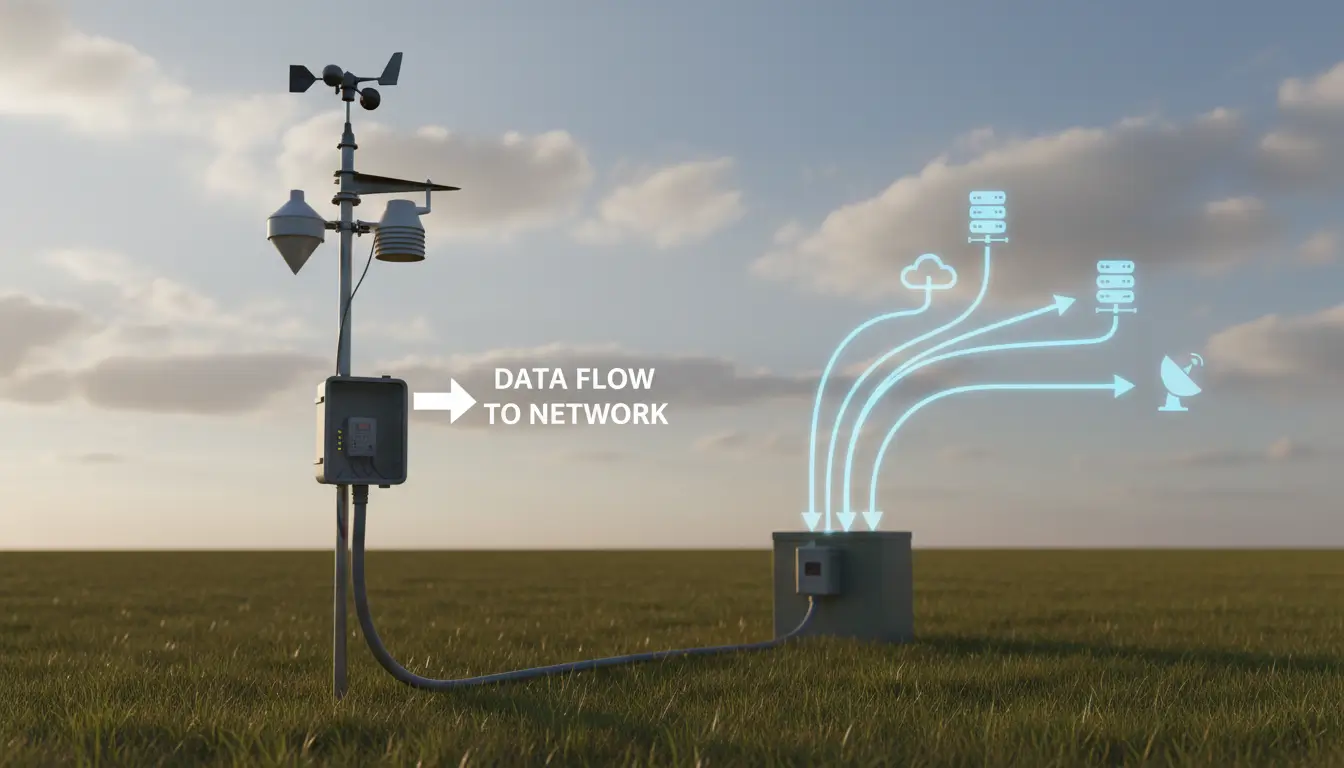
Here’s a number that puts this in context: the global serial device server market was valued at $1.2–1.5 billion in 2024 . Yet surprisingly, over 30% of industrial serial-to-Ethernet deployments still rely on software—either virtual COM ports or serial sharing applications—to make the connection work .
If you’re trying to get data from a serial device onto a network, you’ll quickly discover two distinct ways to do it:
- Hardware boxes that sit next to your device and plug into the network
- Software applications that emulate a COM port over the network and forward data over IP
The solution is not always about the hardware or always about the software. It really depends on where the device’s what is, at the receiving end and how the applications expect to talk to each other.
This guide helps to clear up the confusion. We will look at what the software approach does when the software is enough when you need the hardware and how to know when you need to use both the software and the hardware.
What Serial to Ethernet Software Actually Does
A serial to Ethernet program runs on a PC. It converts serial data to network data or vice versa, emulating a local COM port.
There are two kinds:
1. Software to create a virtual COM port
It creates virtual COM ports on your computer (COM5, COM6, etc.). When an application opens that port, this software sends all data to some IP address and port over the network.
Your application believes it is connected to a local serial port. It’s actually talking to something on the other side of the building—or the other side of the world.
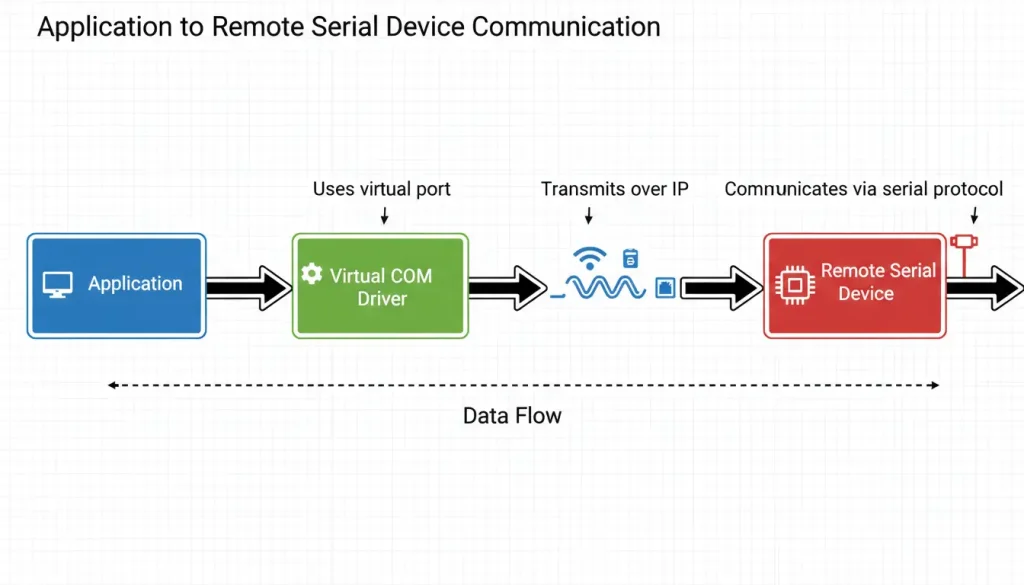
2. Serial port sharing software
One machine can offer its COM port to others across the network. Running on that box, server code handles connections. Machines elsewhere launch client apps instead. As far as they’re concerned, the distant port feels right under their hood. Remote becomes near through clever routing.
One way or another, each version handles the core job – sending serial information across IP setups using nothing more than standard computers. What changes is how it feels, not what it does.
When Software Is Enough
When it comes to everyday tasks, software on its own often gets the job done just fine.
| Scenario | Why Software Works |
|---|---|
| Your computer has no physical COM ports | Virtual COM ports replace missing hardware |
| You need to access a serial device on another computer | Sharing software connects them over the network |
| Both ends already have computers | No need for extra hardware |
| You’re testing or developing | Quick setup, no waiting for hardware |
| Budget is tight | Software licenses often cost less than hardware |
| Temporary setup | Easy to install and remove |
Example 1: Old software needs a COM port, but your laptop has none
You have a CNC machine that connects via RS232. The software that controls it expects COM1. Your laptop has only USB ports.
Install virtual COM software. It creates COM1 (virtual). You connect the machine via a USB-to-serial adapter and map the real USB serial port to the virtual COM port. The software works. No Ethernet involved, just COM port emulation.
Example 2: Two computers need to share one serial device
A single license dongle sits on COM1—Computer A uses it right now. To get Computer B running, that same key must move. Swapping between machines means timing matters each time.
One machine gets special software so others can reach its serial port. The first computer offers up COM1 for remote access. Across the net, the second one links right into that shared connection. Its programs act like the device is sitting there attached by cable. Length stays just as before, no extra lines added.
When Software Falls Short
Software runs on computers. That’s its limitation. If there’s no computer where your device is, software can’t help.
| Scenario | Why Software Fails | What You Need |
|---|---|---|
| Device is far from any computer | No computer to run software | Hardware converter at the device |
| Device needs to run independently | Software requires a PC | Hardware converter |
| Harsh environment | Computers don’t survive there | Rugged hardware converter |
| Long distances (100m+) | Serial cable won’t reach | Hardware converter + Ethernet |
| Multiple devices in one location | One PC per device is expensive | Multi-port hardware converter |
Example 1: Remote weather station
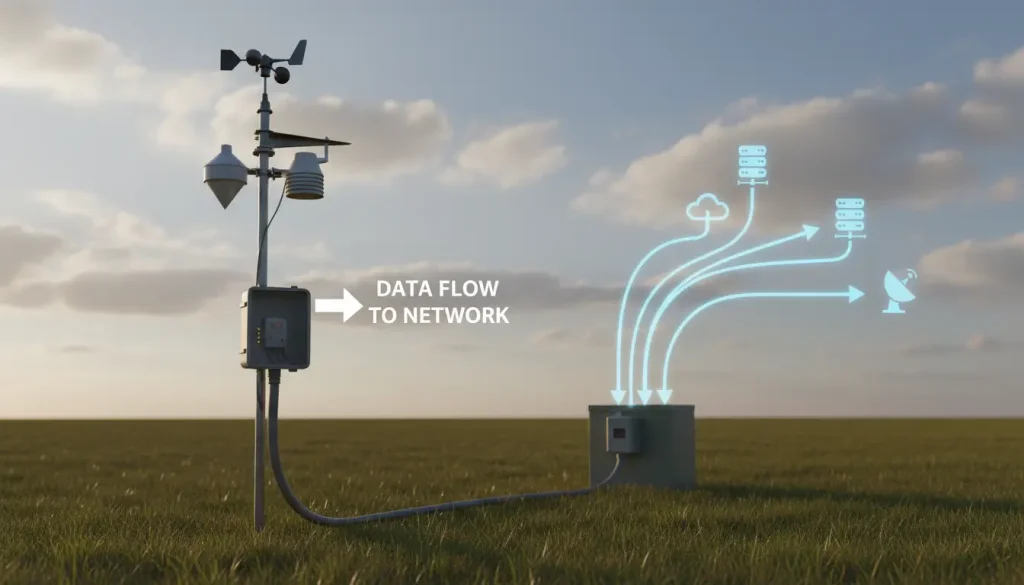
A hilltop holds your weather station, its RS485 port ready. Though no structure stands nearby, transmission must happen. Every quarter hour, information travels toward the office. Distance offers no excuse for delay. Wires could fail, so reliability matters. Signals move without help from Wi-Fi or cell networks. Power exists but is limited. The path remains open only if hardware stays stable. Data arrives when systems respect timing. Nature tests connections daily.
Up on the ridge, no machine hums. Without one, programs stay still. A physical link changer steps in – serial to wires that speak far. Tuck it under shielded cover near the post. Hook up signal reach using radio leaps or phone-linked gear. Once set, messages travel without help.
Example 2: Factory with 20 PLCs
There are 20 PLCs on the factory floor. Each PLC has RS485. You want to get all data to the control room.
You can put a computer at each PLC. This is costly and not practical. It can also cause problems. Or you can use a multi-port hardware converter in each area. Connect the PLCs to it. Then send all data over one Ethernet cable. The hardware works all day and night. It does not need reboots or updates.
The Hybrid Approach: Hardware + Software
Many people do not know this: hardware and software work together. They are not separate choices.
A normal solution looks like this:
1. Hardware converter near the device. It connects to the device’s serial port and the network.
2. A network that carries the data. This can be Ethernet, WiFi, or cellular.
3. Virtual COM software on your computer. It makes a local COM port that links to the remote converter.
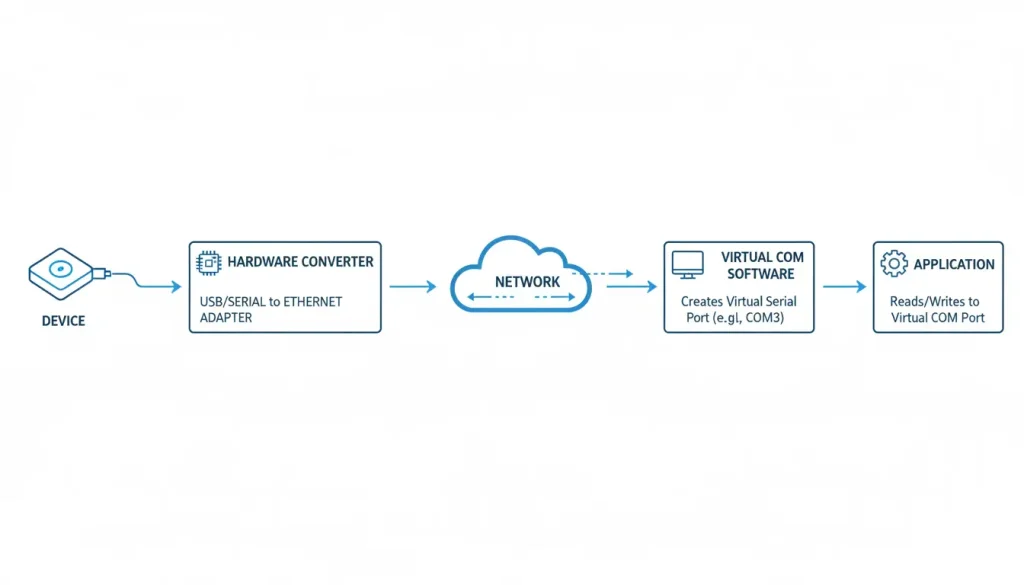
The hardware connects the device to the network. The software lets programs use it like a local COM port.
Example: Old SCADA system, new remote site
Your SCADA system runs on a PC in the control room. It needs to talk to PLCs using COM ports. You add a new PLC 500 meters away.
- Hardware: Put a serial to Ethernet converter near the new PLC. Connect it to the network with fiber or wireless.
- Software: Install virtual COM software on the SCADA PC. Make a new COM port linked to the converter’s IP address.
- Result: SCADA sees COM5 and works normally. The PLC is 500 meters away but looks local.
The hardware manages the physical link. The software manages the connection. Both are needed.
Software Features You Should Know
If you want serial to Ethernet software, check these:
Virtual COM port creation
This is the main feature. Can it make many virtual COM ports? How many? (Some make up to 255.)
Connection modes
- TCP Server: Software waits for devices to connect
- TCP Client: Software connects to remote converters or servers
- UDP: No connection needed, good for broadcasts or some packet loss
Auto-reconnect
If the network drops, does the software reconnect by itself? This is important for running without help.
Multiple clients
Can one COM port be used by many remote computers at once? This helps share devices.
Logging and diagnostics
Can it save data for fixing problems? Show connection status? Warn if it fails?
Platform support
Does it work on Windows only? Linux? ARM? Some users need versions for embedded systems.
Common Mistakes
“Software can create real serial ports.”
No. Virtual COM ports are only in software. They do not have real RS232 signals. To connect to real devices, you need hardware like a USB-to-serial adapter or a remote converter.
“Hardware converters do not need software.”
They need setup software (usually a web page or tool). Also, if you want old programs to see COM ports, you need virtual COM software.
“Software is always cheaper.”
Software costs money too. For a few connections, software may be cheaper. For many devices, hardware plus free virtual COM software can save money.
“I can just use free tools.”
Sometimes yes. For simple tests, tools like com0com (local virtual ports) or socat (Linux) work. For real use, paid software is more reliable and has better support.
Valtoris Way: Hardware and Software Together
Valtoris makes hardware converters—single-port, multi-port, isolated, rack-mount. All work with VirCom, the included virtual COM software.
The hardware does the hard job: connecting serial devices to the network in tough environments. The software does the easy job: showing those devices to your programs.
You need both. Use both.
Decision Guide: Use Software, Hardware, or Both?
Start here: Does your device have a computer next to it?
- YES → Are you trying to access that device from another computer?
- YES → Try software first (serial port sharing)
- NO → You probably don’t need either—use local connection
- NO → Does the device need to send data somewhere?
- YES → You need hardware (converter at the device)
- NO → Leave it alone
If you need hardware: Does your receiving computer expect a COM port?
- YES → You need both: hardware at the device + virtual COM software on your computer
- NO → Hardware only (your software talks TCP/IP directly)
Real Examples
Example A: CNC machine with old software
- Machine has RS232, software expects COM1
- Laptop has no serial port
- Solution: USB-to-serial adapter + virtual COM software
- Result: Software sees COM1, machine works. No Ethernet needed.
Example B: Remote pump station
- Pump has RS485, no computer nearby
- Control room 1km away
- Solution: Hardware converter at pump + Ethernet link + SCADA system that talks Modbus TCP
- Result: No software needed on SCADA side—it talks TCP directly
Example C: Upgrading an old factory
- 15 PLCs with RS485, all need data in new SCADA system
- SCADA runs on Windows, expects COM ports (legacy)
- Solution: Multi-port hardware converters in each zone + VirCom on SCADA PC
- Result: SCADA sees 15 COM ports, each talking to a remote PLC. Hardware does the heavy lifting, software makes it look local.
Quick Comparison Table
| Aspect | Software Only | Hardware Only | Both |
|---|---|---|---|
| Device needs local computer | Yes | No | No |
| Computer at receiving end | Yes | Optional | Yes (for legacy apps) |
| Cost for 1 device | Low (license) | Medium | Medium + license |
| Cost for 10 devices | 10 licenses | 10 hardware units | 10 hardware + 1 license (if shared) |
| Reliability | Depends on PC | High | High |
| Setup complexity | Low | Medium | Medium |
| Legacy app support | Yes (virtual COM) | No (TCP/IP only) | Yes |
Bottom Line
Just because a tool works well doesn’t mean it bends reality. Software that links serial devices to Ethernet does its job – no more, no less. It runs quietly behind the scenes. Not every clever system needs mystery. Some solutions stay grounded, even when they perform complex tasks. Power exists without spectacle.
- A computer at each end means sharing serial data can happen without extra gear – just software handles it well. What matters is that both sides run machines capable of the task, then a program bridges the connection smoothly. Machines ready? The rest follows naturally through smart code.
- Standing out there by itself, a gadget without help needs real parts to work. Hardware steps in when computers aren’t around. Alone gear demands physical tools just to function. When nothing else connects, actual devices make it run. A lone machine relies on solid components to survive.
- Hardware out there working? Old programs still running on your machine? Both matter just the same.
Whatever fits how big you run matters most. Try free versions when checking things out. Once live, pay for what holds up. Machines that change signals keep going where computers quit.
Hardware comes first. Software rides along. Life rarely asks for one without the other.
