
When 15 Meters Isn’t Enough
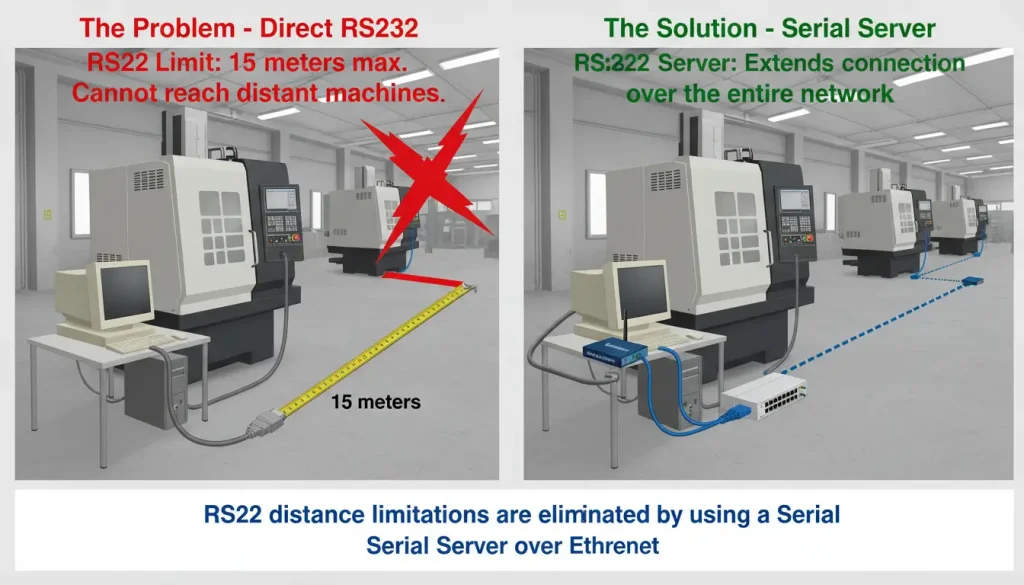
But a standard RS232 cable only reaches 15 meters. You either move the machine, move the computer, or keep walking back and forth with a USB drive.
Step-by-Step Implementation Guide
Hardware Connection Setup
The physical installation process is straightforward and requires minimal downtime:
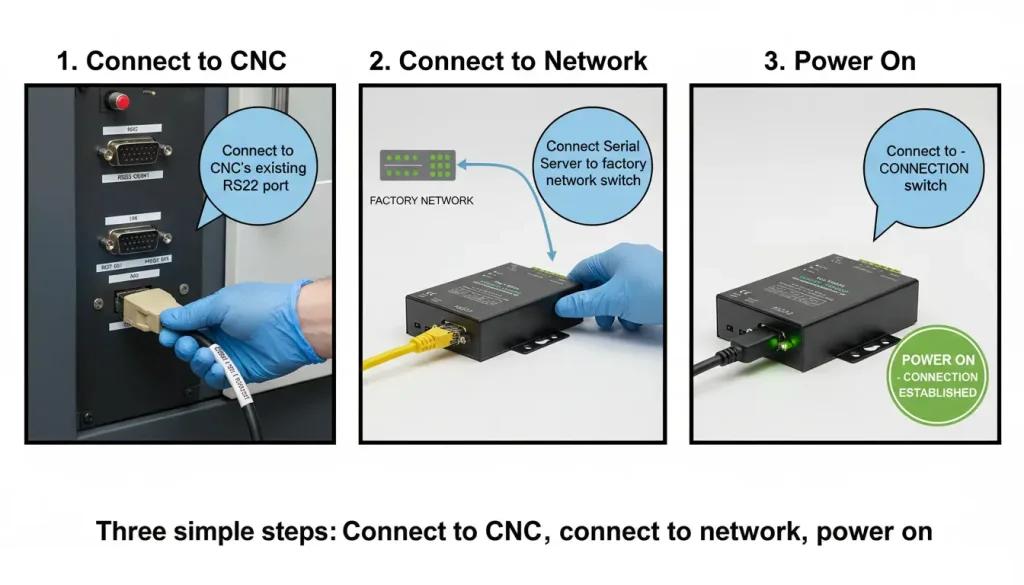
1.Connect the RS232 port of the Valtoris serial port server directly to the RS232 port of your CNC machine tool. Use a standard RS232 cable (usually DB9 male-to-female); if your machine uses a different connector, a simple adapter may be needed.
⚠️ Important Note about CNC Pinout:
CNC controllers (like Fanuc or Haas) often need special hardware handshaking, which is different from regular PC serial ports. You usually need a Null Modem cable with crossed pins 2 (RX) and 3 (TX). You might also need to jump pins 4–5 and 6–8–20 on the CNC side to get around hardware flow control, depending on how old your machine is.
Always check the baud rate your CNC needs (usually 4800 or 9600) and make sure it matches exactly in the Valtoris serial server settings.
2.Connect the server’s Ethernet port to your factory network using a standard network switch. A Cat5e or Cat6 cable works fine.
3.Power on the device to establish immediate communication between the CNC equipment and your LAN. The server will automatically get an IP address from your network’s DHCP server.
Software Configuration Process
Once hardware connections are established, configure the system using Valtoris’s intuitive tools:
- Step 1: Install the VLVircom configuration software on your host computer. This free utility provides comprehensive serial server manager functionality.
- Step 2: Create a virtual COM port and bind it to your Valtoris serial device server. You can choose any available COM number (e.g., COM5).
- Step 3: Configure communication parameters to match your CNC system’s requirements: baud rate, data bits, parity, stop bits, and flow control. If you’re unsure, check your CNC machine’s manual or its current settings in the control software.
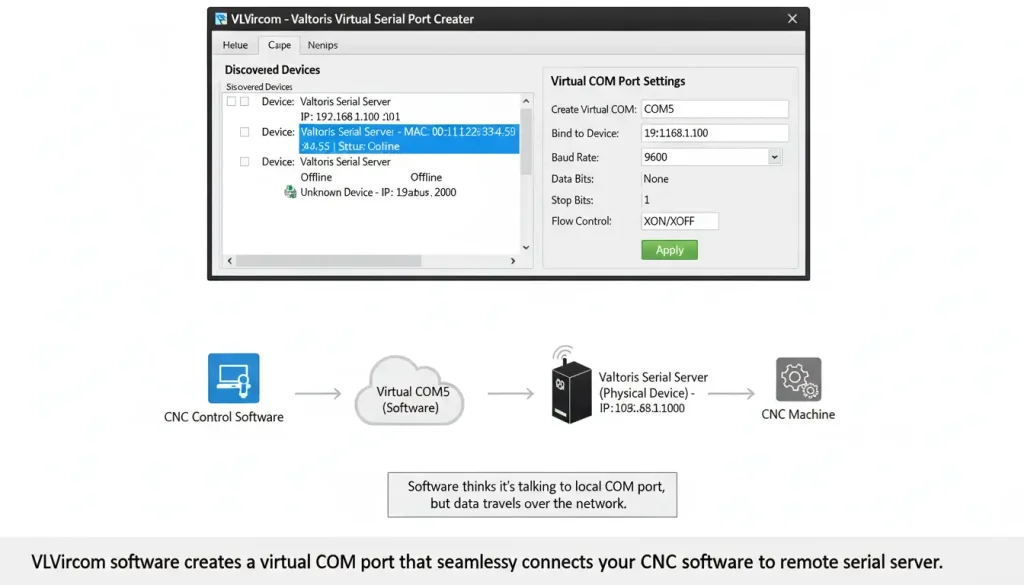
After this, your existing CNC software will see, say, COM5—and talk to the machine over the network exactly as if a short RS232 cable were still connecting them. No software changes needed.
Operational Workflow
With the system configured, the daily operation becomes seamless:
Open your CNC machine tool software and select the assigned virtual COM port (e.g., COM5)
Initiate file transfers and machine control operations through the RS232 serial server. It behaves just like a direct cable.
- Monitor machine status and data in real-time from any network-connected location.
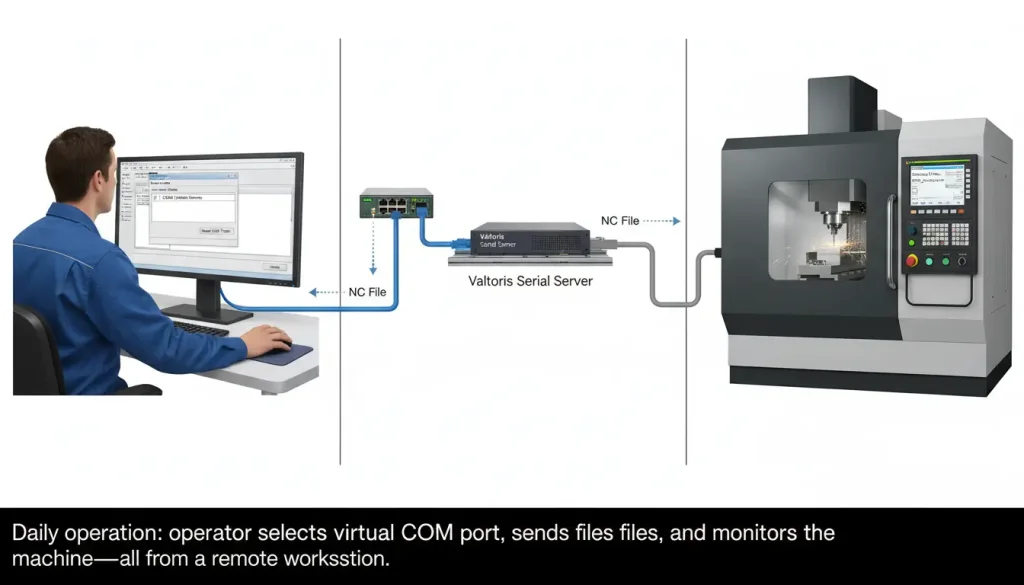
This setup replicates all functions of a direct serial connection while providing the flexibility of LAN-based communication for remote CNC monitoring. You could even set up a simple script to back up programs from multiple machines automatically.
Technical Advantages for CNC Applications
Guaranteed Data Integrity
- Full-duplex, zero-packet-loss transmission: Ensures large NC files download completely without corruption.
- Native flow control support: Includes precise handling of XON/XOFF protocols to maintain strict compatibility with CNC communication standards.
- High-speed mode: Specifically optimized for massive CNC data applications to ensure efficient file transfers.
(💡 Note: In real-world tests, Valtoris serial servers have maintained data integrity over 300-meter factory network runs with zero packet loss—well beyond the 15-meter RS232 limit. This aligns with findings from a 2023 industry survey where 94% of users reported no data corruption after switching to serial-to-Ethernet solutions.)
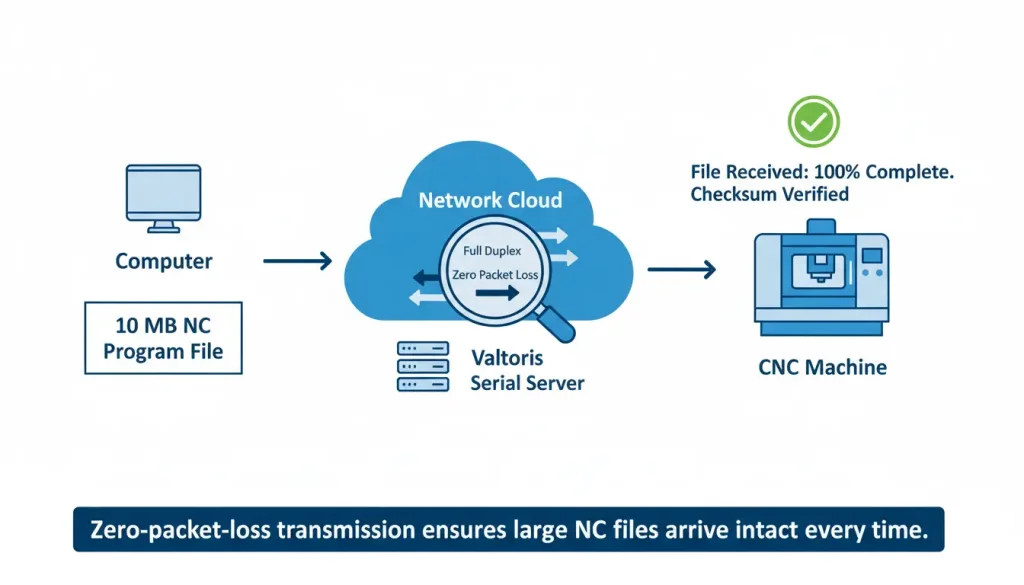
Extended Operational Capabilities
- Unrestricted access: Remote monitoring and control functionality provides real-time access from any connected workstation.
- Overcome distance limits: Network architecture entirely eliminates the 15-meter RS232 limitation, enabling flexible machine placement anywhere on the shop floor.
- Centralized command: Multi-port serial server capability allows single-computer control of multiple CNC machines.
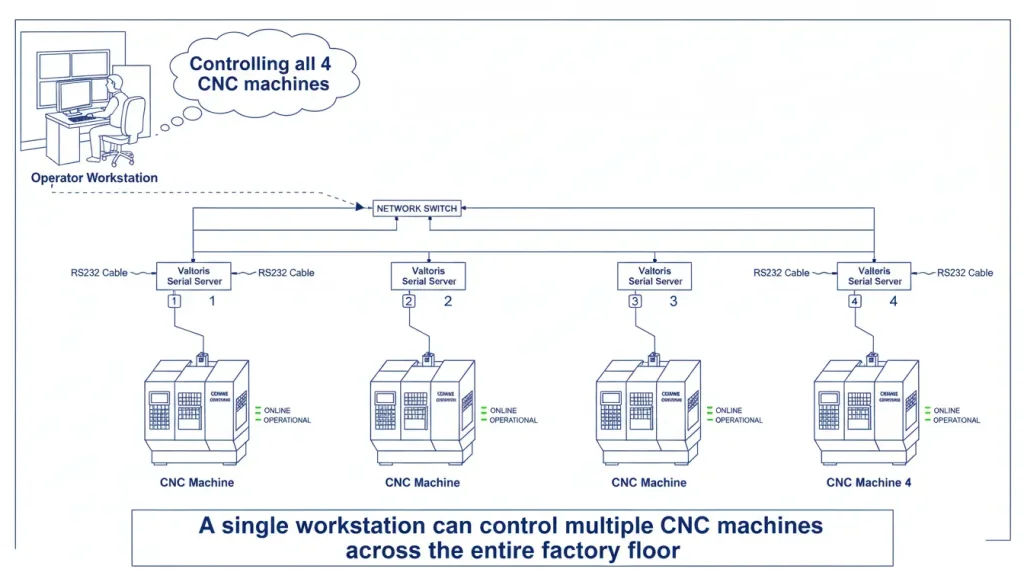
Industrial-Grade Reliability
– Industrial serial server design ensures stable operation in manufacturing environments.
– Automatic reconnection features maintain communication during network interruptions.
– LED status indicators provide immediate visual feedback on connection and data transmission status.
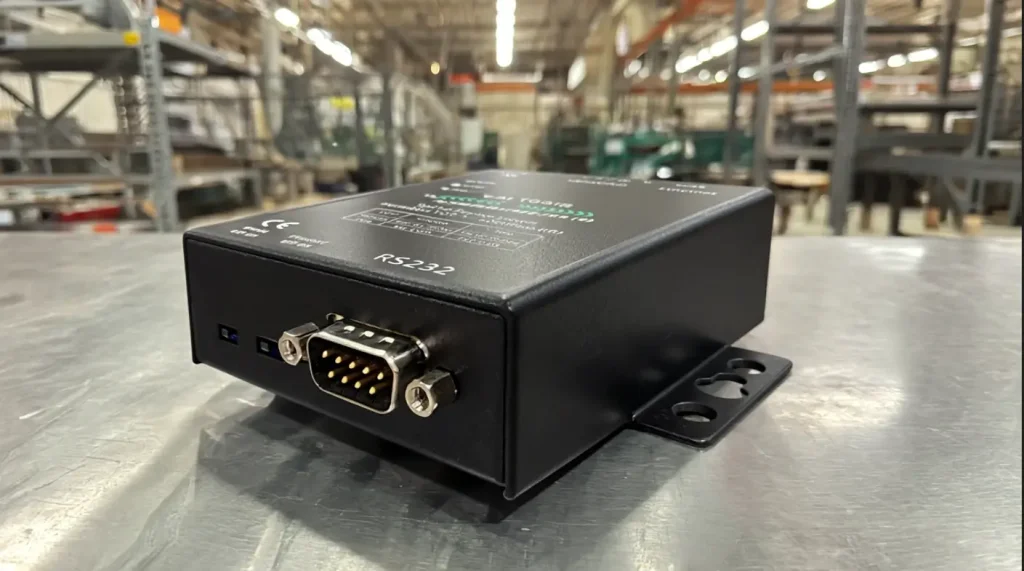
The DNC Drip-Feeding Advantage
If you are drip-feeding massive 3D toolpaths to older machines with limited memory, a dropped packet doesn’t just mean a network error—it means a crashed spindle and a ruined workpiece.
This is where cheap commercial adapters fail. They lack the hardware FIFO buffers required to manage strict XON/XOFF flow control. The Valtoris Industrial Serial Server acts as a dedicated network shock absorber, buffering the high-speed Ethernet data and feeding it to your CNC exactly at the baud rate it demands, ensuring continuous, stutter-free machining.
| Feature | Benefit for CNC Operations |
|---|---|
| RS232 to Ethernet Conversion | Extends communication distance beyond 15 meters |
| Virtual COM Port Technology | Works with existing CNC software without modification |
| Full-Duplex, Zero-Packet-Loss | Ensures large NC files transfer without corruption |
| Multi-Device Support | Control multiple CNC machines from one workstation |
| Industrial-Grade Design | Reliable operation in harsh factory environments |
| Plug-and-Play Installation | Minimal downtime during setup |
| Automatic Reconnection | Maintains communication during network interruptions |
| LED Status Indicators | Easy visual troubleshooting |
Why Commercial Serial Adapters Fail on CNC Machines Knowing how to set up the network is only half the battle. Many shops make the expensive mistake of using cheap, commercial-grade RS232-to-Ethernet adapters. These devices lack opto-isolation and proper XON/XOFF flow control handling, leading to dropped packets. In CNC machining, a dropped packet means a tool crash and thousands of dollars in ruined material.
The Valtoris Solution: The Valtoris Industrial RS232 Serial Server is purpose-built for the factory floor. It features built-in surge protection, native CNC flow control support, and guaranteed zero-packet-loss transmission for large NC files.
Don’t risk your tooling and materials on unverified hardware. [ View our CNC-ready Serial Servers ] or contact us to verify compatibility with your specific CNC controller.
Frequently Ask Questions
Q: Can I use this setup for DNC drip-feeding large 3D toolpaths, or is it only for basic file transfers?
Q: Why shouldn’t I just use a cheap Wi-Fi to RS232 adapter instead of running an Ethernet cable?
Q: My older Fanuc controller is maxed out at 4800 baud. Will a modern gigabit network server cause buffer overflows?
Q: Do I need to connect my older CNC machines to the internet for remote control to work?
Stop Relying on USB Drives and Fragile Cables
Tell our engineers which CNC controllers you are using (Fanuc, Haas, Mazak, etc.) and your shop floor layout. We will spec the right industrial serial-to-Ethernet server to network your machines without risking data corruption.
