
32-Port RS232/485/422 to Ethernet Converter & Modbus Gateway | Dual 1G SFP
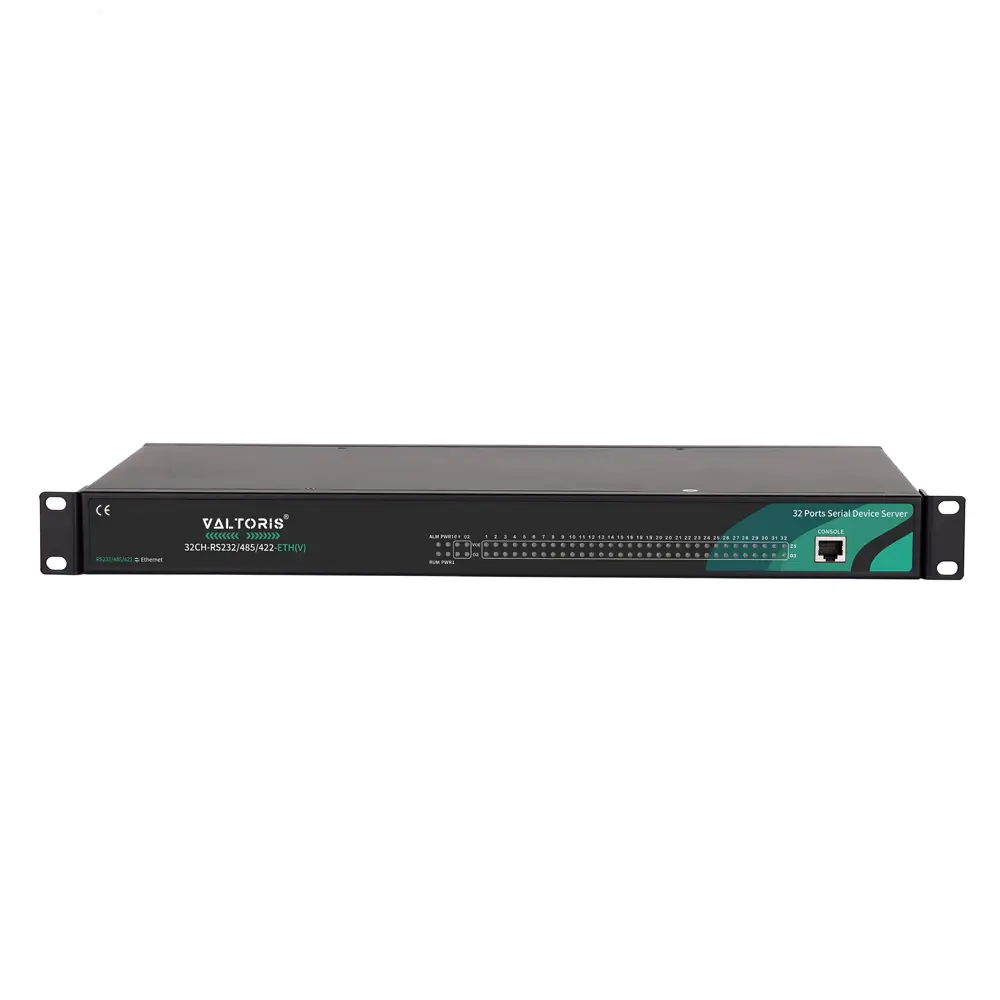
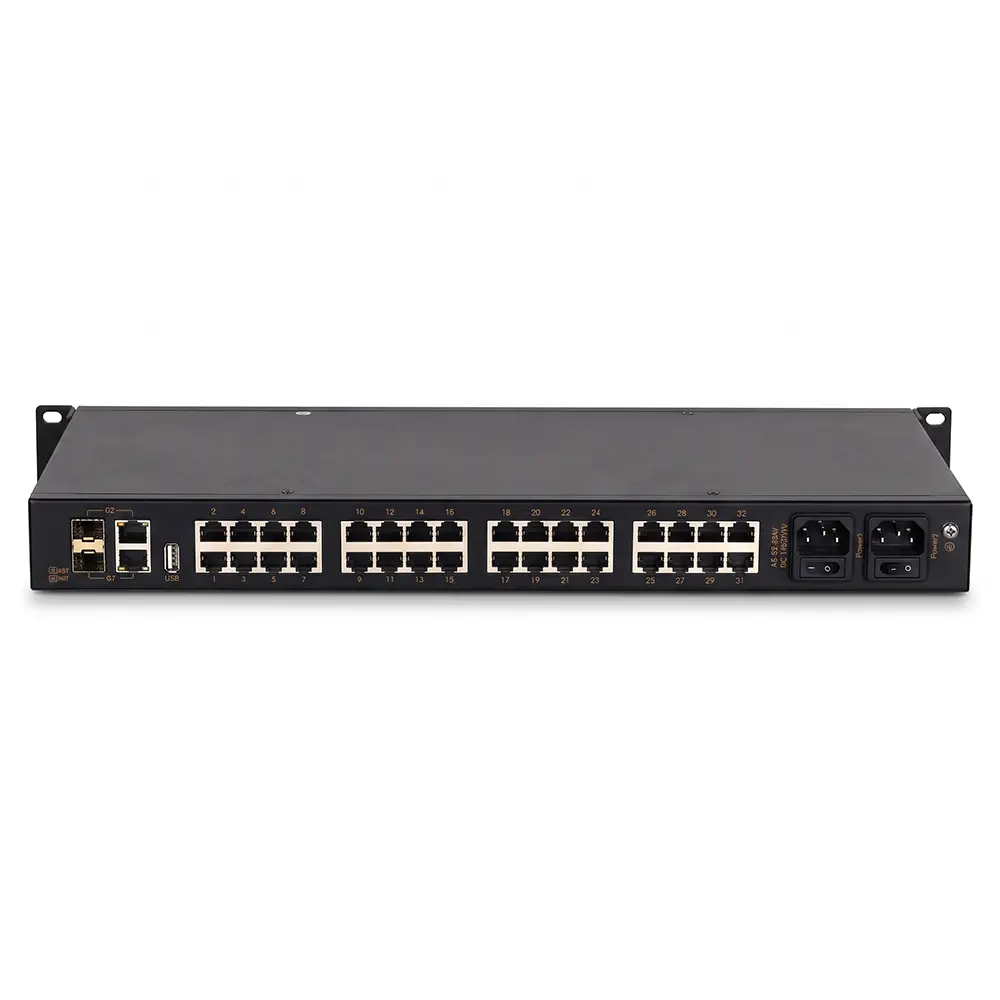
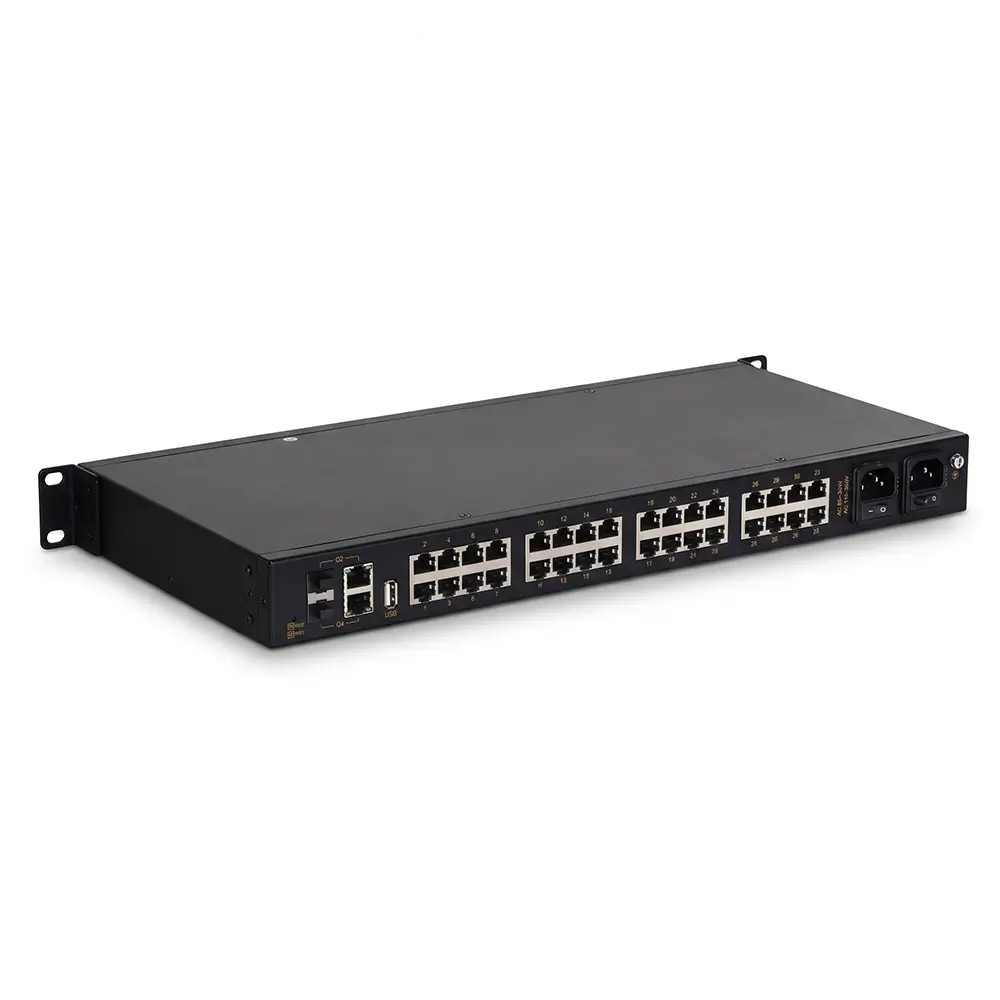
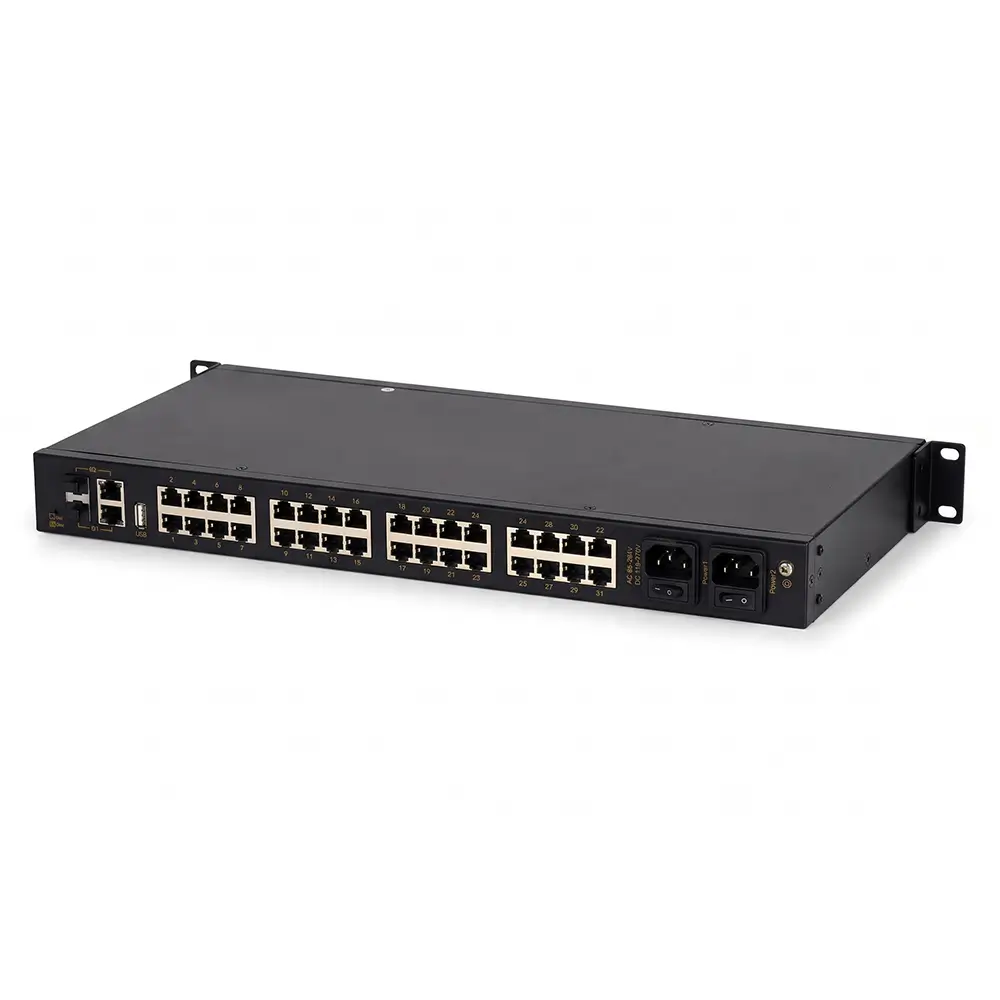
The 32CH-RS232 485 422-ETH(V) is a 19-inch 1U rackmount serial server that connects 32 independent RJ45 serial channels to dual Gigabit fiber/copper networks under a single IP address.
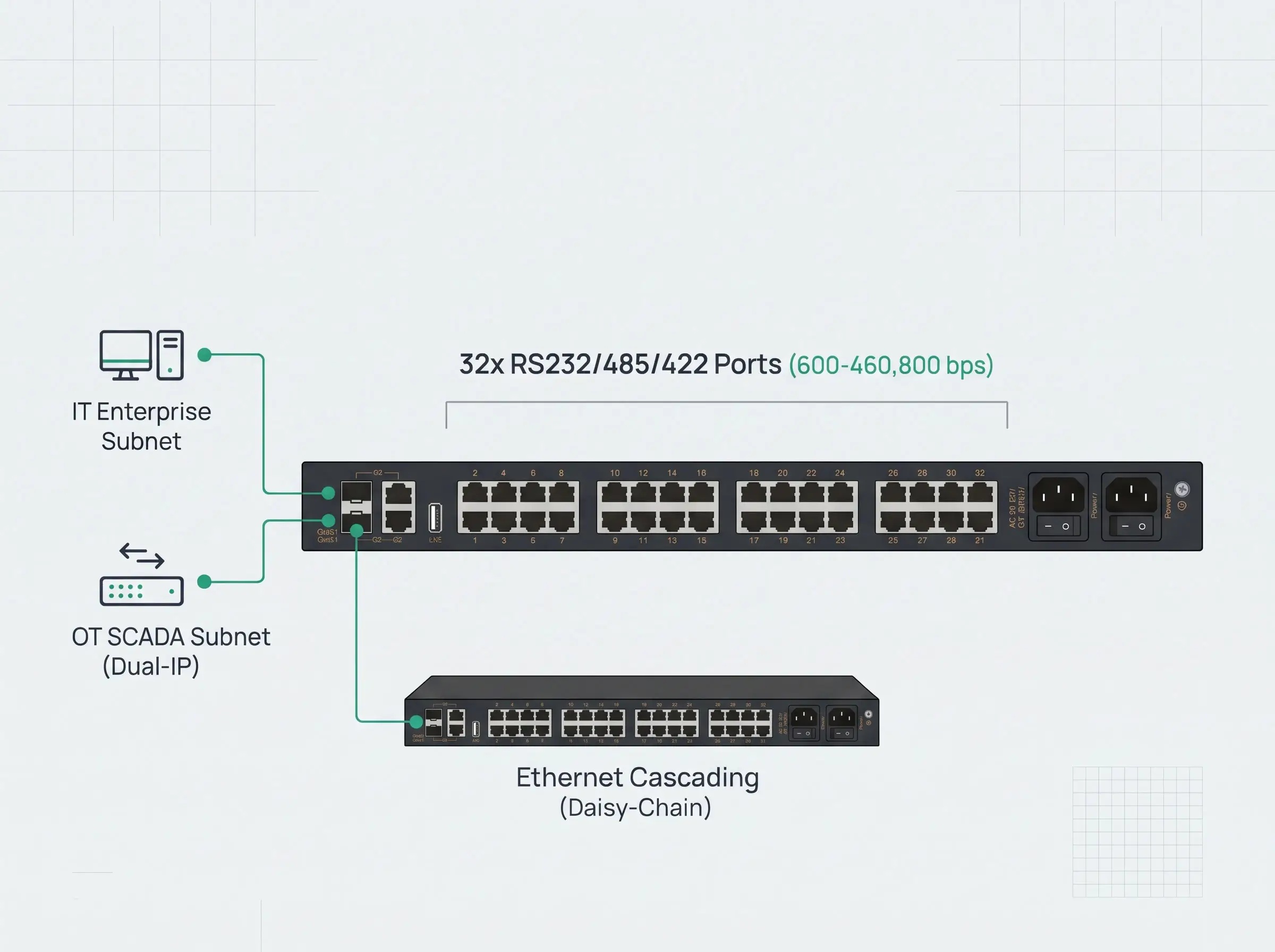
32-Port 1U Consolidation & Dual 1G Uplinks
Replace 32 separate DIN-rail converters or multi-IP boards with a single 19-inch 1U rackmount unit featuring copper and fiber Ethernet backhaul.
- • Independent Serial Channels: 32× software-selectable RS232/485/422 ports on RJ45 connectors run independent baud rates (600–460,800 bps) simultaneously under a single IP address.
- • Dual-IP Subnet Isolation: Configure the 2× 1G SFP/RJ45 combo ports on separate subnets to isolate local OT traffic from enterprise IT networks.
- • Daisy-Chain Cascading: Link multiple rackmount units via Ethernet cascading mode to save upstream switch ports.
Drop-In Virtual COM & Fast Modbus Polling
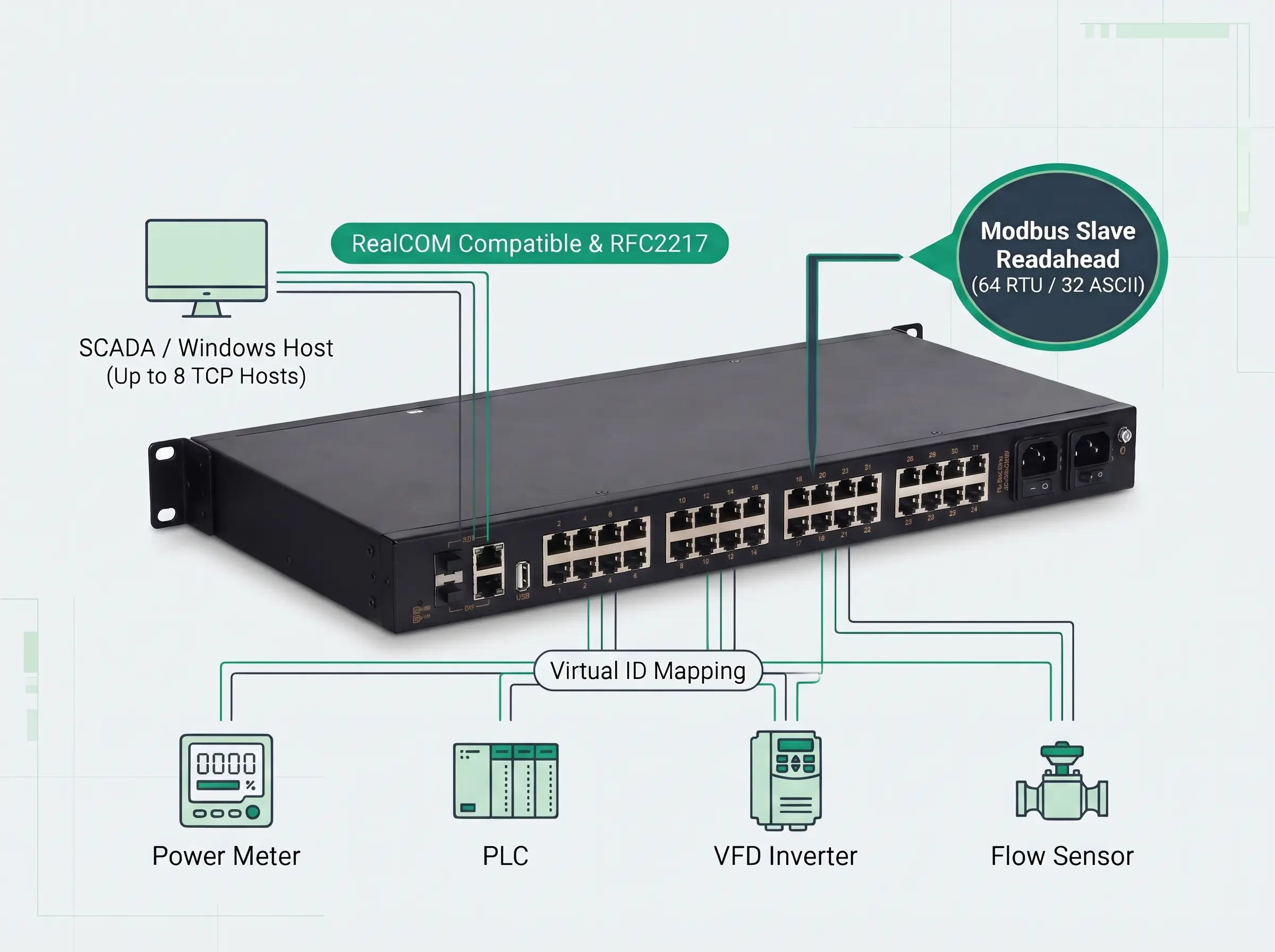
Connect legacy serial equipment to SCADA and Windows hosts without modifying existing software.
- • Moxa RealCOM Compatible: Supports
RealCOM_MCP,RealCOM_CCP, andRealCOM_MWvirtual COM mapping plus RFC2217 dynamic baud rate control. - • Modbus Slave Readahead: Pre-fetches and caches up to 64 RTU or 32 ASCII commands per port for sub-10ms Modbus TCP response times.
- • 8-Host Concurrent Access: Allows up to 8 simultaneous TCP Client connections (or 8 TCP Servers) per serial port with Virtual ID conflict mapping.
Direct Cloud Protocols & Serial Forwarding
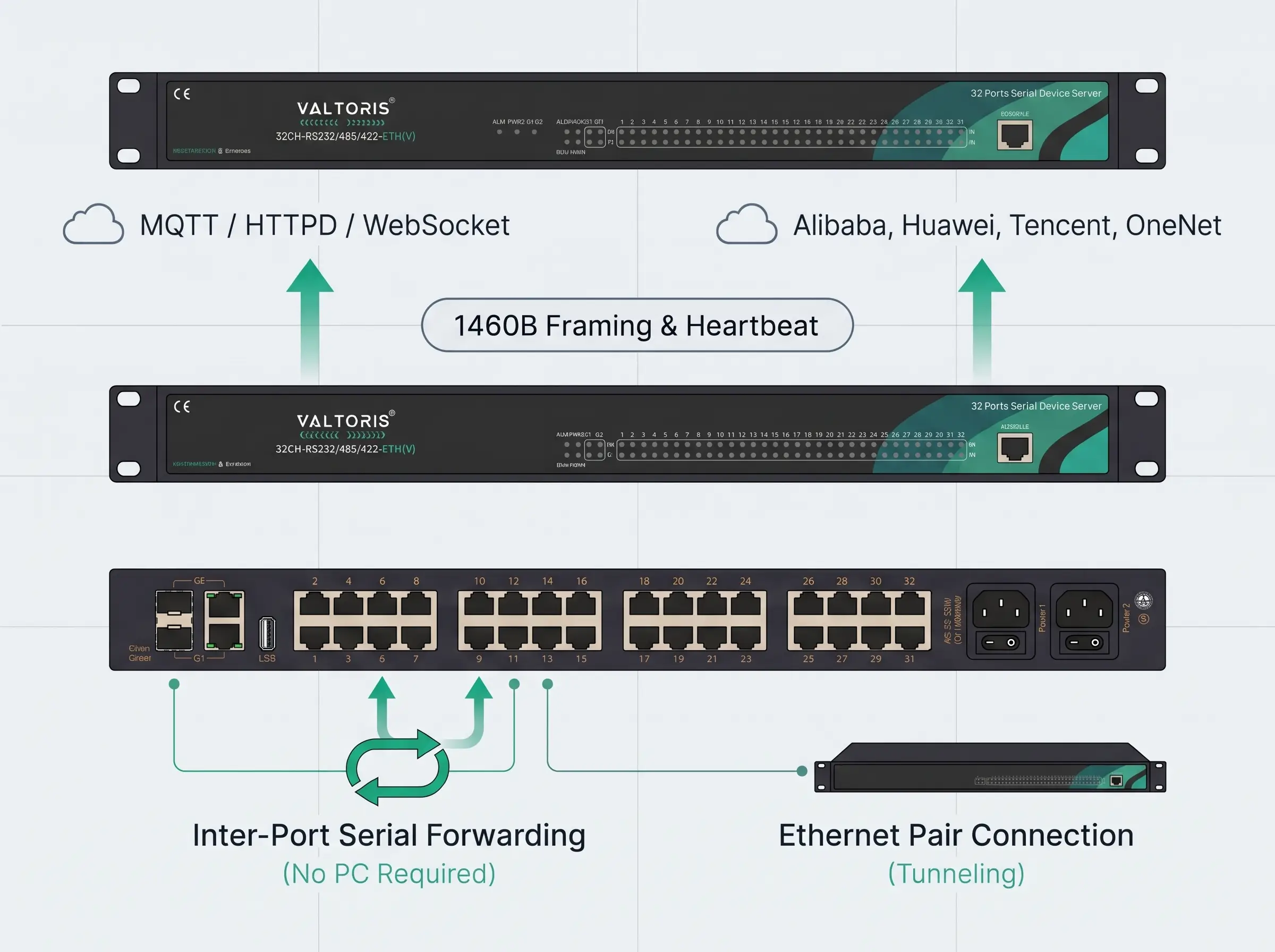
Stream field telemetry directly to IIoT cloud platforms or pass serial data between local ports without a host PC.
- • Native Cloud Connectivity: Built-in MQTT Client (standard MQTT, Alibaba, Huawei, Tencent, OneNet), HTTPD Client (GET/POST) and WebSocket Client modes.
- • Inter-Port Serial Forwarding: Transparently forward serial data (uni-directional or bi-directional) over any of the 32 channels or Ethernet Pair Connection mode.
- • Custom Framing & Heartbeats: Set the packet length (up to 1460 bytes), time-interval framing, and custom registration/heartbeat packets to keep cloud links alive.
Dual Redundant Power, TLS Security & Industrial EMC
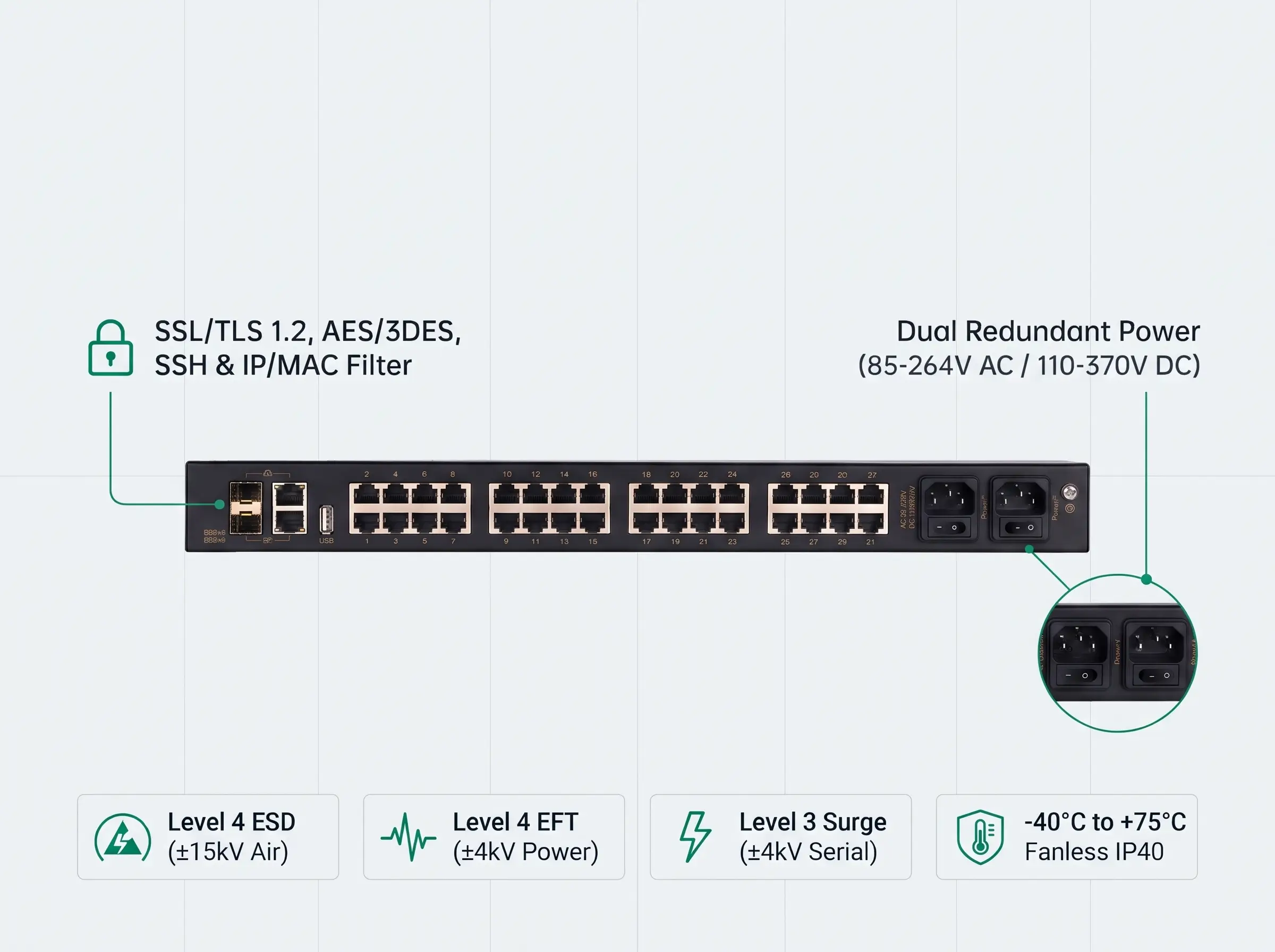
Designed to operate 24/7 in mission-critical substation, data center and harsh industrial cabinet environments.
- • Dual AC/DC Power Redundancy: Two independent switched C14 power inputs support 85-264V AC or 110-370V DC (<16.2W max) for automatic failover protection.
- • Enterprise OT Cybersecurity: Supports SSL/TLS 1.0/1.1/1.2 mutual certificate verification, AES/3DES/DES/BlowFish/RC4/RC5 encryption, SSH, IP/MAC filtering, SNMP/Email alarms.
- • Level 4 EMC & Wide Temp: Fanless IP40 metal enclosure for -40°C to +75°C, Level 4 ESD (±15kV air), Level 4 EFT (±4kV), external hardware watchdog.
| Parameter | Description (32CH-RS232 485 422-ETH(V)) |
|---|---|
| Software & System | |
| Processor & Watchdog | 32-bit dual-core ARM Cortex-A7 (up to 1 GHz); External hardware watchdog |
| Network Protocol | IP, TCP, UDP, DNS, ARP, SNMP, SSH, ICMP, HTTP, DHCP Client, RFC2217, NTP, SMTP |
| IP Obtaining & DNS | Static IP / DHCP; DNS supported |
| User Configuration | Web-based configuration, CONSOLE port for basic network settings, Network Management Tool for batch configuration & batch upgrade |
| Transparent Transmission | UDP Client, UDP Server, UDP Multicast, TCP Client (up to 8 servers per port), TCP Server (up to 8 simultaneous connections per port), RealCOM (MCP/CCP/MW), Pair Connection (Master/Slave) |
| Modbus | Modbus RTU/ASCII to Modbus TCP bidirectional conversion; Modbus Over TCP; Slave Readahead (up to 64 RTU or 32 ASCII commands per port); Virtual ID mapping |
| Cloud & IoT Protocols | HTTPD Client (GET/POST), WebSocket Client, MQTT (Standard MQTT, Alibaba Cloud, OneNet Multi-Protocol & IoT Suite, Huawei Cloud, Tencent Cloud) |
| Framing, Buffers & Delay | Packet length (max 1460 bytes) or time-interval framing; Network Buffer: Tx 16 KB / Rx 16 KB; Serial Buffer: Tx 2 KB / Rx 2 KB; Transmission delay <10 ms |
| Heartbeat & Registration | TCP Keep-alive mechanism; Customizable heartbeat and registration packet content |
| Encryption & Access Control | DES, 3DES, AES, RC2, RC4, RC5, BlowFish and various padding modes; TLS 1.0/1.1/1.2; Web/SSH access control; IP/MAC filtering |
| Serial Forwarding & Software | Disable, bidirectional forwarding, unidirectional forwarding, unidirectional receive; Network management configuration tool & Virtual COM software |
| Interface & Hardware | |
| 1G Ethernet Port | 2 × 10/100/1000Base-T(X) auto-sensing RJ45 copper ports or 1000Base-X SFP slots optional (Copper: full/half duplex, auto MDI/MDI-X; SFP: 100/1000 Mbps) |
| Serial Port | 32 × RS232/485/422 (RJ45 connection); Baud rate: 600–460,800 bps; Data bits: 7, 8; Stop bits: 1, 2; Parity: None, Odd, Even |
| USB & Console | 1 × Type-A USB 2.0 port (for log storage); 1 × RJ45 CONSOLE port (RS232 signal, used for device debugging and CLI configuration) |
| Button & Status LEDs | One-click restart, factory reset; Power supply indicator (PWR1/PWR2), running indicator (RUN), alarm (ALM), Ethernet port indicator, serial port TX/RX indicators |
| Power, Physical & Working Environment | |
| Power Supply | AC 85–264V / DC 110–370V redundant power inputs; Power consumption: <16.2W @ AC220V; AC socket with switch (three-pin type) |
| Physical Characteristics | Dimensions: 482.6 × 44 × 210 mm (including mounting brackets, excluding connectors); 19-inch 1U rack mount installation; IP40 high-strength metal shell; Weight: About 2.9 kg |
| Working Environment | Operating Temp: -40°C to +75°C; Storage Temp: -40°C to +85°C; Relative Humidity: 5% to 95% (non-condensing) |
| EMC & Certification | IEC 61000-4-2 (ESD): Level 4 (±8kV contact, ±15kV air); IEC 61000-4-5 (Surge): Level 3 (Power ±2kV CM/DM, RS485/422 ±4kV CM/DM, Ethernet ±6kV CM / ±2kV DM); IEC 61000-4-4 (EFT): Level 4 (Power ±4kV, Ethernet/Serial ±2kV); CE, FCC, RoHS |
| RJ45 Serial Port (Ports 1–32) & Console Pinout Definition | ||||
|---|---|---|---|---|
| RJ45 Pin | RS232 Signal (Ports 1–32) | RS485 Signal (Ports 1–32) | RS422 Signal (Ports 1–32) | CONSOLE Port (RJ45 to DB9) |
| Pin 1 | / (NC) | / (NC) | / (NC) | NC |
| Pin 2 | RXD | / (NC) | / (NC) | TXD (DB9 Pin 2) |
| Pin 3 | TXD | / (NC) | / (NC) | RXD (DB9 Pin 3) |
| Pin 4 | GND | GND | GND | NC |
| Pin 5 | / (NC) | A+ | T+ | GND (DB9 Pin 5) |
| Pin 6 | / (NC) | B- | T- | NC |
| Pin 7 | / (NC) | / (NC) | R+ | NC |
| Pin 8 | / (NC) | / (NC) | R- | NC |
32CH-RS232 485 422-ETH(V) Product Datasheet (PDF)
Complete technical specifications, interface parameters, EMC immunity levels, and mechanical dimensions.
Order Evaluation Units or Request Volume Project Pricing
Order online for immediate sample testing and PoC validation, or contact our engineering team for volume BOM quotes and direct technical support.
- Ready to Deploy Out of the Box: Includes 19-inch 1U rack ears, dual AC power cords (for Power 1 & Power 2), and RJ45-to-DB9 console debugging cable.
- Direct Engineering Support: Pre-sales Modbus/MQTT architecture consultation and 5-year hardware warranty.