
Home Assistant: Modbus RTU to MQTT Auto-Discovery
Decouple physical RS485 wiring from your Home Assistant server. Push clean, parsed data from industrial inverters and meters directly into HA using native MQTT auto-discovery JSON payloads.
1. The Limitations of Direct USB-RS485 Dongles
The standard way of integrating industrial hardware (e.g. Growatt inverters or Eastron energy meters) into Home Assistant is to plug a USB to RS485 adapter into the machine running HA (e.g. Raspberry Pi or NUC), and defining the modbus: platform in the configuration.yaml file.
This approach introduces two critical points of failure:
- Physical Distance & Ground Loops: Industrial equipment is usually not located near the HA server. Long RS485 cables throughout a residential or light commercial building will cause voltage drops, ground loops, and CRC errors.
- OS-Level Disconnects: In Linux environments it is common to reset USB ports experiencing electromagnetic interference (EMI), causing the
/dev/ttyUSB0path to drop and all data acquisition to stop indefinitely until reboot.
2. The MQTT Edge-Decoupled Solution
Isolating the physical OT network from the IT server resolves these instabilities. By deploying an Edge Gateway locally at the inverter or meter panel, the vulnerable RS485 cable run is kept under 1 meter.
🔌 Recommended Physical Topology
Inverter (B-)
— Max 1 Meter –>
Terminal T-
The Gateway performs the Modbus polling natively and transmits the parsed data to Home Assistant’s Mosquitto broker over Ethernet or Wi-Fi via MQTT.
Eliminating YAML Maintenance
Rather than having to write complicated YAML templates in HA to parse the data coming from a generic MQTT state topic, you can format the Gateway’s output to use Home Assistant’s MQTT Auto-Discovery. The devices and their entities will populate automatically in the HA Devices dashboard.
4. Hardware Implementation Options
To execute this architecture, the edge device must support native Modbus polling, data normalization (handling Float32 byte-swapping), and custom MQTT payload templating.
❌ DIY: ESP32 & ESPHome
A popular hobbyist route is wiring a MAX485 chip to an ESP32 flashed with ESPHome.
- The Risk: Generic ESP32 boards lack Galvanic Isolation. A voltage spike or common-mode transient from a large inverter will instantly fry the microcontroller.
- The Hassle: Manual reboots for Wi-Fi drops. You need to write and compile custom C++/YAML logic for each individual Modbus register mapping.
✅ Valtoris Edge Gateways
Specialized DIN-rail protocol bridges for continuous environments.
- Built to Survive: The board has 1500V-3000V isolation built-in for protection. Hardware watchdogs recover lost connections automatically.
- Zero-Code JSON: Map registers to JSON Keywords using the Valtoris Web UI / VirCom Tool. No YAML templates required.
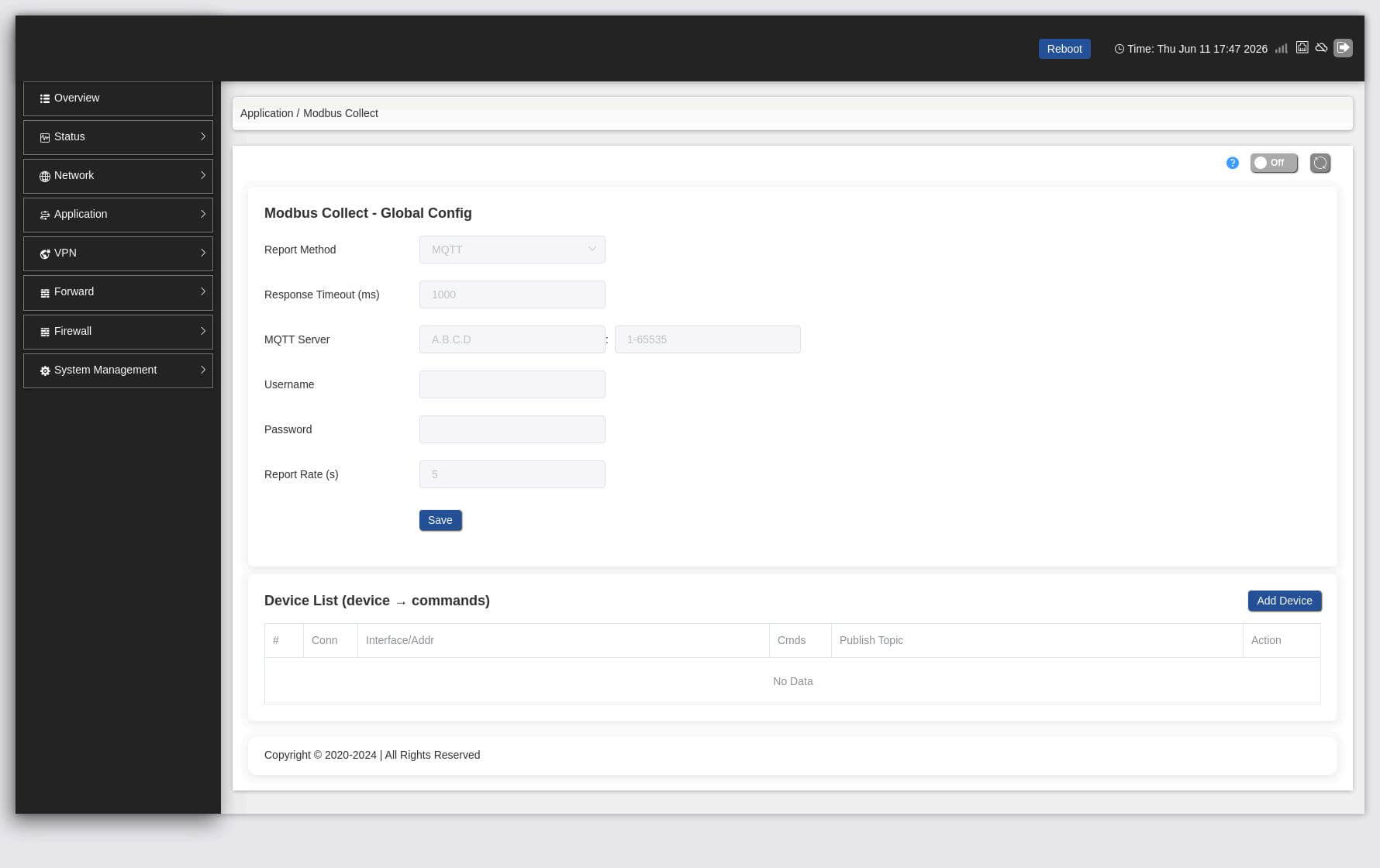
👀 See it in the Web UI: Modbus to MQTT Collection
Full Configuration Tutorial
Read this community tutorial on how to use the Vircom tool to map Modbus holding registers directly to JSON payloads and set ‘Transmit on Change’ to optimize network – step by step.
Need offline documentation?
Download the complete YAML and JSON payload blueprint for Home Assistant Integrations.
Ready to stabilize your Modbus connection?
For home LANs and indoor distribution boxes, we strongly recommend our pure Ethernet Edge Gateways. They offer galvanic isolation and native MQTT translation without monthly cellular fees. For remote, off-grid deployments like solar farms, choose our LTE models.
